Advanced Manual Control 353
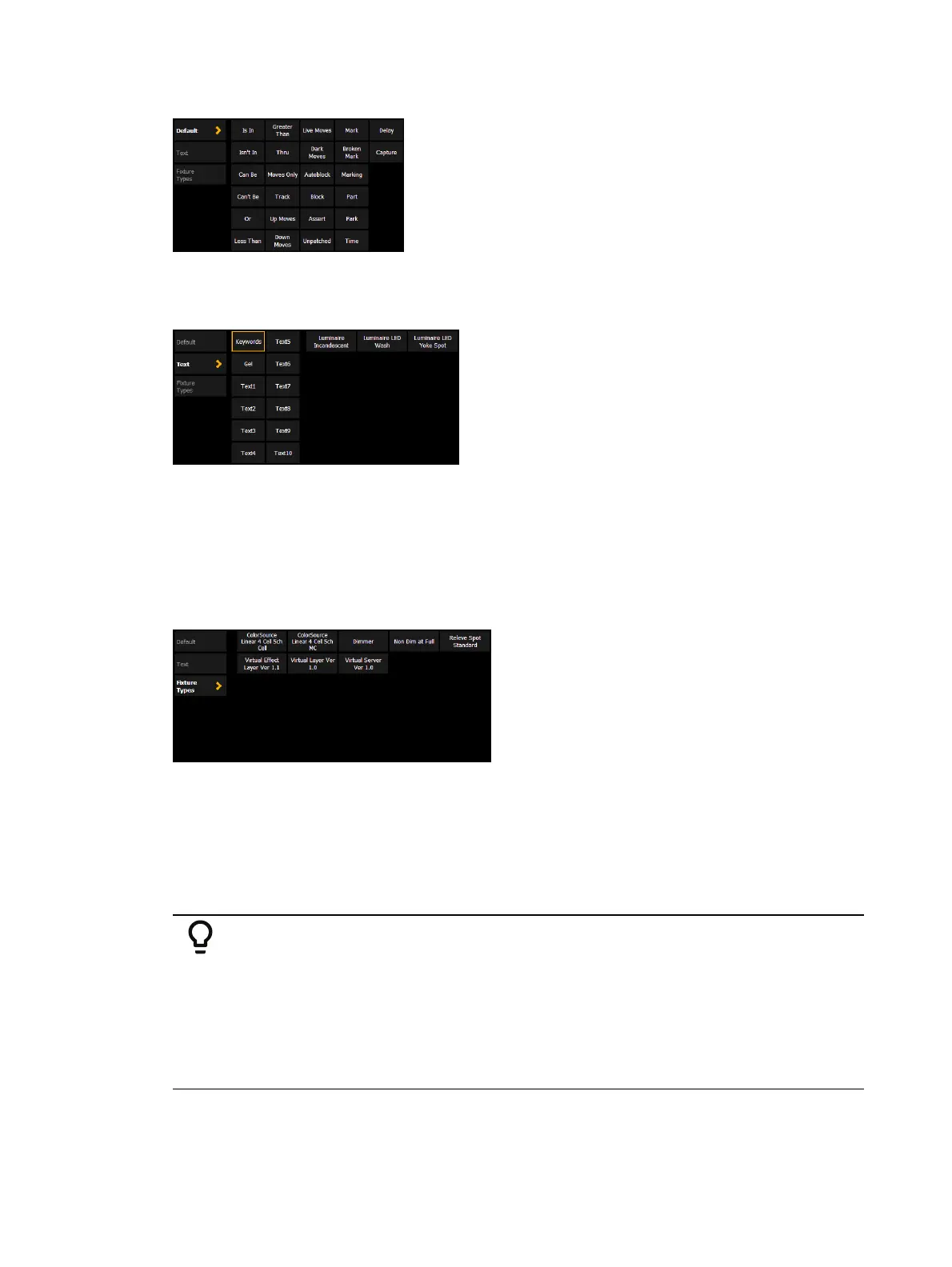
Default
Includes the query softkeys along with additional query conditions.
Text
{Keywords} - displays buttons for all the text used in the text 1 through 10 fields and all
of the default keywords in Patch.
{Gel} - displays all of the gels used in the current show file.
{Text 1} - {Text 10} - displays only the text used in that text field.
See also
Renaming Text Fields in Patch (on page182)
for more information.
Fixture Types
Displays buttons for all of the fixture types used in the current show file.
Using Query
As a query is defined in the command line, channels will be specified in the Live/ Blind display.
When an [Enter] command is used to end the query, the remaining channels of the query will
be selected.
Example:
You wish to find channels which are in color palette 2 and have an intensity of
50%:
[Query] <Is In> [Color Palette] [2] [At] [5] [0] [Enter]
In the Live/ Blind display, any channels meeting this criteria will be selected.
You may use [Next] and [Last] to cycle through the query selection, one
channel at a time to control only a specific channel.
Other examples of using a query are:



 To Next Page