504 Eos Apex, Eos Ti, Gio, Gio @5, Ion Xe, Ion Xe 20, and Element 2 User Manual
2. In Patch, enter the Focus Palette number into the "FP#"column that corresponds with
the point on which you focused.
3. Repeat this process until all your FPEpoints have associated FocusPalettes.
This association between FPEPoints and Focus Palettes is crucial to the accurate rendering of
fixtures in Augment3d.
FPE Sets
If multiple sets of FPEcalibration data are needed, FPEPoints can be arranged in up to ten sets.
Each set has its own FPEPoints, allowing you to maintain FPEdata for multiple spaces within
the same Eos showfile. Each FPEset can then be assigned to a channel or range of channels.
The fixtures patched to those channels will then use the FPEPoints in that set for their
calibration and focusing.
Multiple FPEsets can be useful for consoles that control more than one space, or for touring
shows working in multiple venues. This can also be useful if all the fixtures in your space
cannot focus on the same set of FPEpoints.
Calculating FPE
Once you have at least four FPEPoints matched to Focus Palettes, you are ready to calculate
FPE.
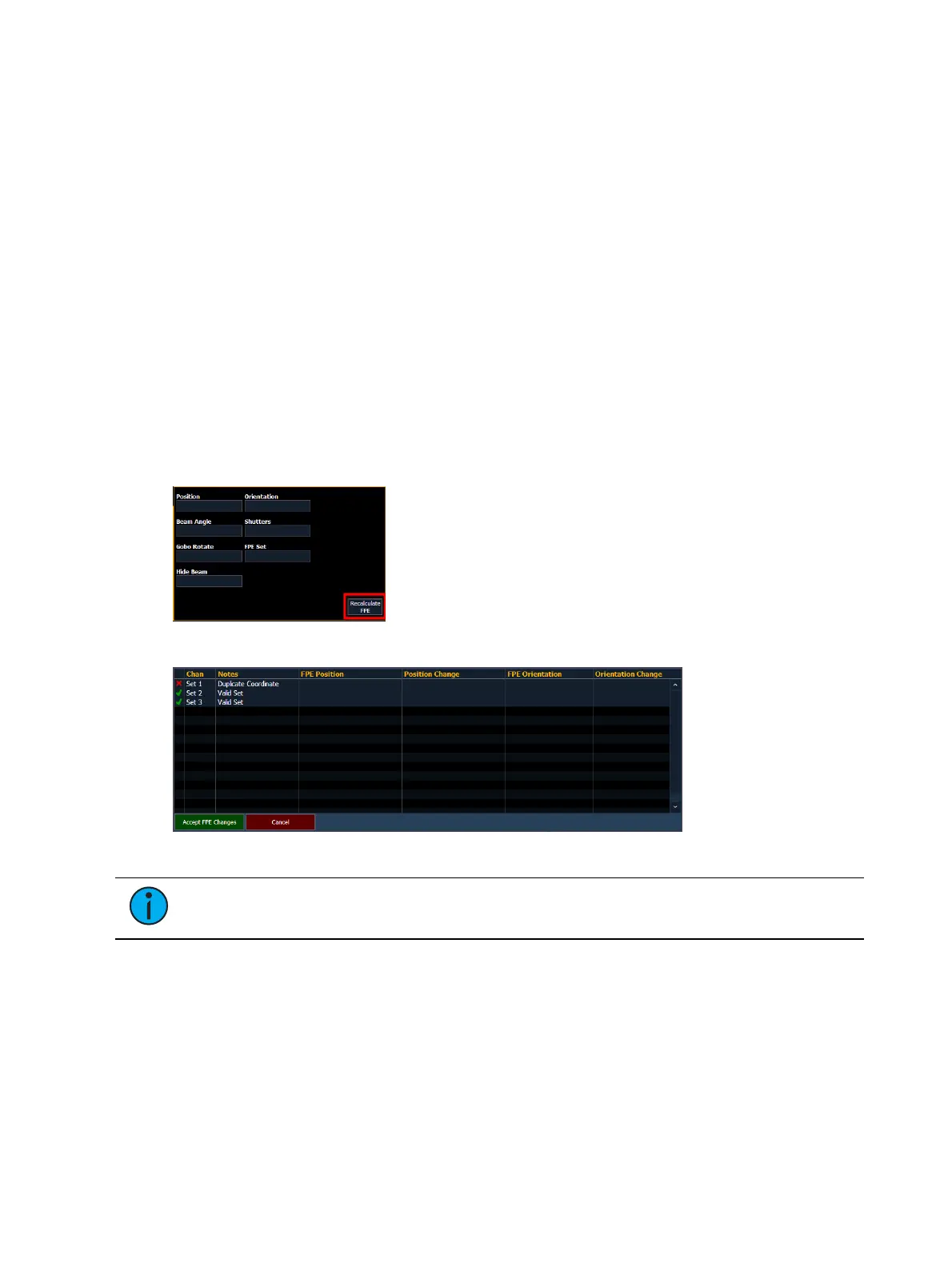
Press Realculate FPE , then Confirm FPEto commit your changes.
A window will appear summarizing any FPE changes and / or a table of errors.
Note:
Any errors must be resolved before proceeding. It is not possible to undo an
FPEcalculation.
Press Accept FPEChanges to proceed.
If calculating FPEfor the first time, this will automatically generate fixtures in your Augment3d
model. You can also make subsequent FPEedits or recalculations the same way.
Selective FPE
With nothing selected in the command line, FPE will recalculate positions for all patched
fixtures in a show file. If specific fixtures or ranges of fixtures are selected, the FPEcalculation
will only affect the selection.



 To Next Page