3GS Technical Manual
Issue 4.5 August 2005
8-12 Programming Menus
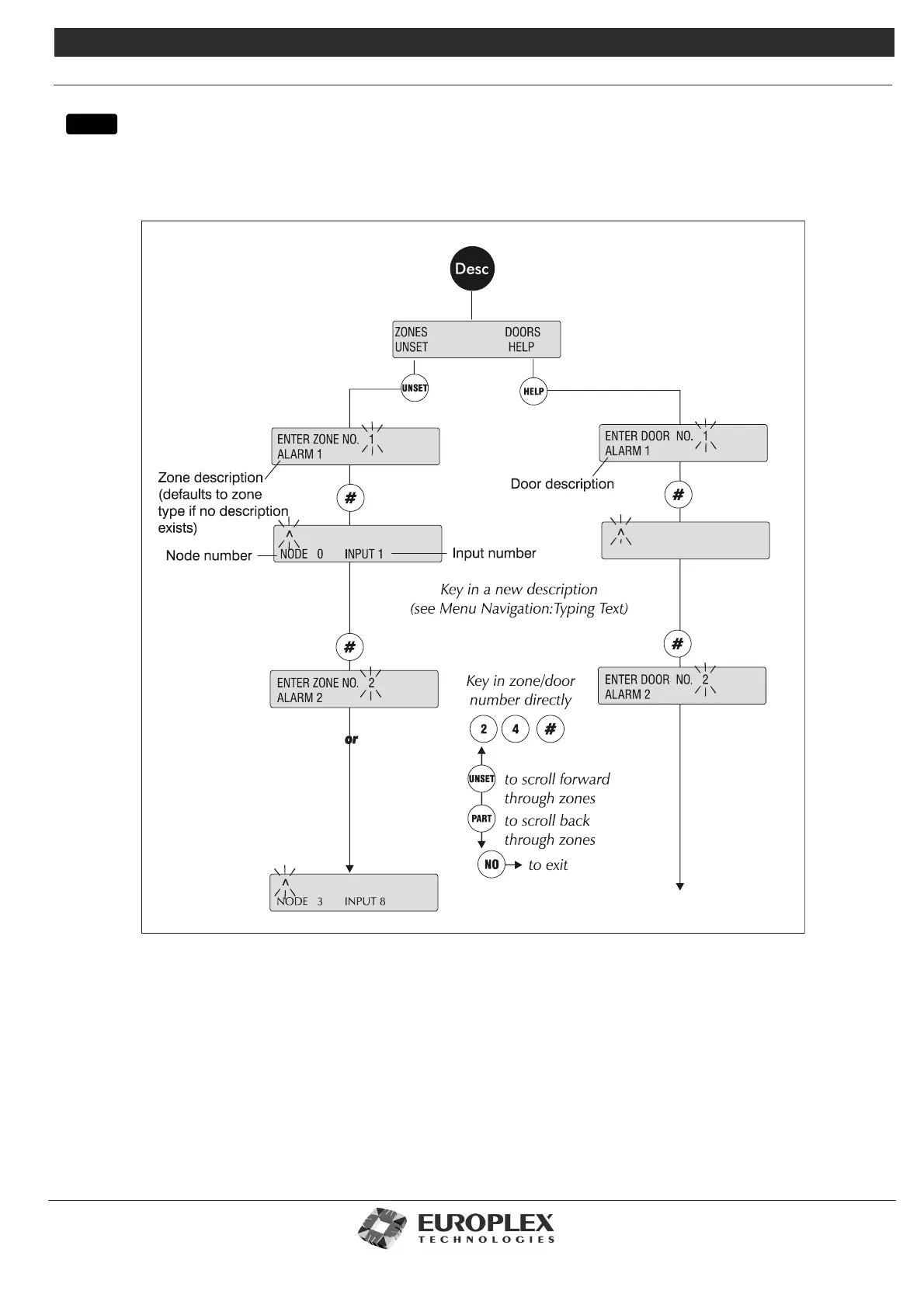
ZONES/DOORS/VARS - DESCRIPTIONS
Function: This submenu allows you to assign an alphanumeric description of up to 24 characters for each zone and door
input.
menu
Additional Information
When you choose the DESCS option, the top line of thefirst display requests a zone/door number. The bottom line shows the
current zone description. However, if no description exists, the zone type is displayed (for example, after a cold start). To
insert text from the 3GS RKD, see “Typing Text” on page 8-4. Alternatively, the zone and door descriptions may be entered
using the Europlex PC product range (3GS+, Panelman, and so on).It is a good idea to precede the zone/door description
with the zone/door number (for example, 1-RECEPTION DOOR).



 To Next Page