3GS Version 5 User Guide 9-19
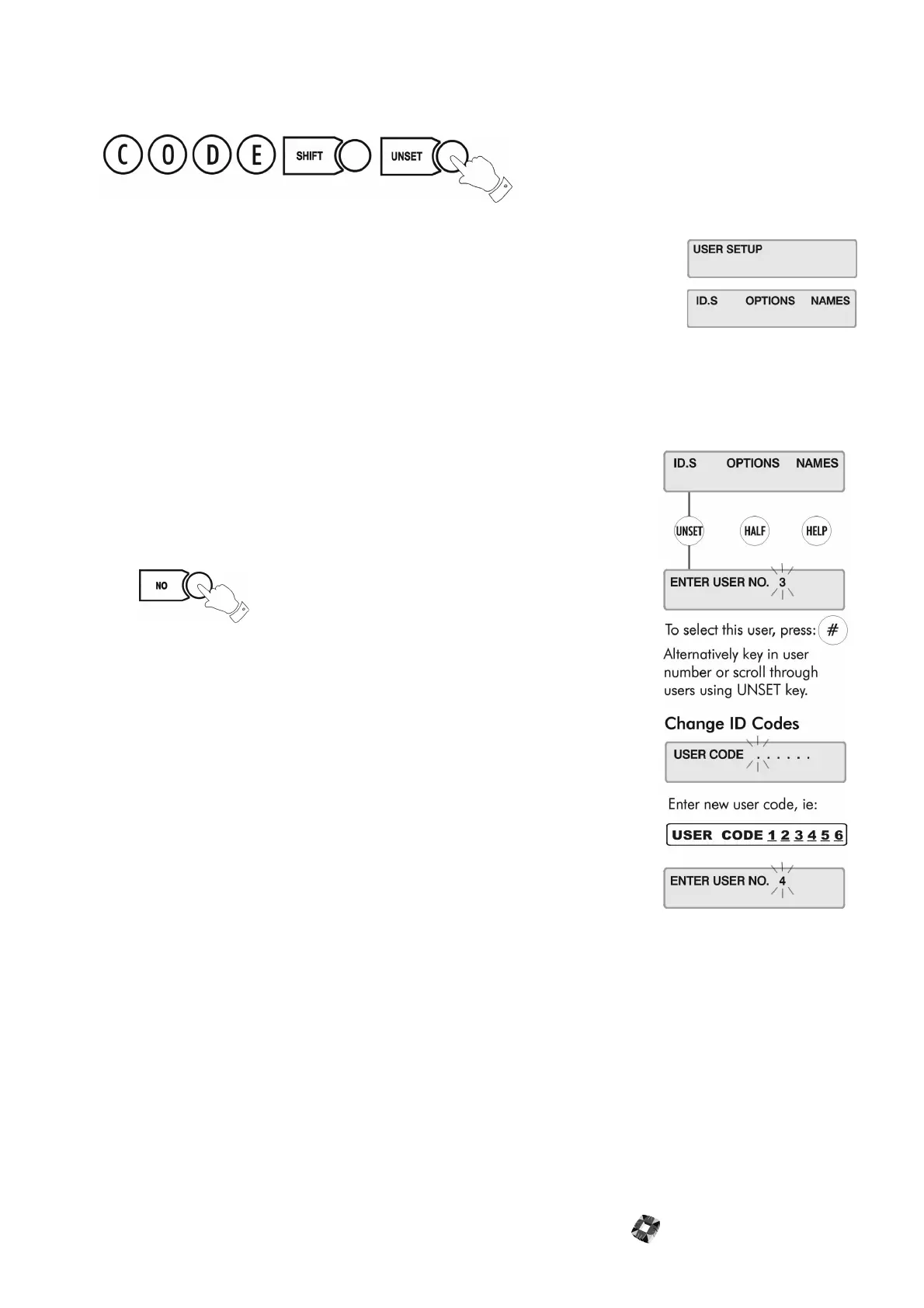
USER SETUP
This menu is used to set up new users on the system, entering their names and assigning
ID codes and options.
Changing User ID Codes
This option allows the Master User (user 2) to change individual ID codes for all
other system users (1 - 250).
Note User ID codes must be 6 digits in length.
The new ID code is accepted and functioning as soon as you enter it.
Press at the user number prompt to exit the ID codes menu
when finished.
You should now give the user the required options.



 To Next Page