3GS Technical Manual
Issue 4.5 August 2005
8-52 Programming Menus
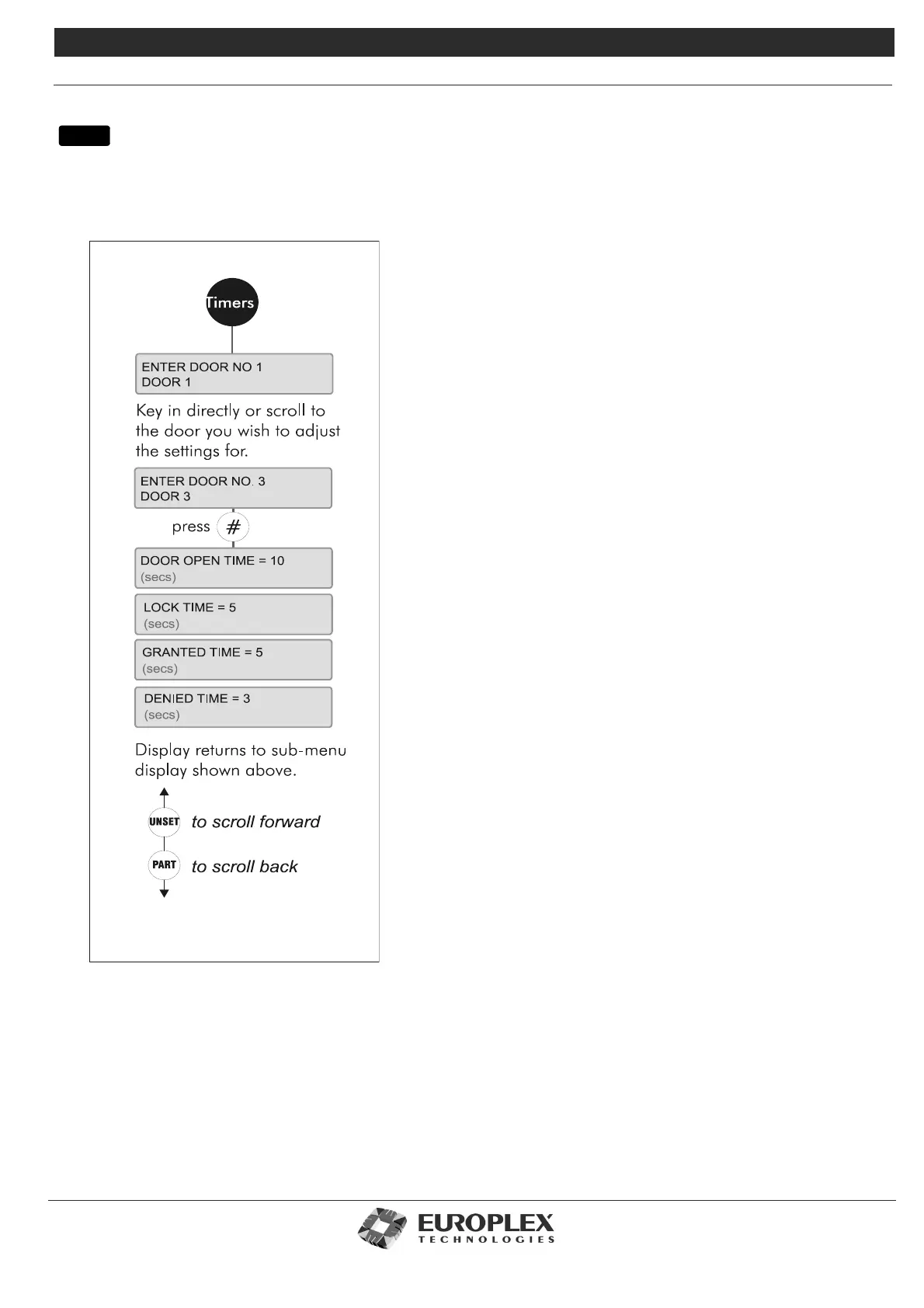
DOOR CONFIGURE - TIMERS
Function: This menu allows you to change the timers for individual doors, and allows for doors to be configured with different
times.
Additional Information
Door Open Time
This is the number of seconds that the door is allowed to remain open
after you have been granted access. This feature prevents a door from
being accidentally left open or intentionally propped open.
The default is 10 seconds and the range is 0 to 255 seconds. To accept
the default, simply press #. To enter a new time, key in the new time.
Then type # to accept.
Lock Time
The number of seconds for which a door lock is released. This is the
length of time the user will have to physically open the door once they
have been granted access.
The default is 5 seconds (range 0 - 255). A zero-second value (called
turnstile operation) is possible, which will unlock the door for a fraction
of a second. Press # to accept the default. To enter a new time, over-
type the flashing number with the new setting and press # to accept.
Granted Time
The number of seconds for which the Green LED (access granted) will
light. The default is 5 seconds.
Denied Time
The number of seconds for which the Red LED (access denied) will
light.
The default is 3 seconds. Once you have accepted your settings for this
door, the menu will prompt you for another Door Number. Enter the
number of your choice, or use the UNSET or PART keys to scroll
forwards or backwards to a particular Door. To exit the TIMERS menu at
any stage, press NO.
menu



 To Next Page