3GS Technical Manual
Issue 4.5 August 2005
Programming Menus 8-49
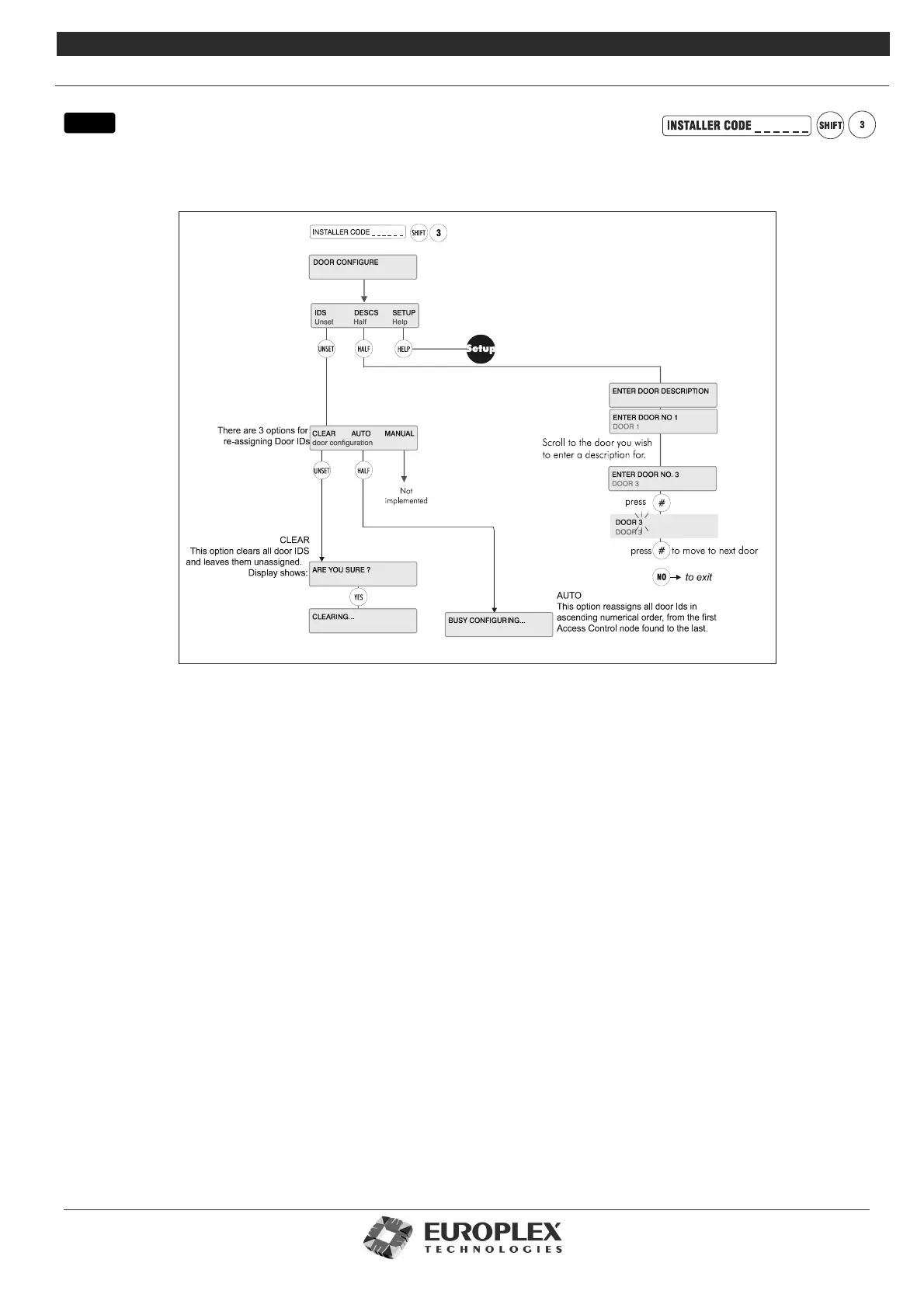
DOOR CONFIGURE
Function: This menu allows you to set an ID, description, and open/locked properties for the doors on your system.
Additional Information
Each door is automatically given a unique ID, which will identify the door within the system. Time zones are configured in a
separate system menu – see “Time Zone Setup” on page 8-54. When configuring a door, you can only assign pre-set time zones.
Similarly, door groups (sets of pre-configured doors) are set up within the door group system menu.
Note Doors can be assigned as 'zone' types the same way as normal zones. As such, when the door changes state, it will
act in the same way as a zone (with the same 'type' assigned). For example, if the Exit attribute is set to YES for a door, it
will start the entry time when opened if the system or area is set/armed.
IDs
The system automatically assigns an ID to every new door with an EOL resistor connected to the door input, attaching it to the next
available reader on the node. The door will then be identified by its number, the ID of the reader/lock to which it is attached, and the
ID of the node on which the reader is to be found. For example: Door 1, Node 2, Reader 2.
Clear will clear all existing Door IDs from the system, leaving every ID unassigned.
Note If you Clear existing door IDs, you must follow this by selecting Auto, or the system doors will not function.
Auto scans the system and re-assigns every valid door in numerical order. If a Door ID is cleared from the system, the next door
will be re-assigned to the ID left unassigned.
Manual option not implemented.
Door Description
Enter door description required – see “Typing Text” on page 8-4 for further information on entering text.
Setup: See page 8-50
This menu allows you to setup all door options, timers, and time zones.
menu



 To Next Page