3GS Technical Manual
Issue 4.5 August 2005
Programming Menus 8-69
SYSTEM LOG
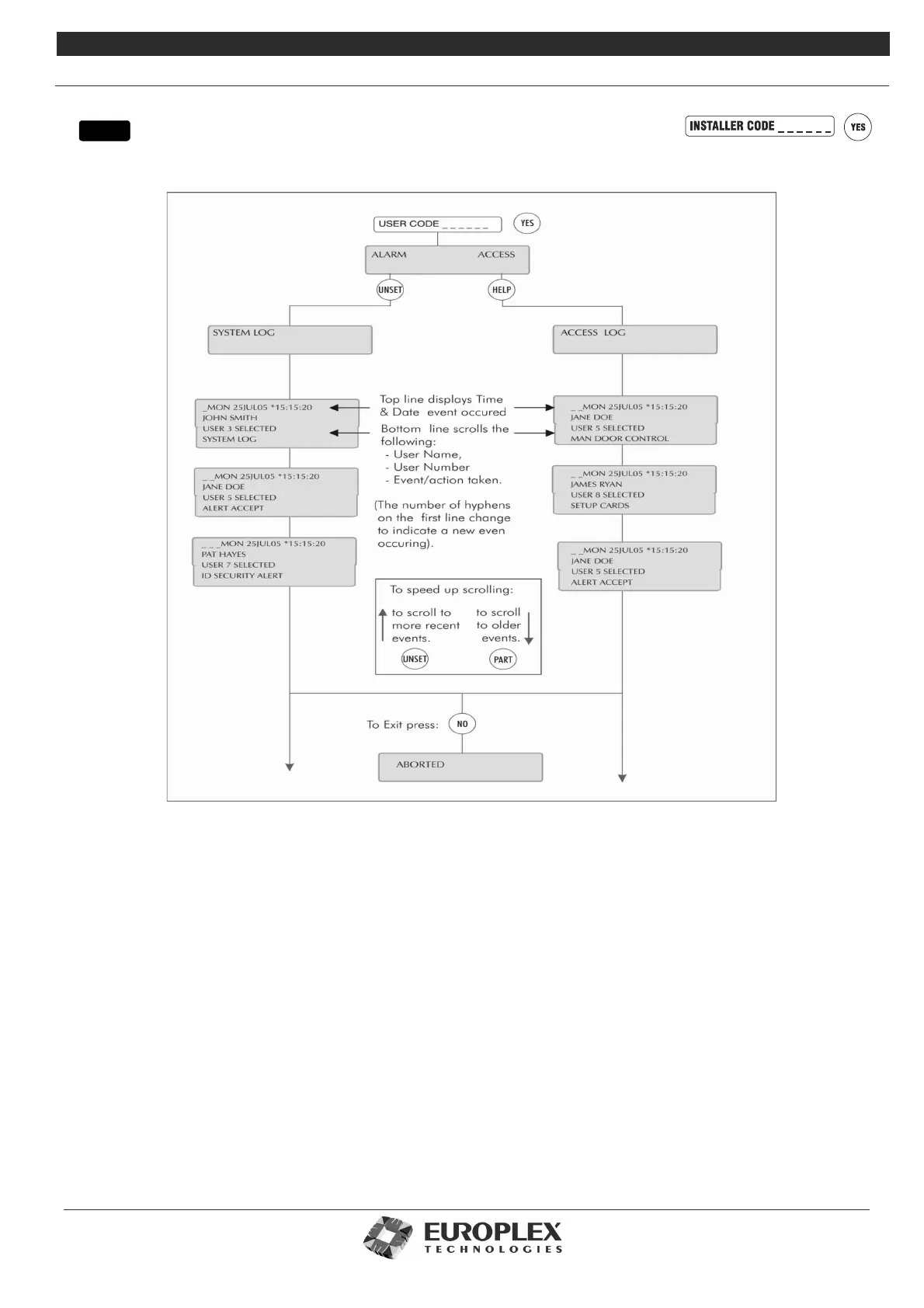
Function: This menu allows you to view or print either of the two logs maintained by the 3GS system:
Additional Information
• Alarm and system log – Maintains a record of the last 1000 alarm events.
• Access log – Stores 3000 access log events.
These logs record all activity on the 3GS system, including keypad input, alerts, activities, access, and so on. Each event is
date-time stamped to the nearest second. To clear either log, you need to carry out a cold start. When the log reaches
maximum capacity further events will cause the oldest to be erased. Log events will be stored for a minimum of 30 days if
there is a power failure.
Printing logs
When the option PRINT LOG? is displayed, you can print by pressing the YES key (ensure a serial printer is connected and the
serial port correctly configured). Otherwise, press NO to display the log on the RKD.
Viewing logs
You can quickly step through the log display (one line at a time) by pressing the # key. An * appears in the centre of the date
and time display to make the log easily differentiable from the Unset/Disarm mode display. The date and time remain visible
in the display until all information regarding that particular event has been shown. The PART SET key will rewind one entry at
a time to the first entry of the date currently being displayed, while the UNSET key will skip to the next entry. To leave the
system log at any point in the record, press the NO key.
menu



 To Next Page