DM1200 Digital Communicator/Modem 12-10
DM1200 PROGRAMMING
Before Programming...
Before attempting to program the DM1200, note the
following:
● Ensure the DM1200 Eprom label is version 2.2 or
greater. Older versions are not compatible with the
3GS system.
● For SIA reporting, ensure the DM1200 is version 3.0
or greater.
● Ensure that the DM1200 connections to the 3GS
port are correct - see “Digital Communicator
Operation” on page 12-3 for further information.
Programming Sequence - Checklist
To program the DM1200 to report as a digi and a
modem, adhere to the following:
1 The 3GS controller must be configured to operate in
LOCAL communications mode (Dial Mode:0). This
allows the DM1200 to poll the 3GS Controller for
output data, log events, and so on – see Set Data
Format in 3GS Programming for further information.
ii If you are using Eurodial monitoring software, then
LOCAL communications mode (step 1) must be set
in two stages.
iii Program the digi telephone numbers, account
codes, and reporting sequence. See below.
iv Program the MODEM primary and backup tele-
phone numbers. See “Modem Communication” on
page 12-11.
Programming the DM1200
The flow chart examples on the following pages show
how to program a basic set up for the DM1200.
Note that the DM1200 settings shown in these examples
are based on Irish telecom default settings. The settings
you see will depend on the country default selected.
To change these settings and configure the DM1200
successfully, it is vital to be familiar with the programming
techniques and options which are explained in the
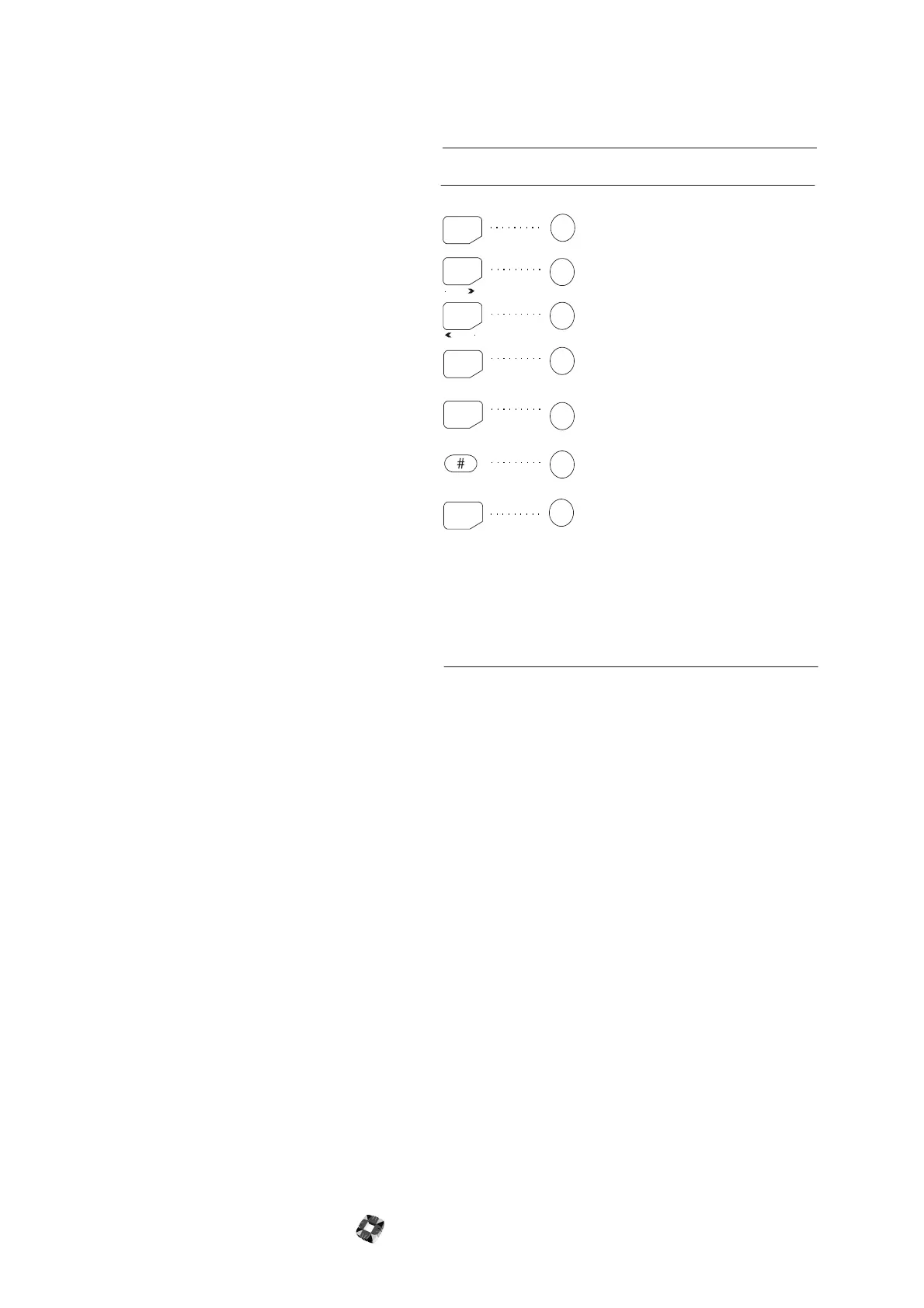
DM1200 User’s Guide. There are however some
inconsistencies between the key functions shown in the
manual and the 3GS keypad.
These are outlined in the following table.
Digital Communicator Reporting
The DM1200 can be programmed to dial 4 separate CS
phone numbers, with 2 accounts per number. The unit
attempts to contact telephone number 1 and if
unsuccessful then calls telephone number 2, and so on.
Note The two accounts per number facility is available to
split system software only.
Each line is then set to one of the following formats: SIA,
CONTACT ID, DUAL, or SLOW. The Contact ID format
is a high speed protocol using DTMF tones, giving block
and zone information. For a more complete explanation
of Dual and Slow formats, please see the DM1200 User’s
Guide.
NO
HELP
UNSET
PART
ENTER
SHIFT
YES
YES
NO
QUIT
SHIFT /
DELETE
ENTER
PREVIOUS
NEXT
DM1200
User Guide
3GS
keypad
Key Function
EQUIVALENT KEY
To Enter a menu option or to select an
option.
The Enter key is used to accept data.
The Shift / Delete key has a dual
function:
To select alphanumeric keypad
characters by rotating the cursor to the
required position (see "Typi ng Text ").
To delete characters if held pressed
down for more than 1 second.
To scroll forward through menus, i.e.
rejecting options or to toggle
between certain options.
Exit from an option to a sub-menu.
Moves the cursor to the left or
scrolls forward through a menu.
Moves the cursor to the right or
scrolls back through a menu.
+
-



 To Next Page