3GS Technical Manual
Issue 4.5 August 2005
8-50 Programming Menus
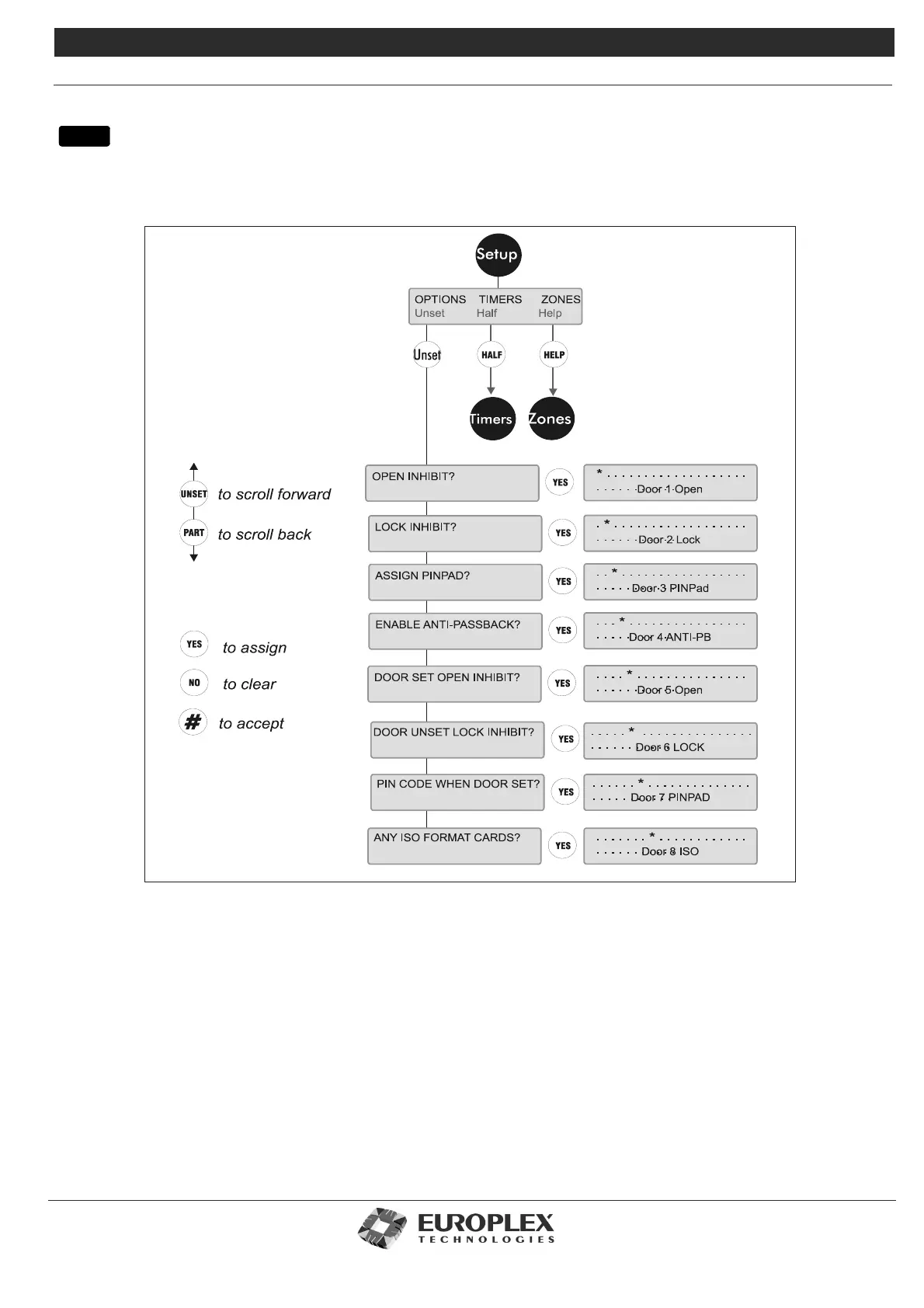
DOOR CONFIGURE - SETUP
Function: This menu allows you to setup the door options.
Additional Information
Timers: See page 8-52
This menu allows you to setup door related times such as Door Open Time and Lock Time.
Zones: See page 8-53
This menu allows you to assign time zones to doors.
All 64 doors are represented by dots. YES selects the option *, which appears on the display, on a door. Selecting NO, the default,
will then remove the option from the door. UNSET scrolls to the next door, PART scrolls back to the previous door. The * button
menu



 To Next Page