3GS Technical Manual
Issue 4.5 August 2005
Programming Menus 8-27
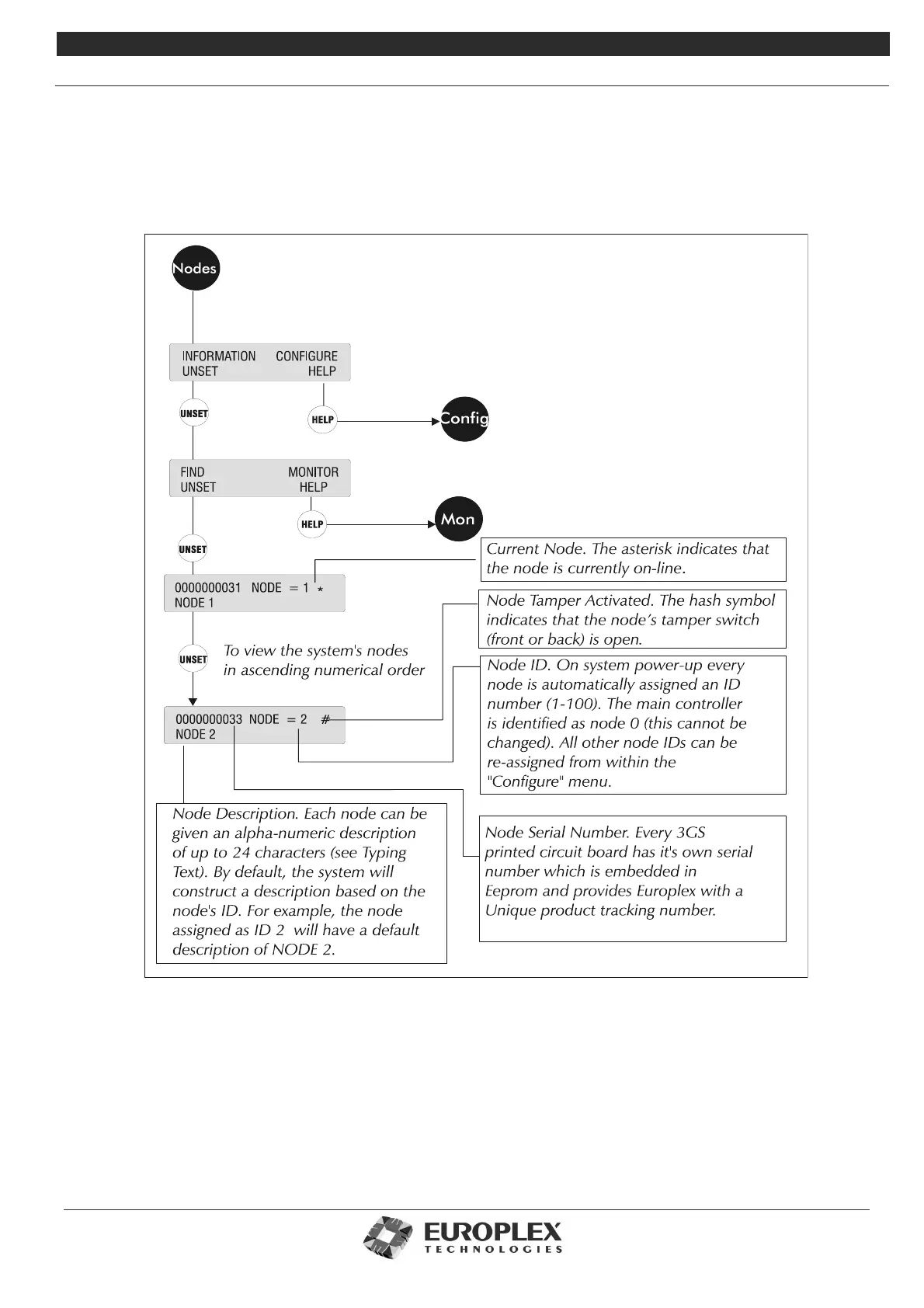
NODE CONFIGURE - NODES - INFORMATION - FIND
Function: The Find submenu allows you to scroll through the nodes and view ID information. When a node is viewed on the
display, its on-board buzzer sounds to identify the nodes location.
Additional Information
Nodes - Information - Monitor: See page 8-28
• Use this option to monitor and view a node’s current operational status, input/output connections, and so on.
• Nodes - Configure: See page 8-29
• Allows you to manually or automatically assign or view a node ID, give nodes a text description, and adjust the
RKD settings.



 To Next Page