3GS Technical Manual
Issue 4.5 August 2005
8-42 Programming Menus
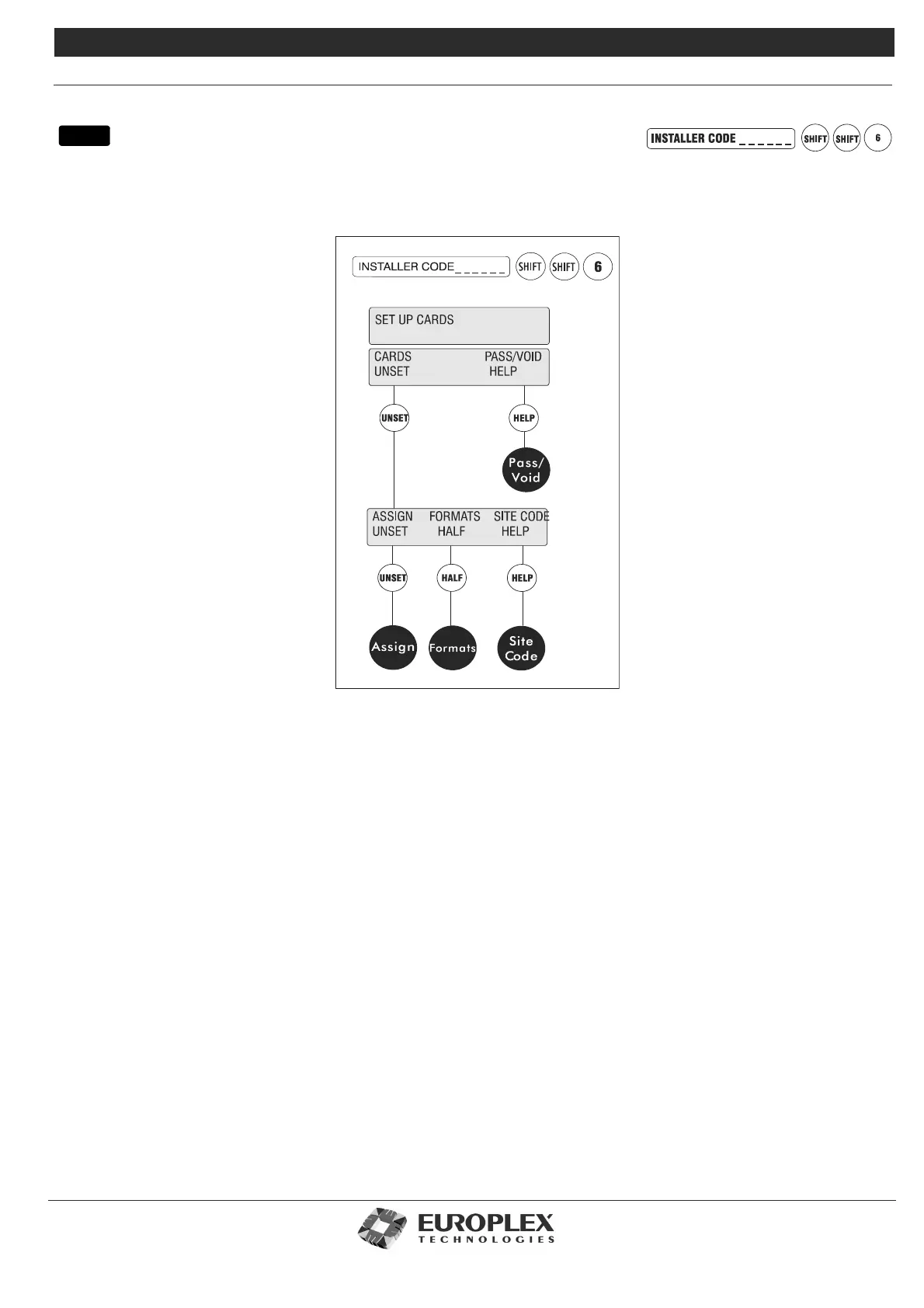
SETUP CARDS
Function: This menu allows you to setup cards on the access system and pass them for various levels of access.
Additional Information
Europlex’s Access Control Management software, 3GS+, is available to setup and manage the Access Control system database.
Note For more information on this menu, see Access System Overview in 3GS Hardware.
Assign: See page 8-43
• This menu is used to assign cards onto the 3GS system. All cards must be assigned before they can be programmed for use on
the system. Cards can be assigned by presenting them at a reader and learning the card, by selecting from a range 1-10,000, or
by programming via 3GS+.
Formats: See page 8-44
• This menu allows for the use of non-standard card formats.
Site Code: See page 8-45
• This menu is used to program the system site code.
Pass/Void: See page 8-46
• This menu allows you to pass or void cards on the system. Cards can be passed for groups of doors for time zones. Cards can
be given PIN codes, an expiry date or a function level in this menu.
menu



 To Next Page