Issue 4.5 August 2005 Hand-Held Terminal (HHT) 10-5
MAIN MENU
Power Up
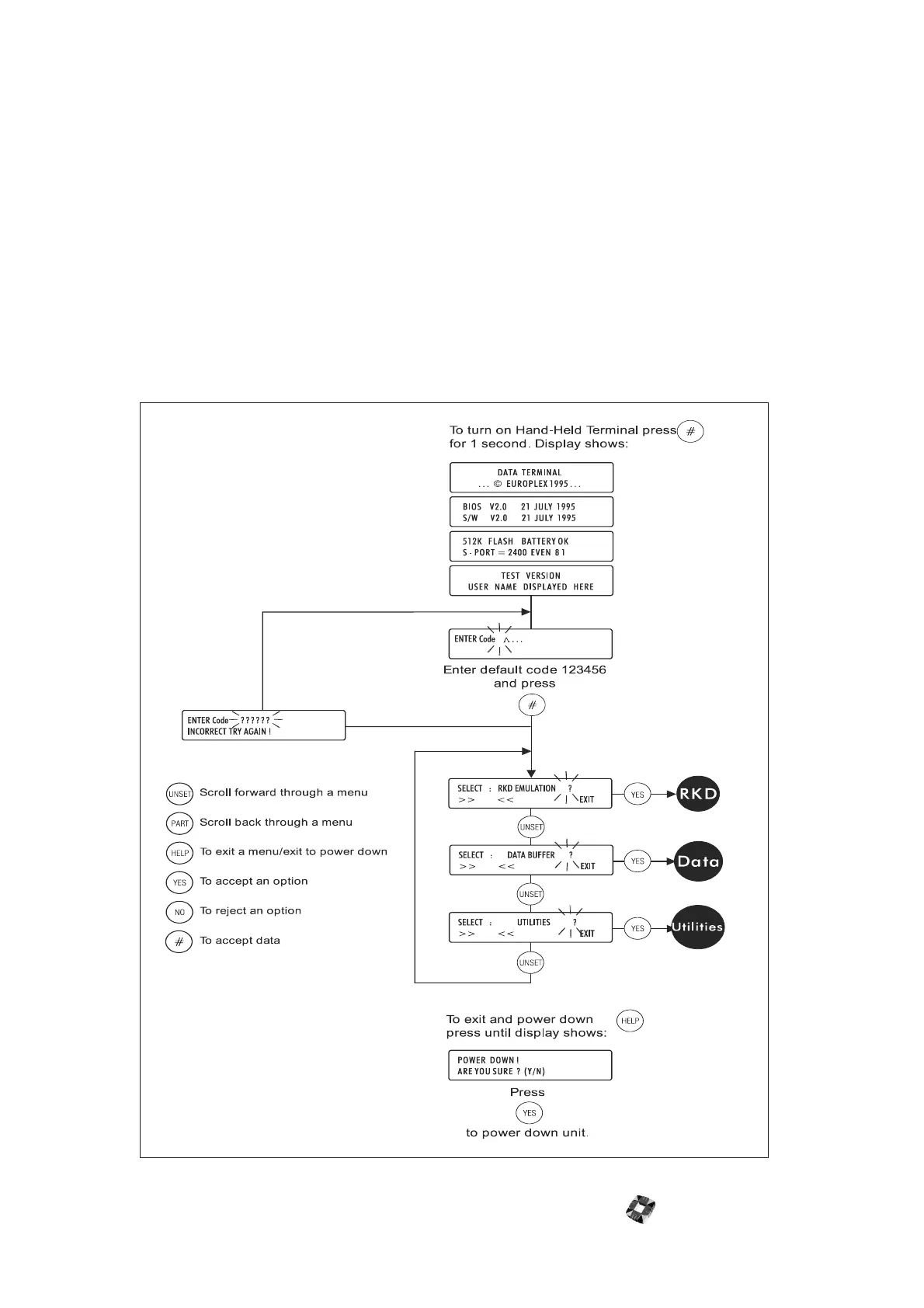
To turn on the HHT, press the # button for at least one
second. A number of status messages will be displayed,
after which you will be requested to enter a 6 digit
passcode (the default is 123456).
Incorrect Code Entered
If you enter an incorrect code, you will have the option
of re-loading the default settings; in this case, any
information stored in memory will be lost. If you do not
require the code function, you may remove it from
within the Utilities menu.
Modes of Operation
The main menu provides three modes of operation:
● RKD Emulation
● Data Buffer (Filesaver)
● Utilities
Display messages guide you through the menu structure.
The keys you will be using within any mode are: UNSET,
PART, YES, NO, HELP, and # (ENTER).
You can press the HELP key at any stage to exit to the
previous menu.



 To Next Page