Issue 4.5 August 2005 Hand-Held Terminal (HHT) 10-6
RKD Emulation
Mode
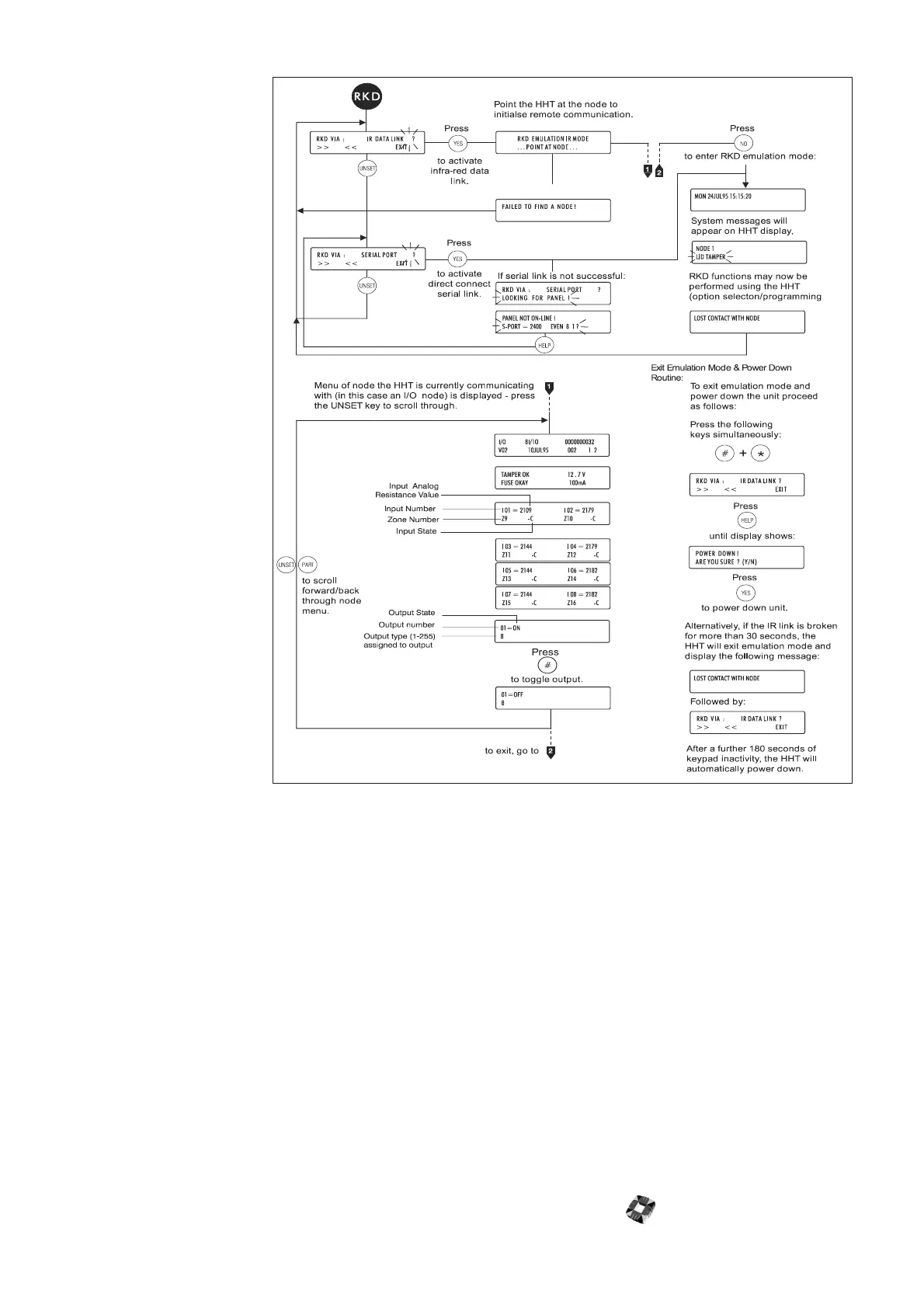
The RKD Emulation
mode allows you to
control, program, and
interrogate the 3GS
system in the same
manner as an RKD
node. You can do this
either remotely using
the IR link or directly by
connecting a cable
between serial port 1 on
the 3GS Controller and
the HHT serial port.
The following options
are available:
● RKD via IR Data
Link?
● RKD via Serial Port
RKD Via IR Data
Link?
After selecting this
option, point the HHT
at the IR node port. The
HHT will make ten
attempts to initialise
communications and if
unsuccessful, will
display the message
Failed to find a node.
When communications
are established with a
node, the node’s
autonomous menu
structure is displayed.
You can view the menu
by scrolling using the UNSET and PART keys. You can toggle the node’s output state by pressing the # key.
Press the NO key to enter RKD emulation mode. The HHT will now operate as an RKD node on the system.
If the HHT infrared link is broken for more than 30 seconds, the unit will exit emulation mode and return to the RKD
via IR Data Link menu option.
RKD Via Serial Port
As described previously, a serial connection can be made between the Controller and HHT. The default
communications protocol for both devices is set as:
● baud rate: 2400
● parity: Even
● data bits: 8
● stop bits: 1
To change these settings press the NO key. See 3GS programming: User Mode. When communications have been
established, the HHT will emulate an RKD.



 To Next Page