9-34
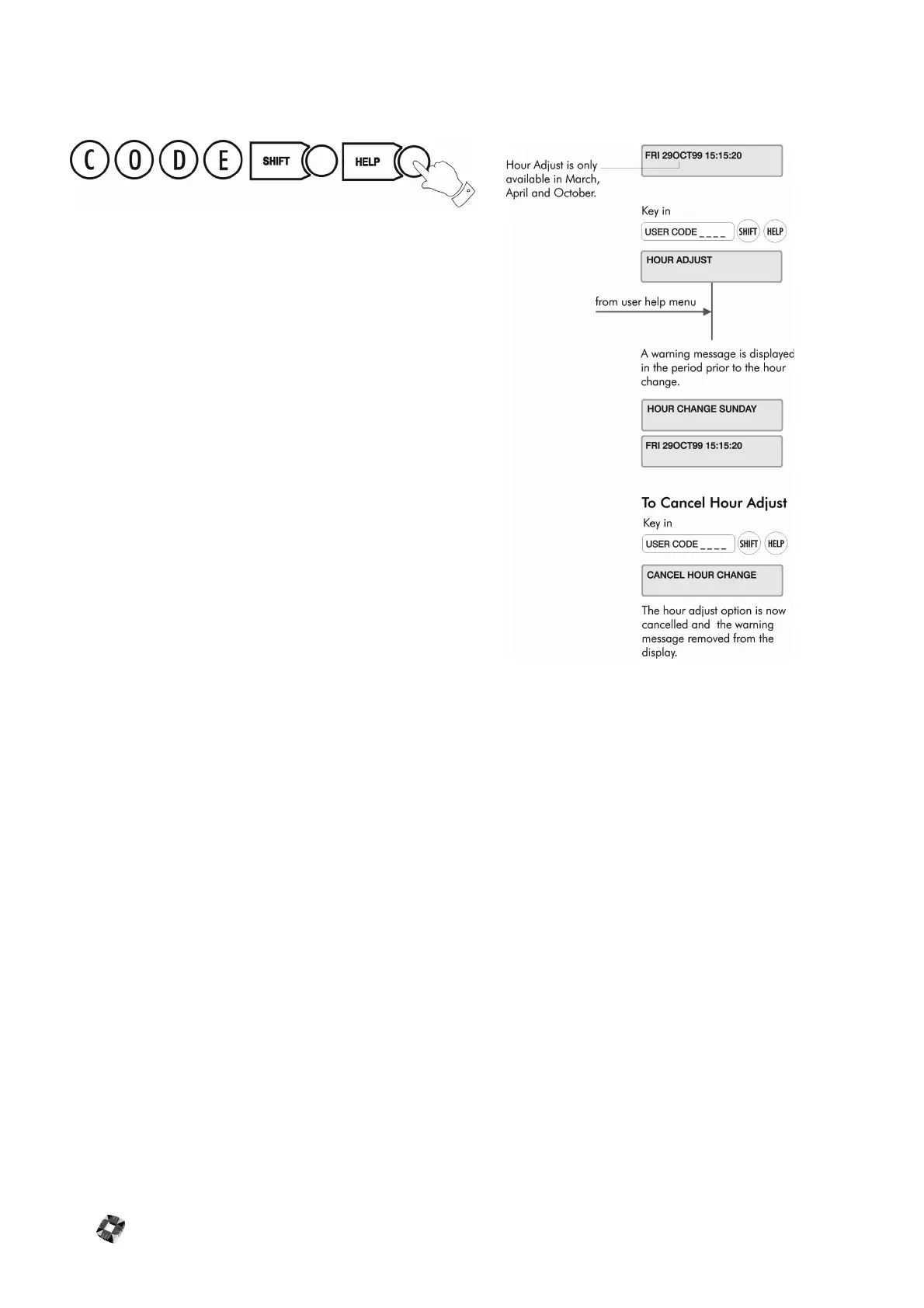
HOUR ADJUST
This option adjusts the system clock to automatically take account
of the Summer / Winter time change (Daylight Saving Time).
It must be selected during the week prior to the Sunday on which
the hour change is to occur at 2.00am.
A warning message is displayed until the function is executed -
“Hour Change Sunday”.
The system will automatically set the hour forward or back as
appropriate.
The option toggles on and off – you cancel the hour change by
selecting it again.
Note Hour Adjust should only be selected during March/April and
October.



 To Next Page