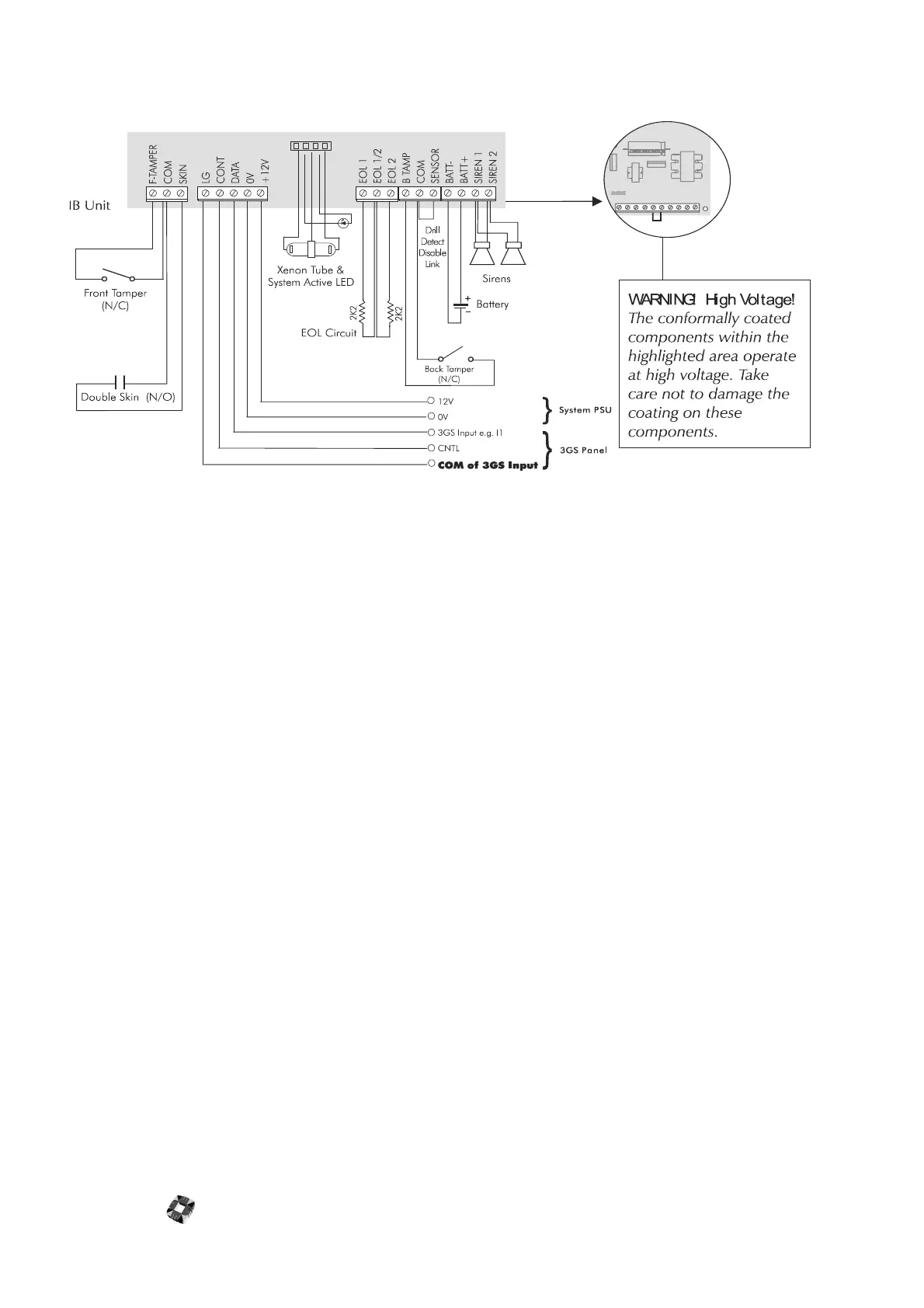
IntelliBell 14-4
INTELLIBELL CONNECTION DIAGRAM
Programming
The IB may be programmed with or without the sounders silenced, either prior to installation or when online with a
panel.
Prior to Installation
Connect 12Vdc and ensure that the front and back tamper switches remain closed, the skin tampers open, and the
foam ingress detect beam uninterrupted. If it is required to keep the sounders silenced, the control line and LEM
ground line must be connected also. Program the IB using the programming flowchart illustrated on page 4-6 and
disconnect power when finished.
After Installation
If you wish to program the IB after installation, you should assign an output to the Program Enable Output in the
Outputs menu. If this output is turned ON at the panel, before programming can begin, the IB will ignore any signal
from the panel turning on sounder or strobe.
Default Settings
The factory default settings are shown below. Selecting reset (RS) from the main menu will restore these values. Note
that when an option is set to 0, it is disabled.
Outputs SO 2 Sounder
ST 7 Strobe
TE 0 Self Test
PE 49 Program
Minutes SP 15 Sounder ON
BA 0 Battery Test
Both Sounder and strobe functions are enabled by default.
Event Reporting
The IB will report zone state changes as they occur. Literal Commands will decide what action to take. The IB will
report the following local events on its zone:



 To Next Page