9-32
CARD INFORMATION
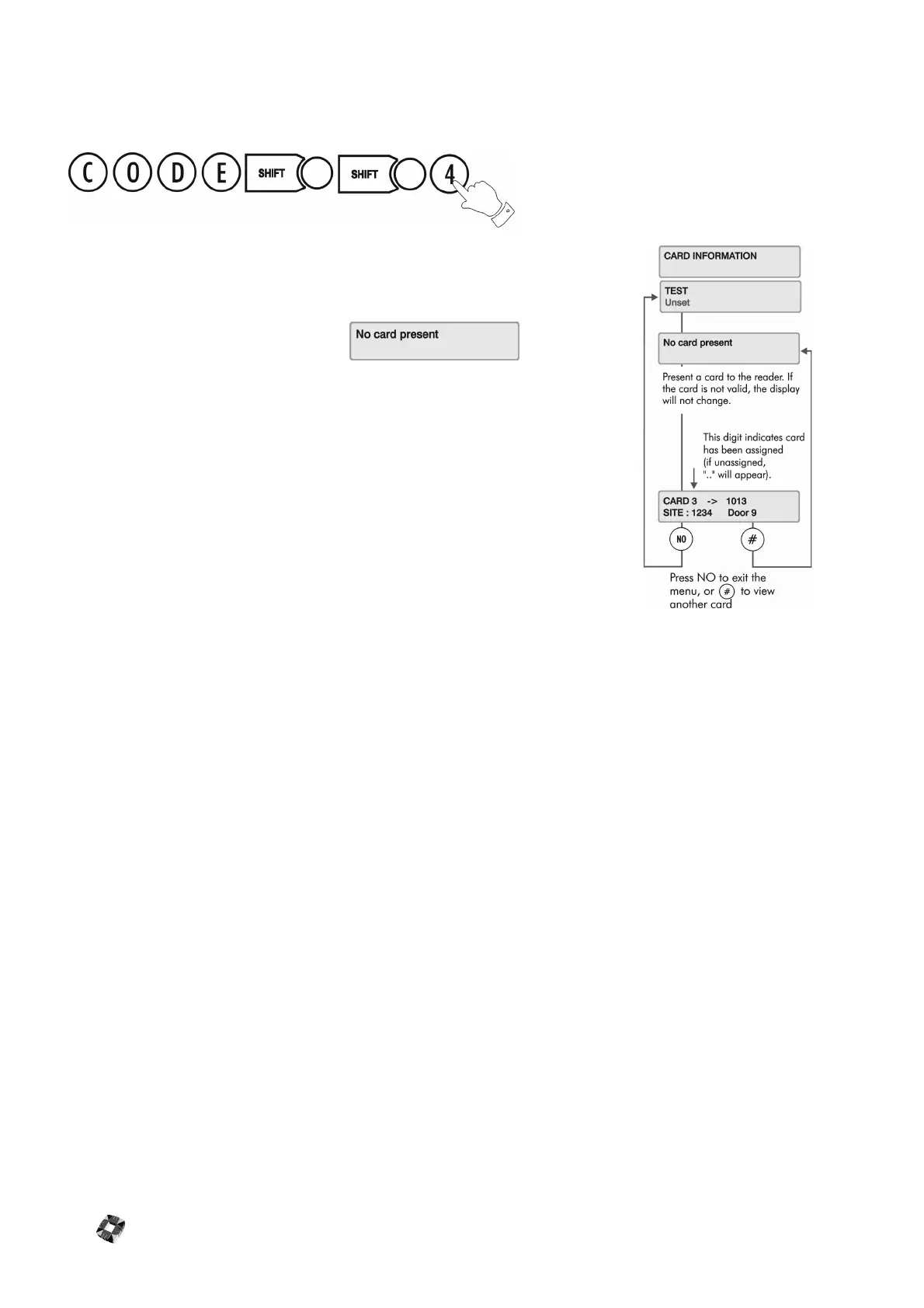
The Card Information menu allows you to test the validity of a card and check that the
card settings that you have configured have been entered into the system.
Select the menu option. When the prompt appears,
swipe the card or present it to the reader.
The display will then give details of the card ID, site code (which is configured by the
installer) and door at which the card is being presented.
Note When a card is presented, the display may not always show the card number.
If the display does not show any information about the card, present the card to the reader
again.



 To Next Page