3GS Technical Manual
Issue 4.5 August 2005
8-6 Programming Menus
Direct access
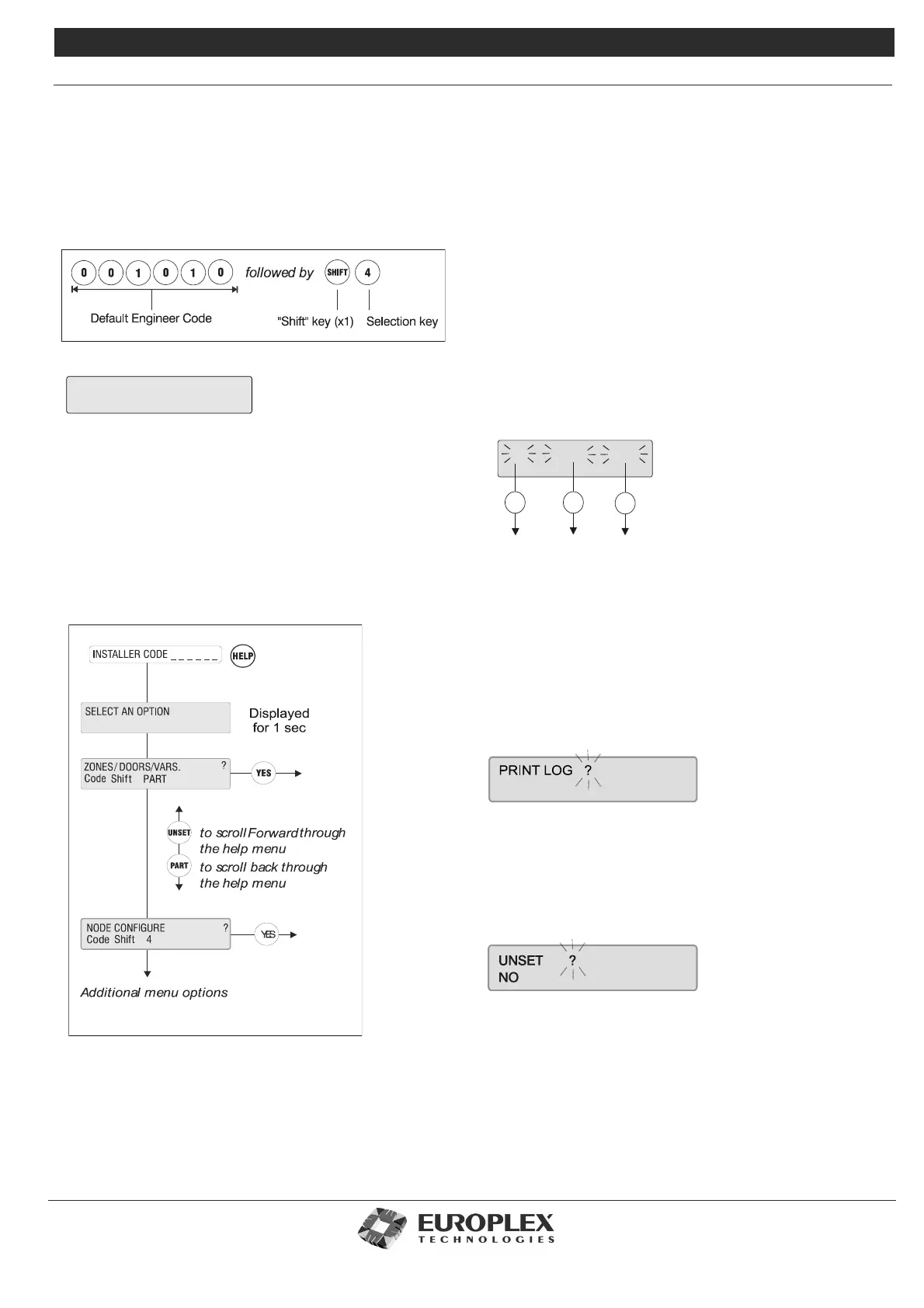
You can select an option directly by entering its particular
code. For example, to select the Node Configure option,
enter the following:
For certain options, you need to press the SHIFT key twice
before pressing the selection key.
See “Installer Menu Options.” on page 8-9 and “Master
Menu Options” on page 8-10 for further information.
Help Menu Access
The Help menu allows you to scroll through all available
options using the following keys on the keypad:
•UNSET to scroll forward through menu options.
•PART to scroll back through menu options.
•YES to select an option.
•NO to exit the menu.
Only options which have been assigned to you are displayed.
You have 90 seconds in which to make a selection.
Scrolling Through Options
Use the following keys when viewing options that do not
require input:
•UNSET to scroll forward.
•PART to scroll back.
3 way Display Options
Certain displays will present three flashing sub-options. Sub-
option selection is determined by the option’s position on
the display:
• The UNSET key selects the left option.
• The HALF key selects the middle option.
• The HELP key selects the right option.
Answering a Question
On the following display, the flashing “?” indicates that the
system is waiting for an answer:
Press YES or NO as required.
Pressing # (or any key other than YES) is interpreted as a NO
by the system.
In some cases, an option may be presented with YES or NO
displayed underneath, like this:
Select YES or NO as appropriate.
The system will automatically move to the next option.
When complete, press # to accept all data entered.
Entering Numerical Values
In a display where you have to enter a number, a flashing
NODE CONFIGURE
HALF
HELP
UNSET
ID.S OPTIONS NAMES
To select
Options
To select
IDs
To select
Names



 To Next Page