3GS Technical Manual
Issue 4.5 August 2005
8-53 Programming Menus
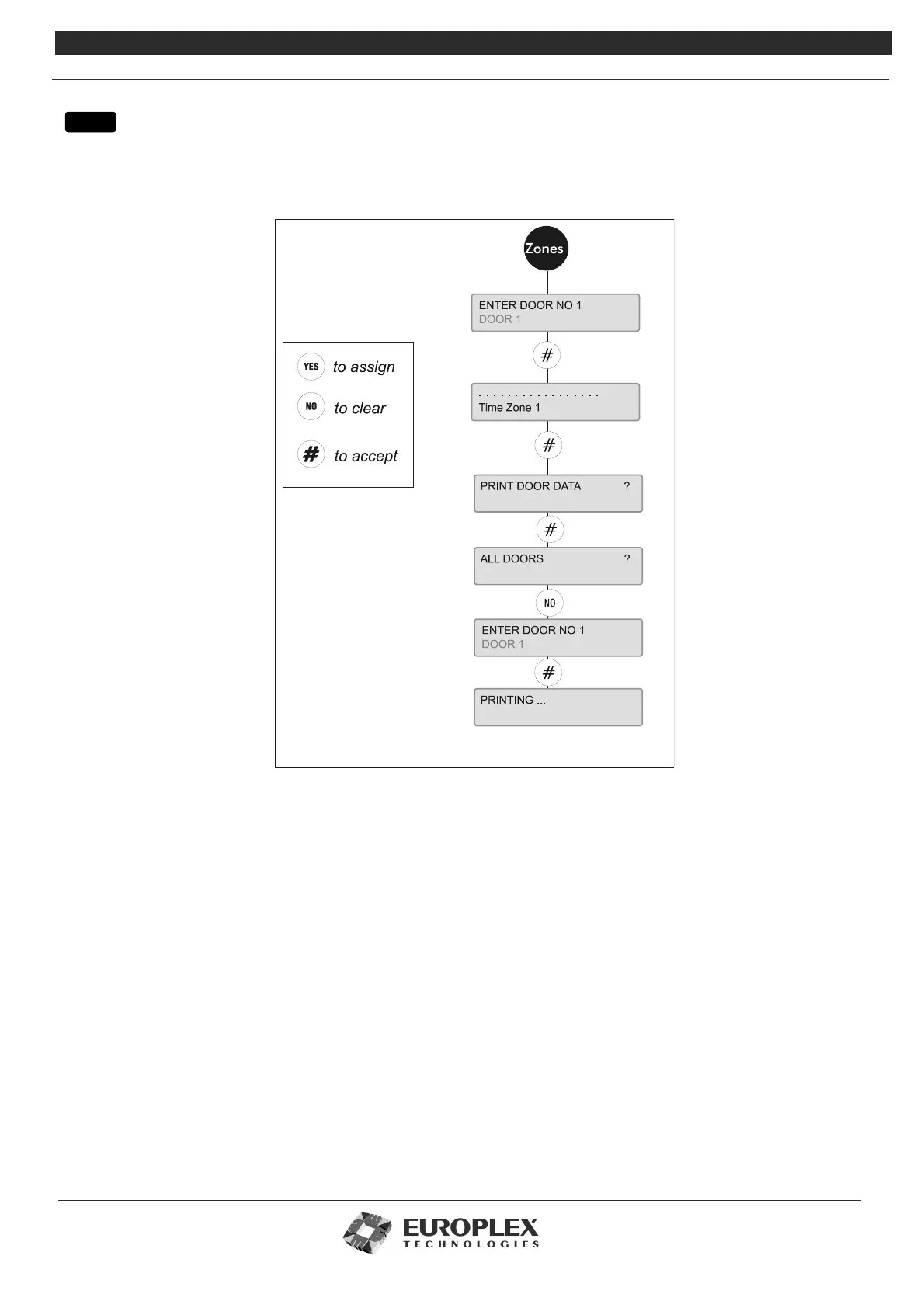
DOOR CONFIGURE - ZONES
Function: This menu allows you to assign any of the first 16 preset time zones to individual doors.
Additional Information
When you have selected the Door Number, the display will show the 16 available time zones as dots. To assign a time zone to a
door, use the UNSET and PART keys to move to the zone of your choice. Selecting YES assigns that zone to your Door. NO will
clear a time zone previously set. # accepts your settings. The * button toggles between assigning all time zones to this door or
assigning no time zones.
Before leaving the system menu, you will be prompted to print the door data you have just configured. This printout will detail
the settings for all or individual doors in the system.
menu



 To Next Page