3GS Technical Manual
Issue 4.5 August 2005
Programming Menus 8-33
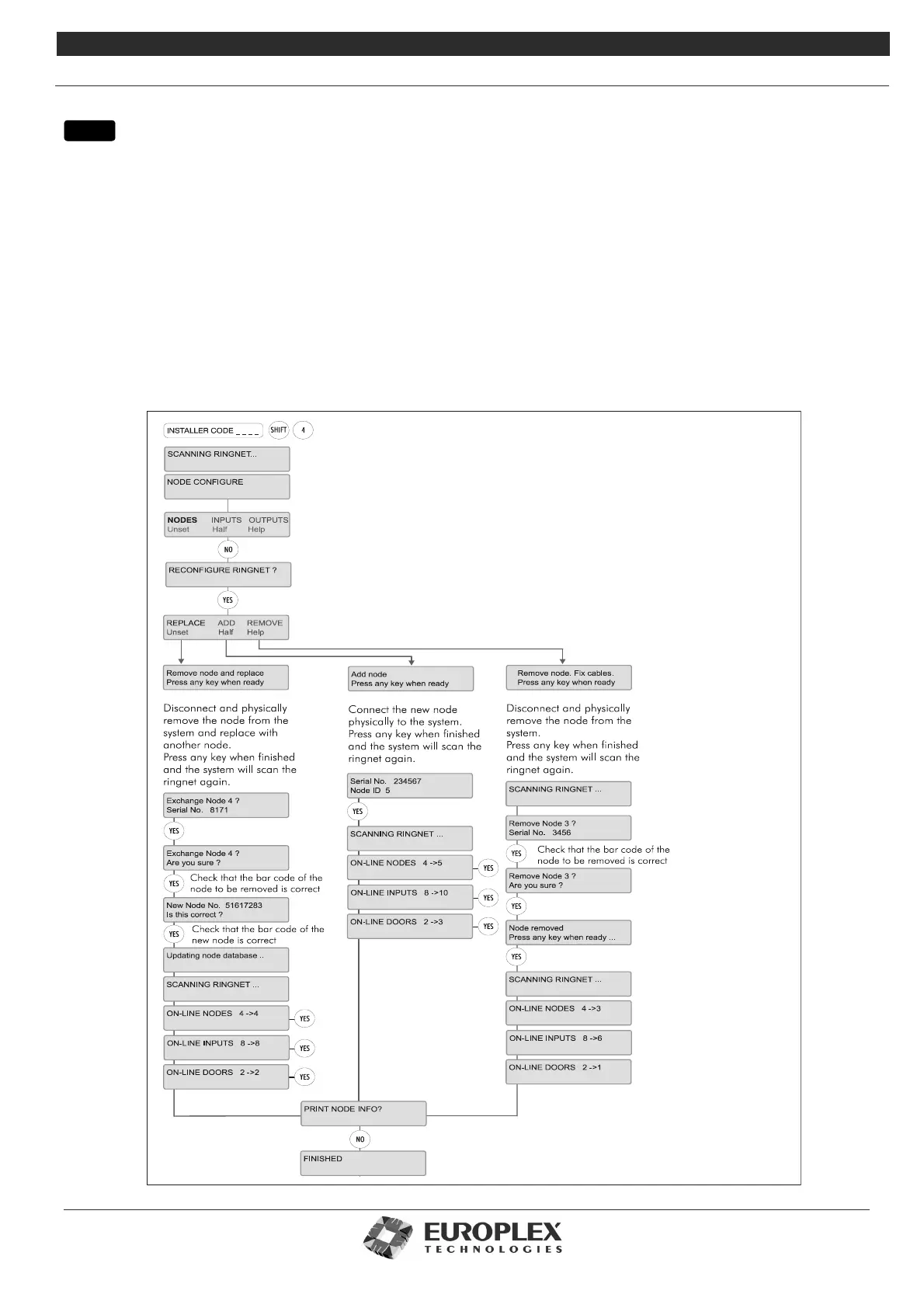
NODE CONFIGURE - RECONFIGURE RINGNET
Function: The Reconfigure Ringnet submenu allows you to add or remove a node, or replace a node – without losing any of
the node’s configuration.
Zone descriptions, zone numbers, and output types of the previous zones and outputs are automatically mapped back to the
same addresses.
For example, a 3GS system with an 8 Input/1 Output node on which 3 of the inputs are used as system zones 4, 5, and 6 and the
output is coded as Type 7. The new node will automatically be coded up with these zone numbers and output type.
If there are extra inputs on the new node, the additional zones will be added to the end of the zone count.
Note We recommend that you replace nodes one at a time, using a node of the same type.
Note Ensure that the Ringnet is completely and securely re-connected.
menu



 To Next Page