3GS Technical Manual
Issue 4.5 August 2005
Programming Menus 8-66
DISABLE MODE
Function: This menu allows you to disable zone/door inputs from reporting any change of state (including tamper and
discon). The input is effectively no longer connected and can cause no alarm, log, and so on. The disable status
of inputs is not cancelled on return to unset/disarm mode and remains off until restored by selecting Clear
Disables.
Additional Information
Disable Mode
The number of disables, if any, is displayed on each mode change along with a short beep at the RKD. Disables should only
be used as a last resort – for example, to isolate a door with an intermittent tamper fault, allowing use of the system until the
problem is solved.
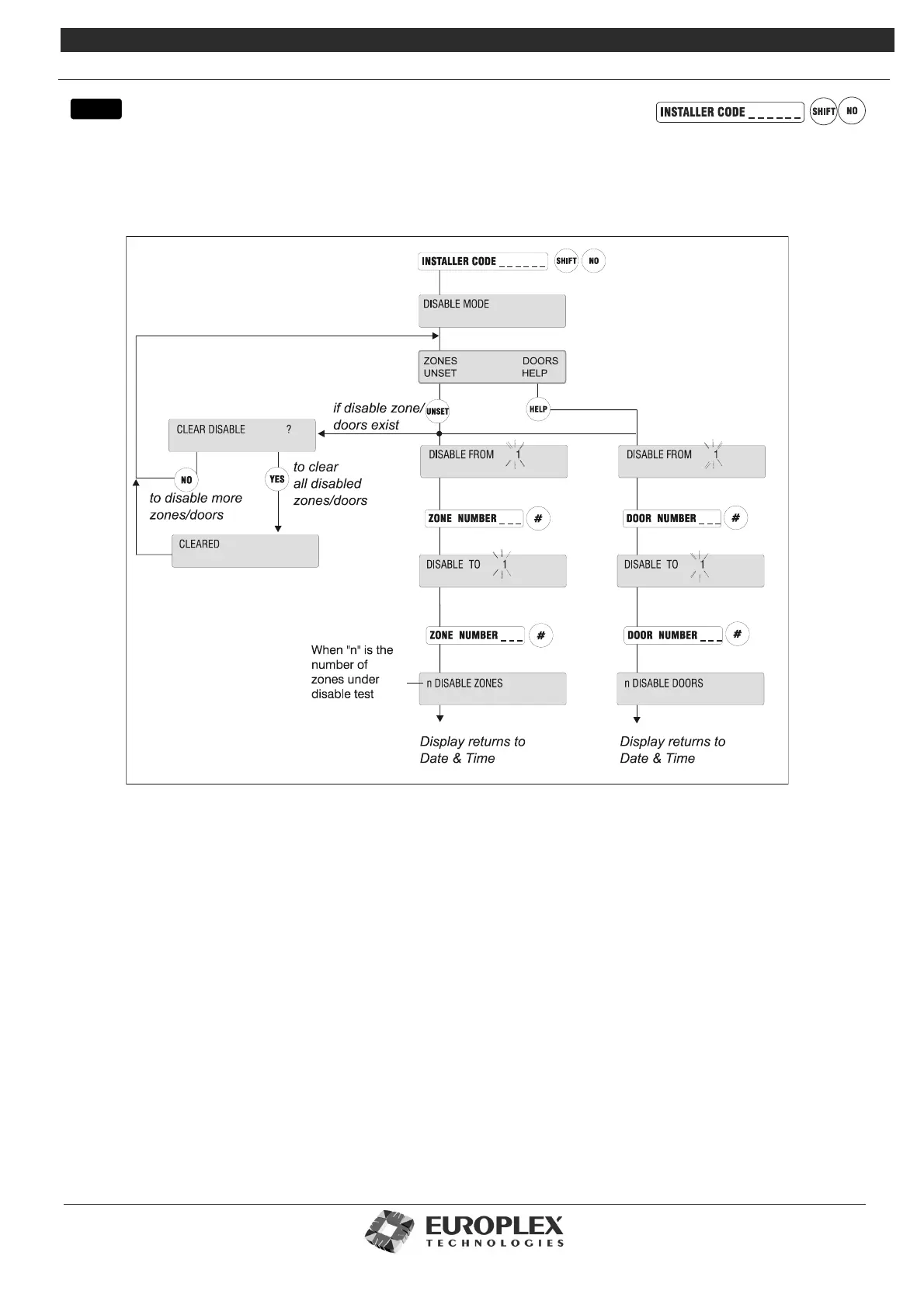
On selection, the display shows DISABLE MODE followed by DISABLE FROM1. Key in the number of the input from which
disables are to start and press the # key. Key in the number at which the disable ends in the same fashion. The display then
shows N DISABLES, where n is the number of zones/doors disabled on the system. You are then exited automatically from
this menu.
Clearing Disables
On entry into this mode, if there are inputs already disabled, the panel will prompt CLEAR ALL DISABLES? which requires a
YES or NO selection. If YES is selected, all disables are cleared. Only disabled online doors are counted in the disable total.
However, disabled doors can be checked to ensure selection is correct by entering Door Monitor in the Service Mode menu.
When the resistance value is enclosed by “/“, the input is in fact disabled. Details of disabled doors are logged.
Note The maximum number of zones that can be disabled is 200
menu



 To Next Page