3GS Technical Manual
Issue 4.5 August 2005
Programming Menus 8-84
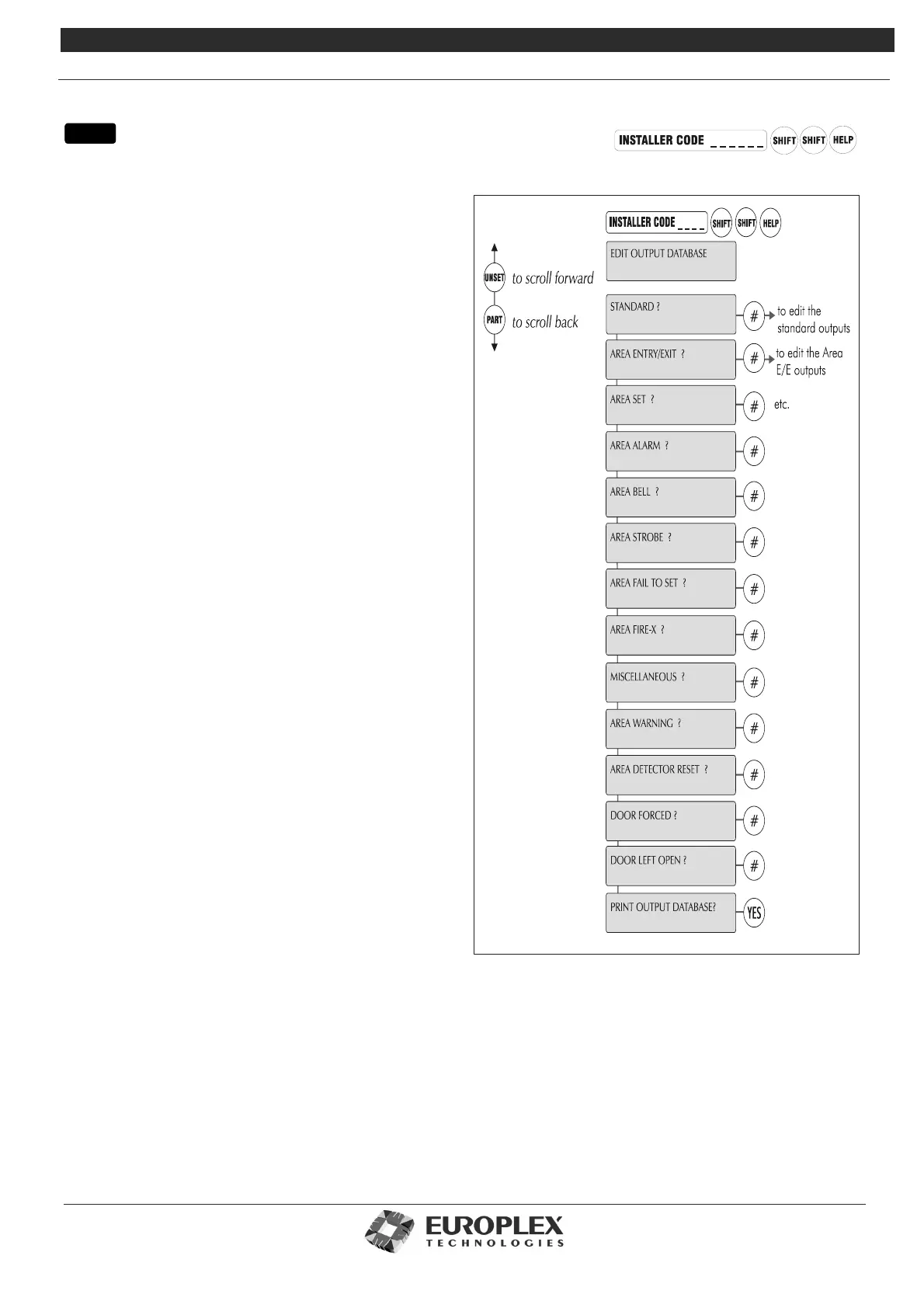
EDIT OUTPUT DATABASE
Function: This menu allows you to map an output function
to an output number (1-255).
Additional Information
In a complete 30-area, 64-door system, each area will require
an output for the following events: Area Set/Arm, Area Fail to
Set/Arm, Area Alarm, Area 10-minute Warning, Area Detector
Reset, and also (depending on the device type in use) Area
Strobe, Bell , or Fire-X.
Given the limit of 255 different output numbers, it will be
necessary to customise the output list to suit individual
systems. For example, if the installer wants Area Fails To Set/
Arm condition to drive the system buzzer and all Areas are
programmed in the same way, then the output types Area 1 to
Area 30 Fail to Set/Arm (by default outputs 144 to 175) may all
be given the same output number 8. In this way, an Area Fail
to Set/Arm condition in any area will result in activating the
system buzzer.
If there are 30 doors on the system, the Door Forced condition
for all 30 doors may be set to the same output number – for
example: number 7, Internal Bell – and so all doors will
respond in the same way when forced.
In the default output list, outputs 110 and 174 to 175 are
unassigned. Certain output types have been given a zero
default value.
The following table lists all available output types and their
current values. The sub-menus divide the outputs into
standard, Area exit/entry, and so on.
menu



 To Next Page