3GS Technical Manual
Issue 4.5 August 2005
Programming Menus 8-83
When arming an area, the keypad shows the current area(s) to which the keypad is assigned. However, the flashing cursor
enables the user to key in the number of any area instantly and set/arm that area, provided the user has setting/arming
rights.
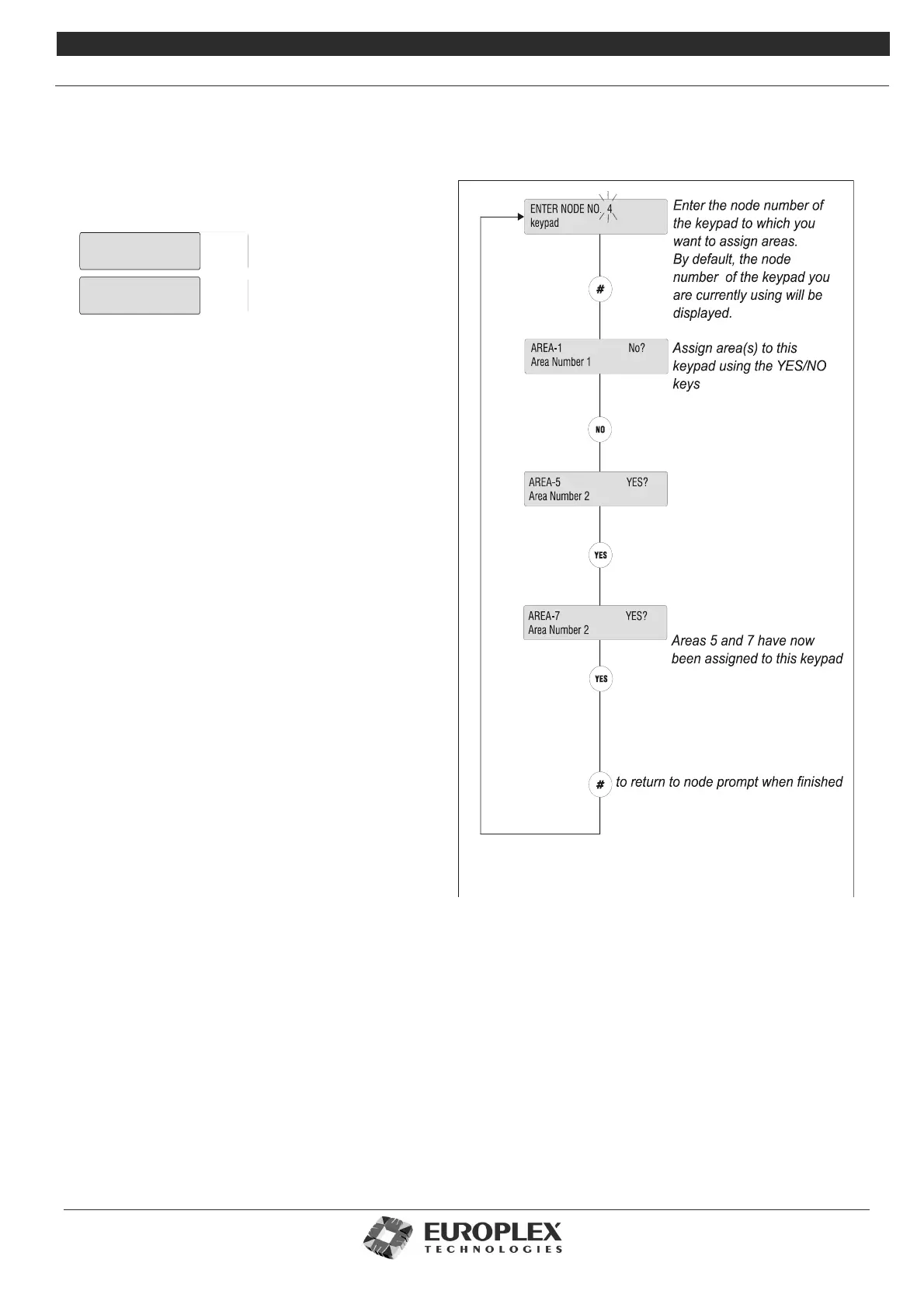
In the example shown, the keypad has been assigned to
Areas 5 and 7.
This keypad will now display messages for Areas 5 and 7.
Zones and doors that are open in the areas assigned to a
particular keypad can be displayed at any stage by
pressing the
*
key.
Private Mode
The private mode feature prevents two separate users
from configuring the system at the same time. When one
system RKD is in use, an attempt to key in at any other
system the RKD will produce the message: System Busy...
Please Wait. The keypad continues to display this
message until the user at the other keypad has finished,
when it returns to normal day/date/time.
Area Descriptions
Like 3GS zones, doors or cards, system areas can be
given individual descriptions for ease of identification.
Descriptions are entered by entering text – see “Typing
Text” on page 8-4 for further information. Once entered,
the description is effective immediately and is given in
any alert messages, log entries, and printed reports.
Printing Area Information
When you exit the Area Setup menu, you are prompted
to Print Area Options? and to Print Modes?
When you select to Print Area Options, the resulting
report details the user area rights, number and name of
system users, areas assigned to keypads, and total
number of areas in the system. The Print Modes option
will give a report on the current status of each area on
the system.
AREA UNSET
Area Number 5
AREA UNSET
Area Number 7



 To Next Page