Hand-Held Terminal (HHT) 10-4
Infrared Port Communication
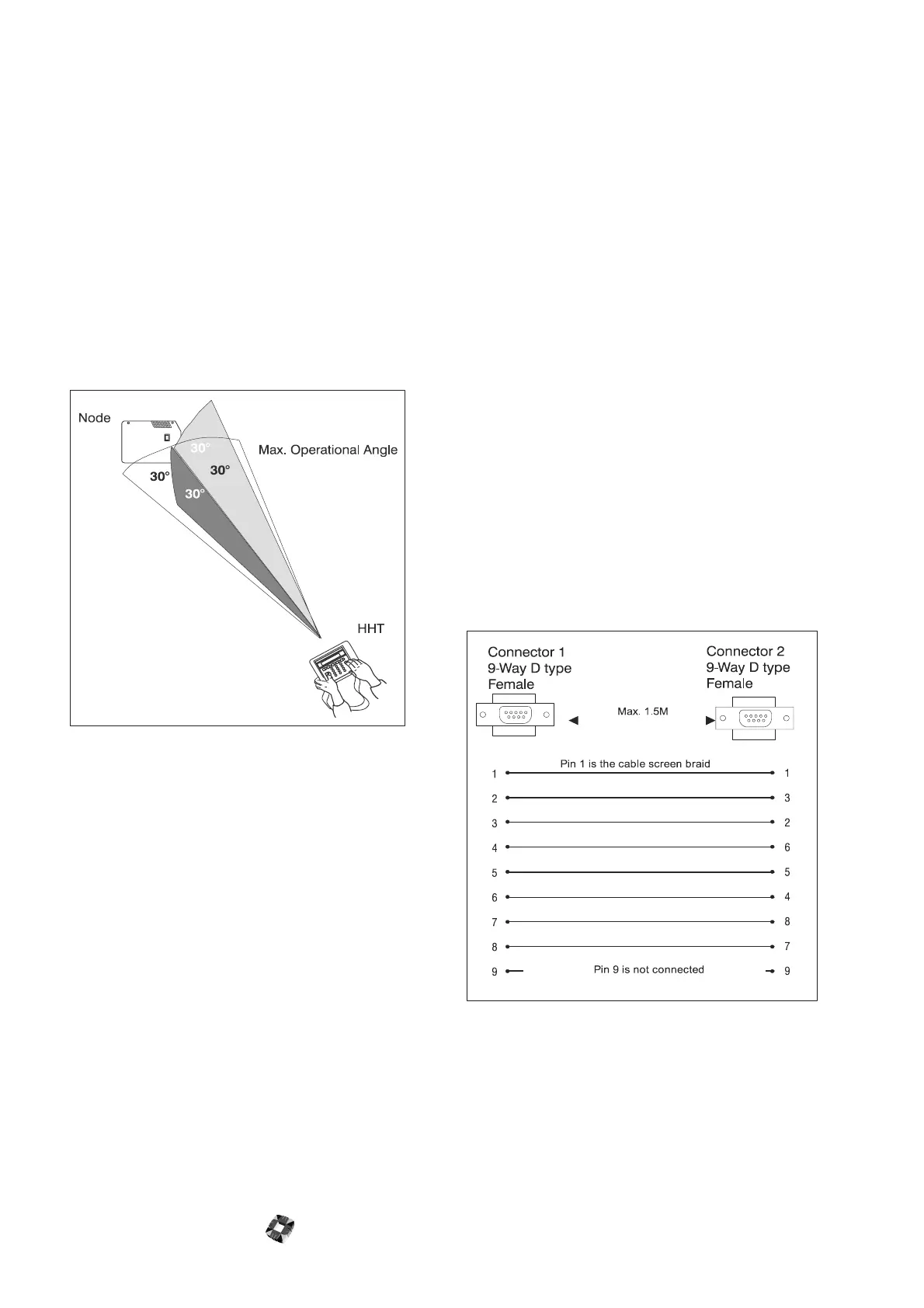
The following guidelines should be adhered to for
effective infrared data transmission between the HHT IR
port and node IR port:
● The maximum distance between devices should not
exceed ten metres.
● For optimum performance, IR ports should not be
facing more than 30 degrees away from the direct
signal path.
● If there are two nodes close to each other, you can
lock on to one or the other by holding the HHT
closer to the required node.
● Ensure that there is no physical obstruction between
both devices.
.
Powering the HHT
When mobile, the unit is powered by four 1.5V alkaline
long life batteries. These will provide a typical battery life
of 60 hours. On power up, the display indicates the
battery power status (OK/Low).
If a separate power source is available, you can connect
a 9-12VDC power supply to the HHT’s jack socket.
Battery Save Feature
When operational, if there is no key input within a 180
second period, the unit will automatically power down.
If, however, infrared data transmission is active, it will
override the power down feature and the HHT will
continue to operate for up to ten minutes.
Parallel Printer Connection
In addition to its infrared capabilities, the (HHT) can be
connected directly to the 3GS controller as indicated
below. This configuration enables the HHT to behave as
a filesaver allowing full up/downloading of files. Having
the HHT connected in this way introduces a parallel port
into the system. A parallel printer can now be connected
to the parallel port on the HHT using a standard 25-way
D-type parallel printer cable, for downloading log
information and so on. In addition, the configuration also
allows for RKD emulation.
Serial Connection
When the HHT is operating in RKD emulation mode,
you can choose between infrared link and serial link. If
you are using the HHT filesaver function, only a serial
link may be used. Two 9-way D-type female connectors
are wired as shown below (cable supplied by Europlex).
The following diagram shows how the HHT can be
connected by either a parallel port or serial port.



 To Next Page