9-20
Changing User Options:
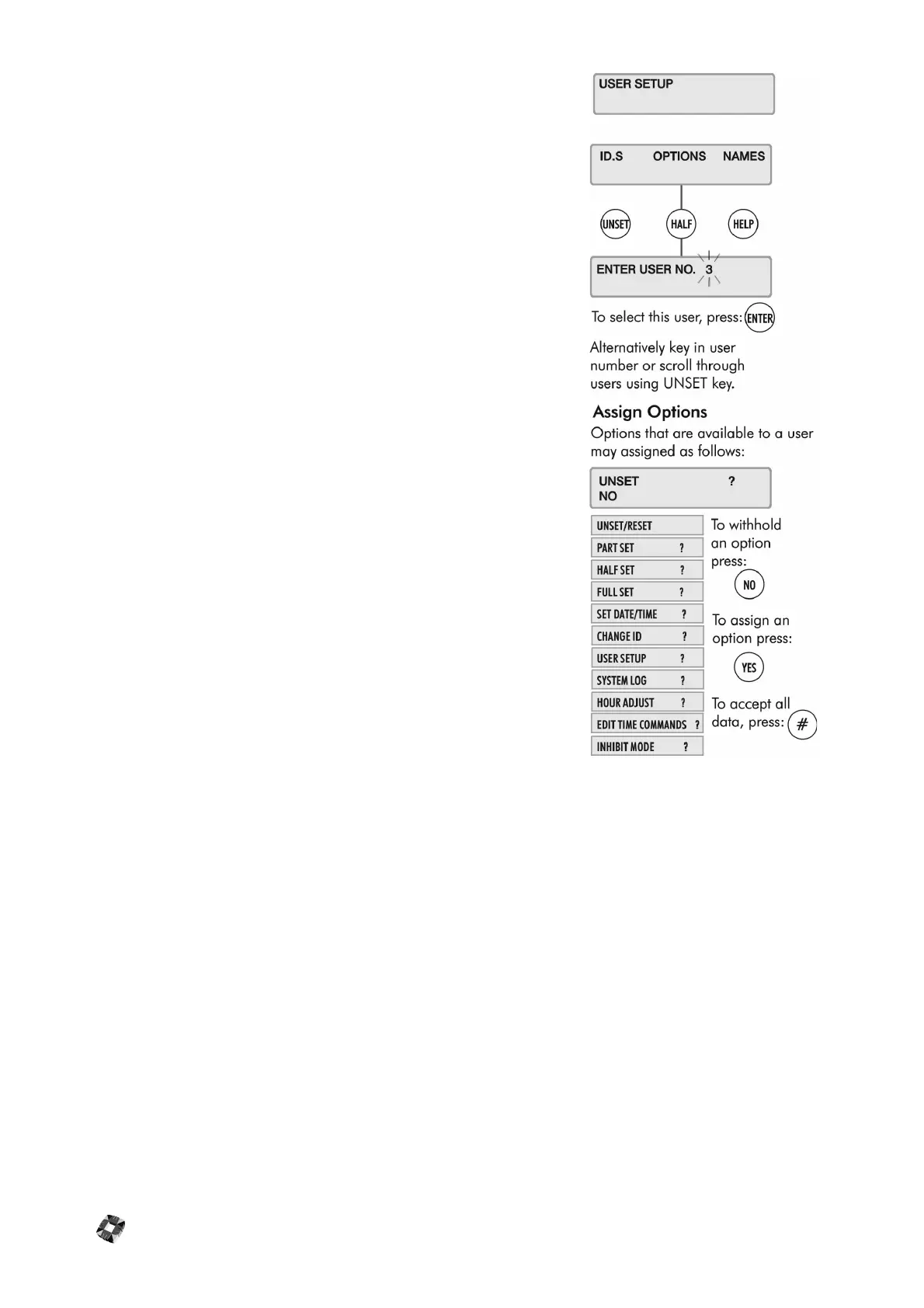
The Master User can assign the following menu options to all users. Some
options are linked to other functions, so that assigning an option to a user may
automatically give the user other options as well.
● Unset/Reset
● Part Set / Area Unset/Disarm
● Half Set / Area Set/Arm
● Full Set (also Coded Reset)
● Set Date/Time
● Change ID
● User Setup (also Setup Areas and Radio PA Assign)
● System Log (also Test Radio PA, Setup Cards, Card Information and
Manual Door Control)
● Hour Adjust (also Accept All Alerts)
● Edit Time Commands
● Inhibit Mode
Any user can be assigned some or all of these options. The Master User has all
of these options by default.
Note By default, User 1 is the installer and User 2 is the Master User.
Note The User Options menu also features Mode 5/6/7/8/9 options. These
options are for installer use only and cannot be accessed.



 To Next Page