3GS Version 5 User Guide 9-15
UNSETTING AN INDIVIDUAL AREA
Unsetting/Disarming an area
Unsetting/disarming areas is similar to setting/arming areas, except that the PART key is used. You will be able to unset/
disarm only those areas that have been assigned to you.
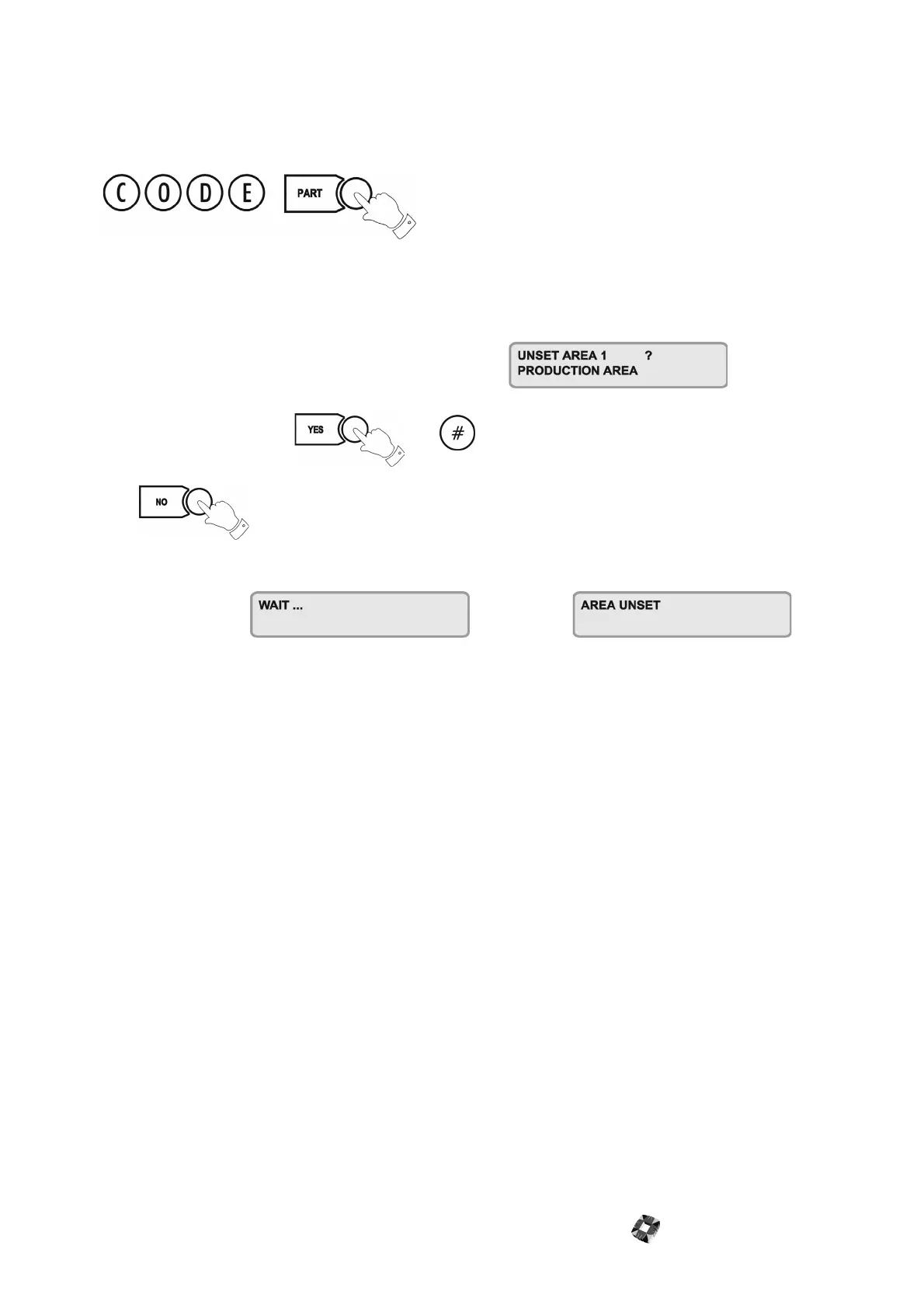
Key in your Code plus PART.
The display will give you the option to unset/disarm the area:
To unset/disarm area 1, press or
Press to abort the procedure.
The display will show followed by
Note Please ensure that the Master User has given you the Part/Area Unset and Half/Area Set options, and that the areas
have been assigned to you – see User Setup on page 19 and see Area Setup on page 22.
Areas and Full Set
The Full Set option operates in an multi-area system in the same way as in a standard alarm system. Keying in your
code plus FULL will arm all areas and begin the exit timer.
Note To Full Set the system (all areas), you must be assigned the option by the Master User.
Common Area
The Multi-Area system consists of up to 30 Alarm areas plus a Common Area (usually the entrance/exit lobby or front
door).
The Common Area sets/arms and unsets/disarms automatically:
● When all the other areas are set/armed, the Common Area automatically sets/arms.
● When one area is unset/disarmed, the Common Area automatically unsets/disarms.
Note From Standard 3GS Software version 5.80 onwards, all systems have 30 alarm areas. For previous versions,
please reference the relevant documentation.



 To Next Page