Issue 4.5 August 2005 Nodes 5-27
Diagnostic Menu IntelliPower Node
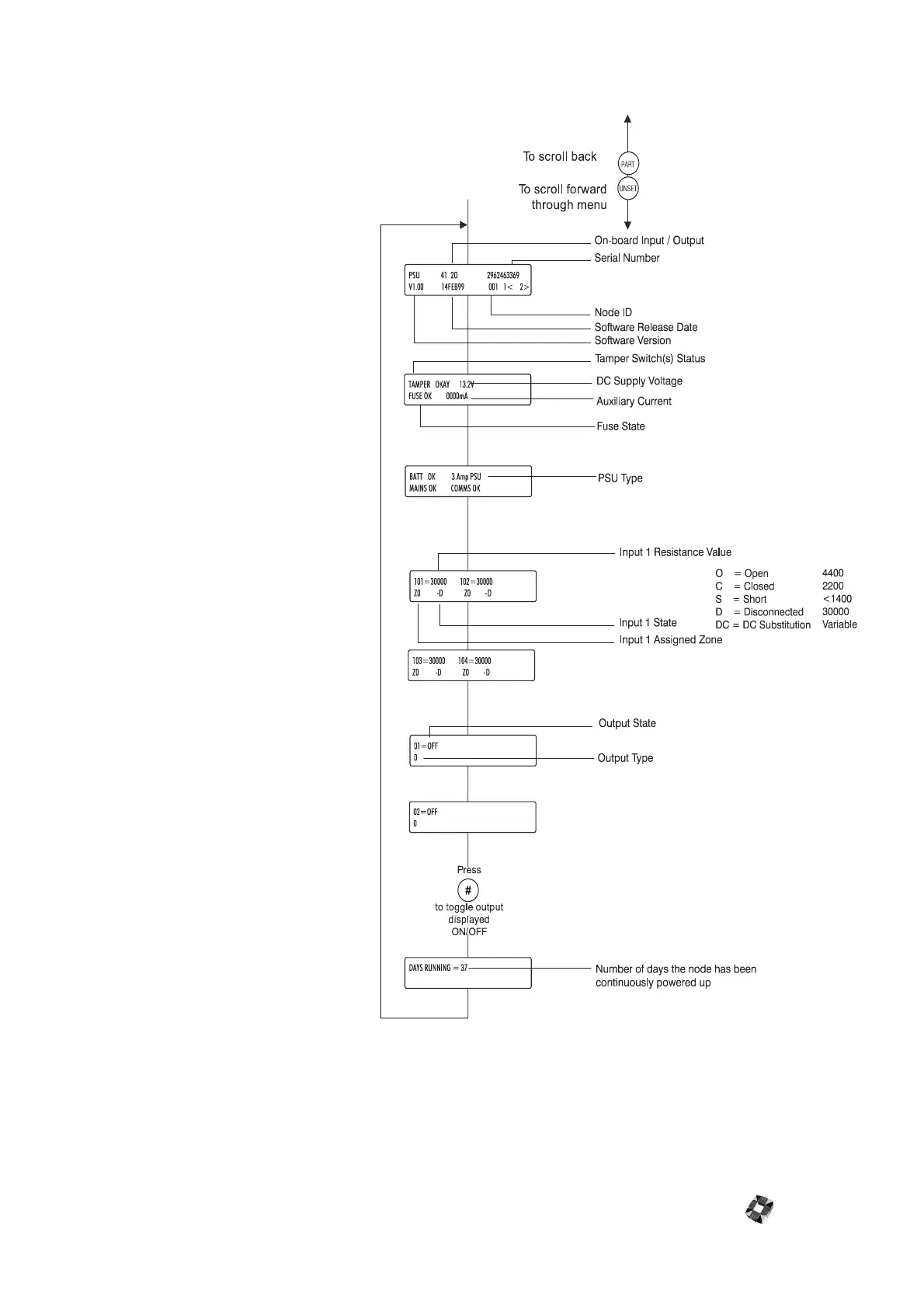
This menu provides you with data on the
IntelliPower node’s current configuration
and allows monitoring of node and PSU
parameters. This information includes
inputs, outputs, fuse, and tamper status.
It can be utilised to interrogate the status
of the node without having to remove
the cabinet lid, thus avoiding interfering
with cables and the need to use a
voltmeter for measuring node voltage
and currents.
It can be accessed using the HHT
infrared. Alternatively, the same node
information can be accessed through the
Node Configure menu - Monitor
submenu. See Node Configure->Nodes-
>Information Monitor in 3GS
Programming for further information.
For further information on HHT menus,
see Hand Held Terminal in 3GS
Peripherals.



 To Next Page