FARO Edge
September 2012
93
Chapter 6: Maintenance and Troubleshooting
If using a magnetic mount, check that mating surfaces are
clean and free of debris.
N
OTE: Small metal shavings can cause the magnetic mount to
rock back and forth. The magnet will naturally attract these
shavings.
Base Deflection
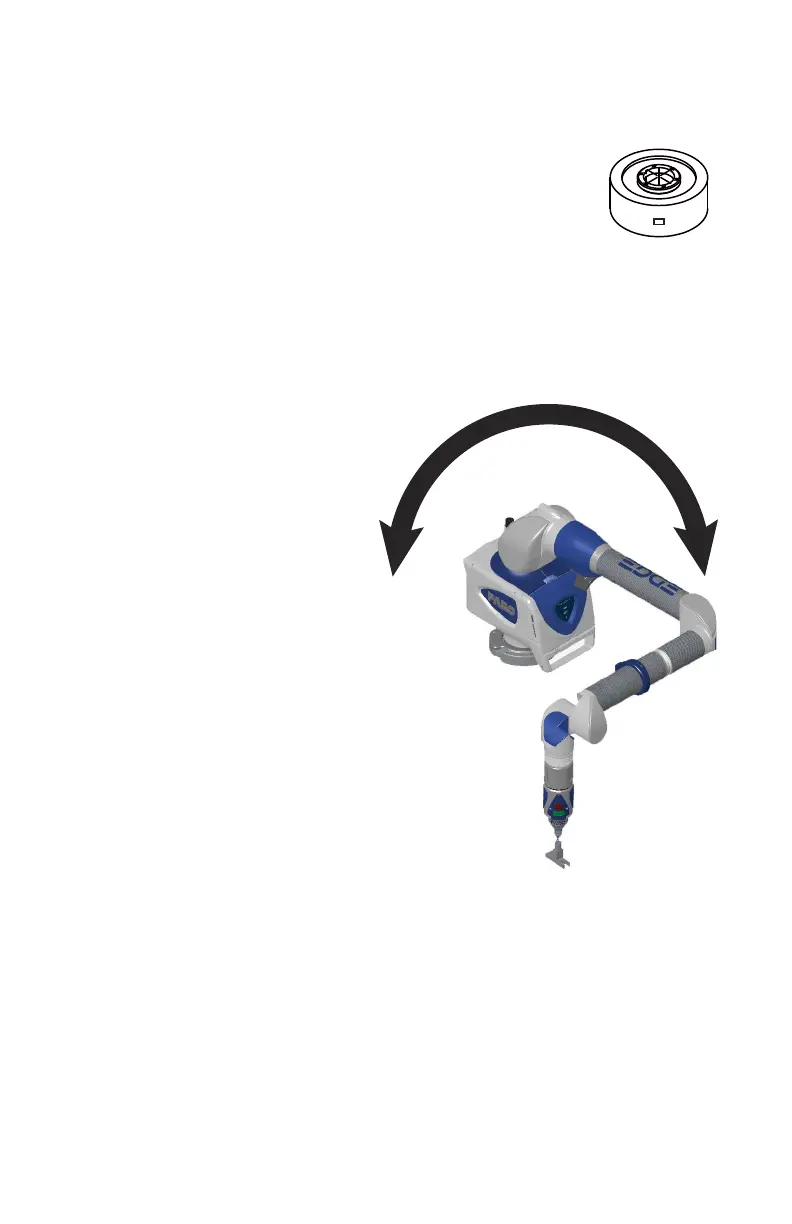
1 Open the Fold-Down Touch Screen Controller. Touch DIAGNOSTICS <
MOUNT < BASE DEFLECTION.
2 Set up the FARO compensation
cone, or a hole on your part,
approximately ⅔ of the Edge's
reach away from its base.
3 Place a properly compensated
probe firmly in the cone. The
probe must be well-seated in the
hole.
4 Press the GREEN button and
move the tubes and joints of the
Edge while keeping the probe
firmly seated in the cone.
• Press the GREEN button to
reset the screen at any time.
5 Press the RED button to stop.
6 Any deflection of the base is
recorded and displayed on the
screen. All of the points must be
within the circle on the graph.
Tilt
1 Touch DIAGNOSTICS < MOUNT < TILT.
08M52E00_FaroArm_Edge.book Page 93 Thursday, October 4, 2012 9:31 AM



 To Next Page