FARO Edge
September 2012
173
Chapter 9: Configuring the FARO Edge in CAM2 Q
Chapter 9: Configuring the FARO Edge in
CAM2 Q
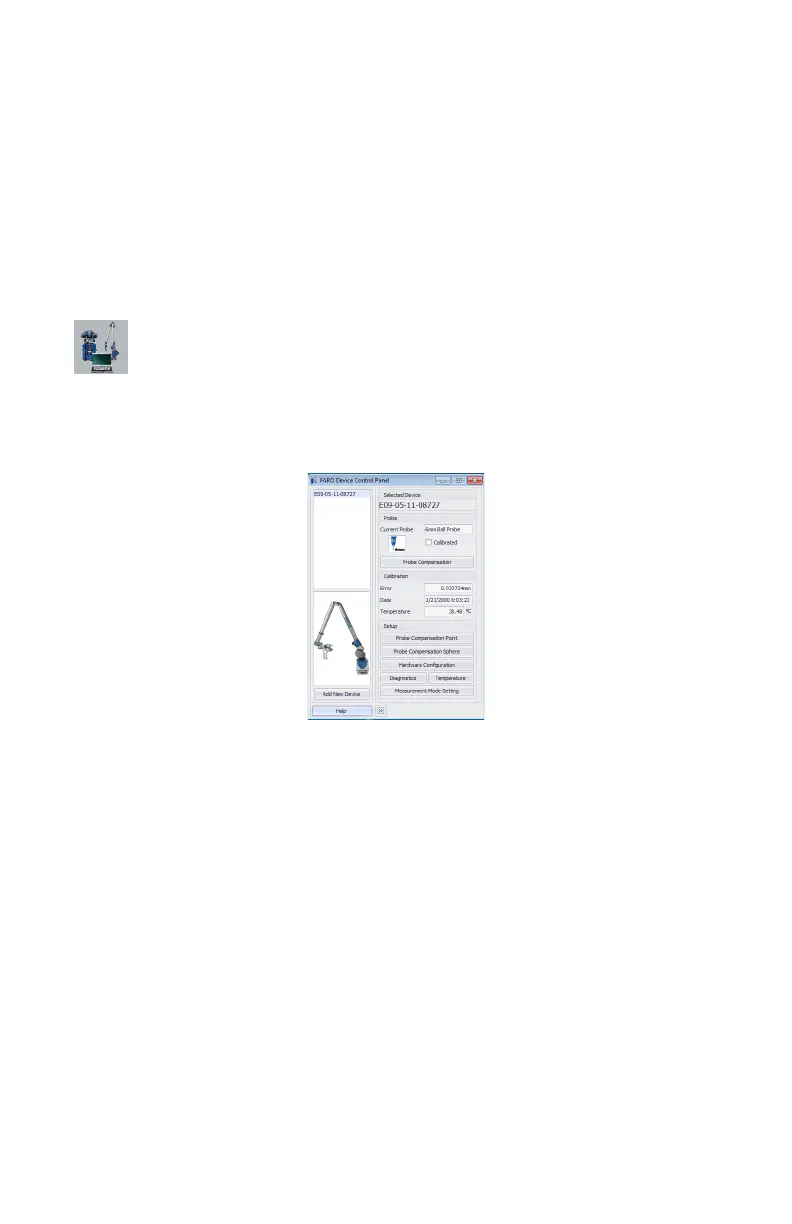
The DEVICE CONTROL panel contains all the commands for configuring a
measuring device. In CAM2 Q choose DEVICE < DEVICE CONTROL PANEL
to show the panel. You can also press the P hot key on the keyboard.
Device Control Panel
The DEVICE CONTROL panel appears when CAM2 Q is launched, and contains a
list of all active (detected) devices. The D
EVICE CONTROL panel contains a list of
all active devices with the properties of each associated device.
Choose the Edge from the list to see the probe details.
• Click the >> button to hide the list of devices.
• Click the << button to show the list of devices.
Add a Device
From the DEVICE CONTROL panel, click the ADD NEW DEVICE button. Select
an eligible device from the A
DD NEW DEVICE dialog and click CONNECT.
Change Probe
From the DEVICE CONTROL panel, click the PROBE MANAGEMENT button to
show the C
OMPENSATION dialog box. For more information, see “Probes” on
page 178.
Figure 9-1 Device Control Panel
08M52E00_FaroArm_Edge.book Page 173 Thursday, October 4, 2012 9:31 AM



 To Next Page