FARO Edge
September 2012
146
Chapter 7: Software
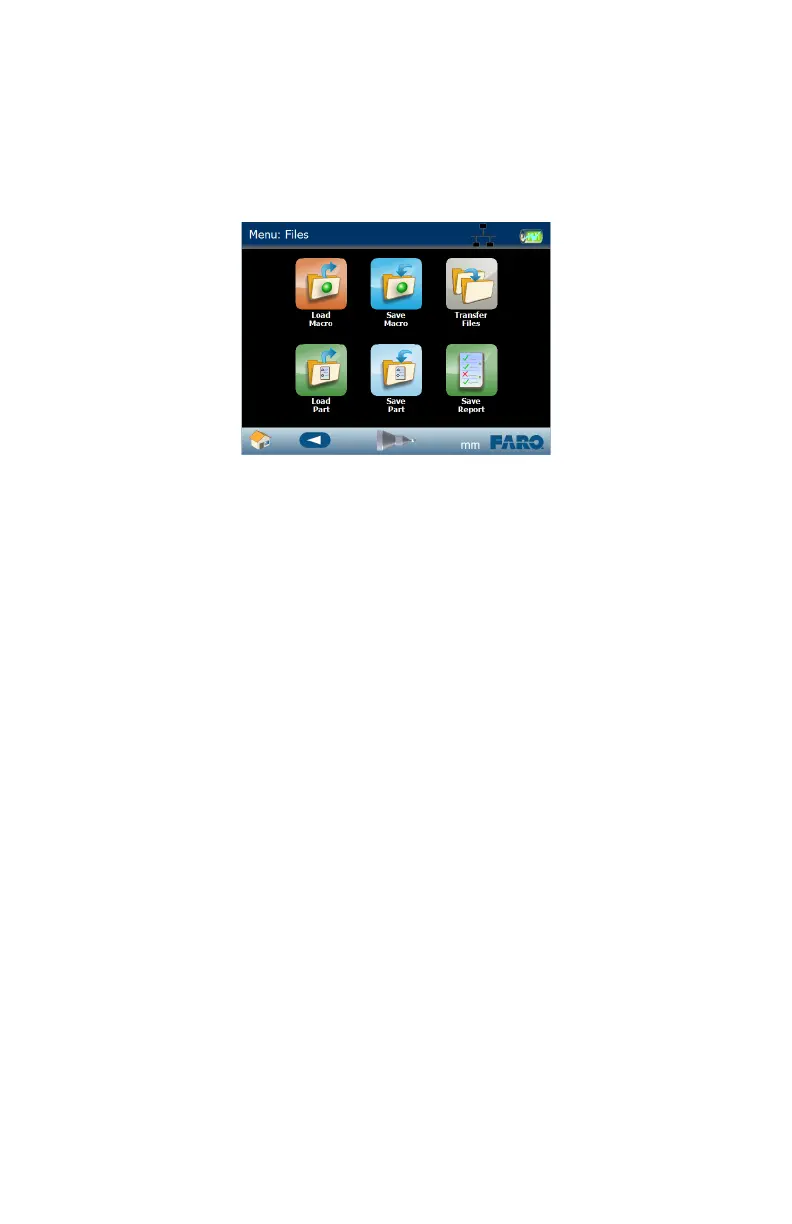
Files
Store measurement steps, nominal and tolerance values, measurement pictures,
and part data in files.
The Edge system uses three different file types:
• Macro files - files that hold measurement steps (*.Macro).
• Part Data files - files that hold part data (*.Data).
• Report files - files that hold formatted report data in simple text format (*.txt).
N
OTE: To delete a file, transfer it to the Trash Can. See “Transfer Files” on
page 147.
If you are measuring a single part, you may not need to save a Macro file, just the
measurement data in a Part file.
If you are measuring a series of the same part, you should create a single Macro
file and then use it to measure each part. This automatically creates a Part file for
each separate serialized part.
File Backup
It is very important to save and/or transfer Macro, Part Data, and Report files to a
SD RAM Card or USB Drive.
• If there is a failure of the local drive in the Edge, you may lose all of your
Macro, Part Data, and Report files.
• If you return your Edge for factory service, the files stored on the local drive
may be erased in the repair service.
Load Macro
Use this command to load a previously saved Macro file.
Figure 7-26 Edge Files menu
08M52E00_FaroArm_Edge.book Page 146 Thursday, October 4, 2012 9:31 AM



 To Next Page