FARO Edge
September 2012
144
Chapter 7: Software
5 Add a single Red Ball to show the probe compensation point and touch OK to
continue.
The nominal and tolerance values, and the measurement pictures, save with the
features in Macro files. See “Save Macro” on page 147.
Printing
USB printers will not install properly if attached to the Edge. To print data, save a
report file and copy it to a computer. You can open the report file on your
computer using Microsoft Excel. For more information, see “Save Report” on
page 149.
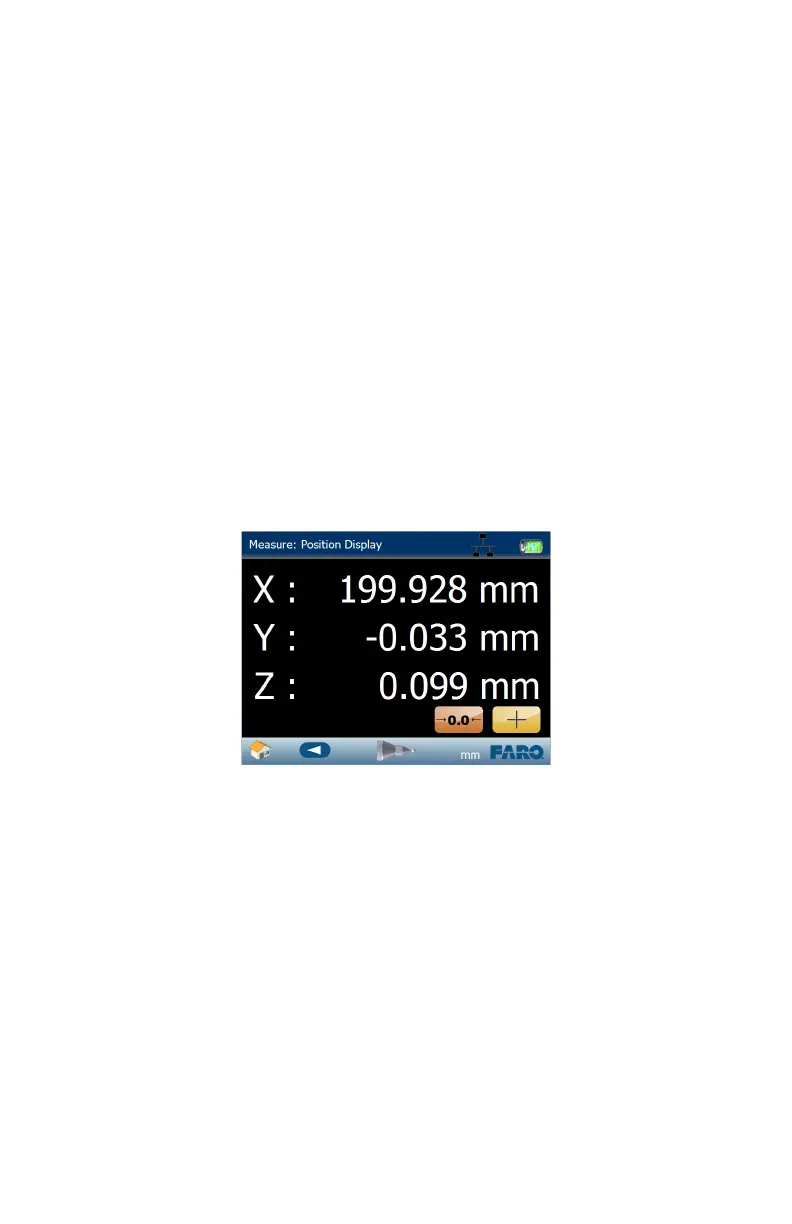
Position Display
Use this command to get a live XYZ readout of probe position without
measuring any points. The default origin (0,0,0 location) is the center of the
Edge.
N
OTE: The values are shown from the probe center and are not compensated
for the probe radius.
Figure 7-23 Position Display
08M52E00_FaroArm_Edge.book Page 144 Thursday, October 4, 2012 9:31 AM



 To Next Page