FARO Edge
September 2012
102
Chapter 7: Software
NOTE: The HOME and BACK buttons do not appear on the MAIN menu.
Other icons:
OK
CANCEL
Main Menu
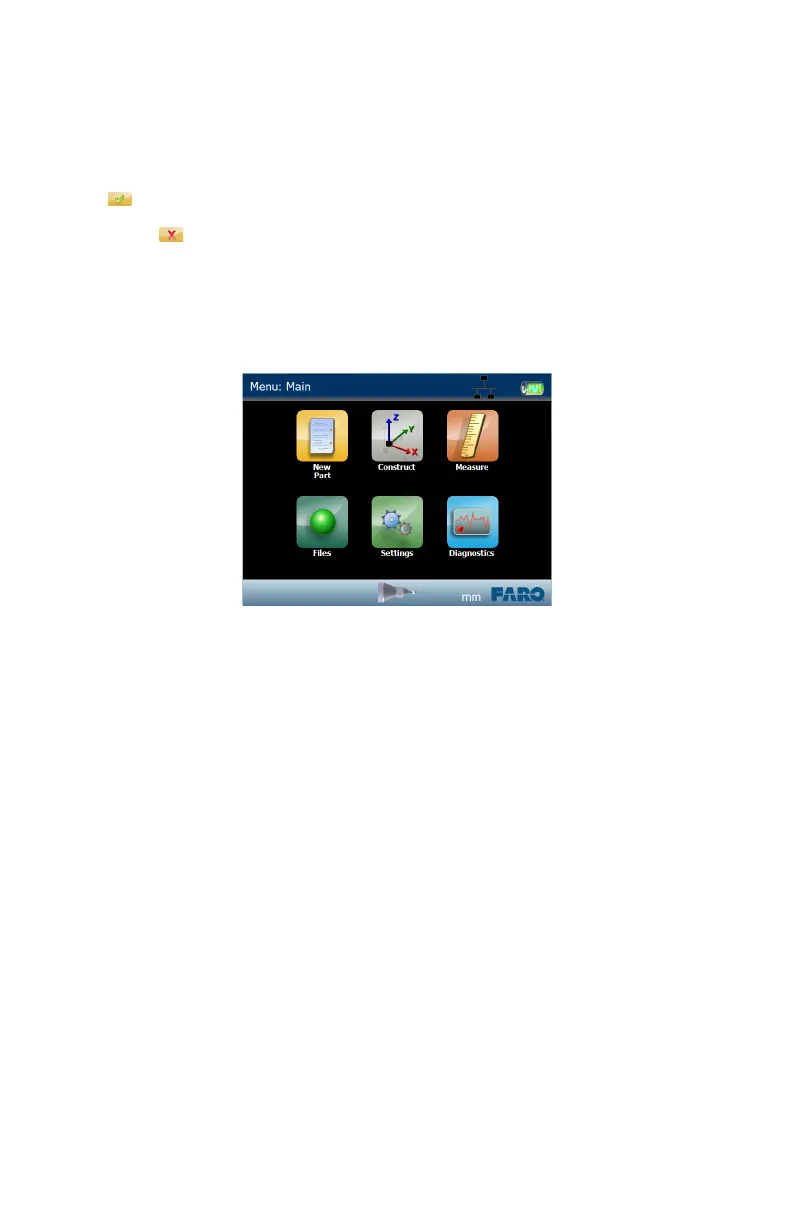
The MAIN menu, or HOME screen, shows the six groups of commands in the
Edge software. Touch a group icon to see the commands in that group.
New Part
Use this command to quickly create a new file and discard any existing
measurements. This creates a new blank Macro file, and a new blank Part file.
For more information, see “Files” on page 146.
1 Enter the part name. The part name is not necessary to save the new part file,
you can enter a part name after measuring using the SAVE PART command.
See “Save Parts” on page 148.
2 Enter the part serial number. The serial number is not necessary to save the
new part file, you can enter a serial number after measuring using the SAVE
PART command. See “Save Parts” on page 148.
3 Touch OK.
Figure 7-4 Edge Main menu
08M52E00_FaroArm_Edge.book Page 102 Thursday, October 4, 2012 9:31 AM



 To Next Page