FARO Edge
September 2012
70
Chapter 4: Probes
Edge TP-20 Probe Kit
The Edge TP-20 Probe Kit contains:
• A magnetized TP-20 probe body
• Medium Force Probe Module
• Renishaw (S1) C Spanner wrench
• Renishaw (S7) stylus tool
• Renishaw (CK200) cleaning kit
• Renishaw Probe tip: 2mm (M2 D2R L10)
• Renishaw Probe tip: 6mm (M2 D6R L10)
• Edge i-Probe adapter
N
OTE: The product numbers in the parentheses are Renishaw part numbers.
See the Renishaw User’s Manual for more details.
To install the TP-20 Probe:
1 Remove the current probe.
2 Install the Edge i-Probe adapter. Tighten using the 12mm torque wrench.
3 Screw the TP-20 probe body into the Edge i-Probe adapter and hand-tighten
with the C Spanner (S1) wrench.
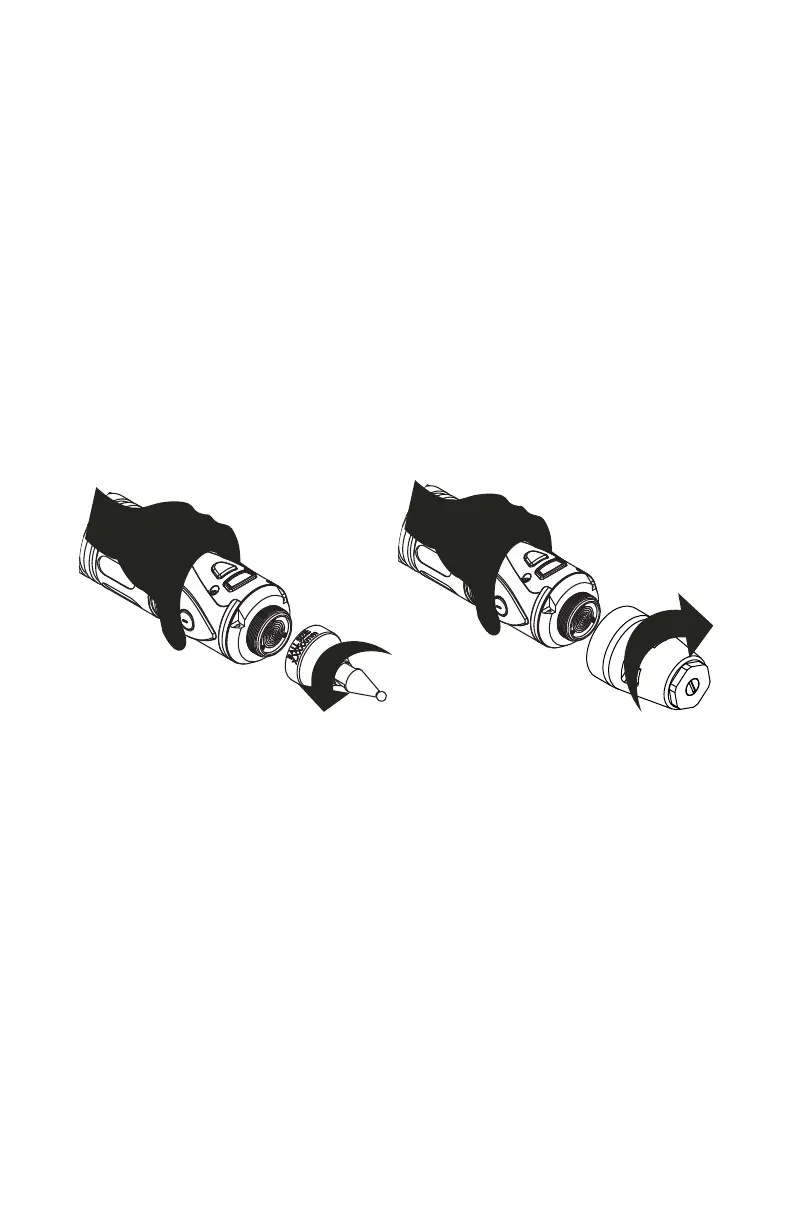
4 Attach a probe module to the TP-20 probe body. On the probe body and probe
module are triangle, half-moon, and square markers that must be aligned for
the probe to work properly.
5 Screw the Renishaw Probe tip into the probe module with the stylus tool (S7).
Do not under- or over-tighten any of the components.
Probe Modules for the TP-20 Probe
Probe modules are available from Renishaw in three trigger force ratings:
• Standard Force Probe Module (Black cap)
Figure 4-14 Installing a Renishaw Probe
08M52E00_FaroArm_Edge.book Page 70 Thursday, October 4, 2012 9:31 AM



 To Next Page