FARO Edge
September 2012
61
Chapter 4: Probes
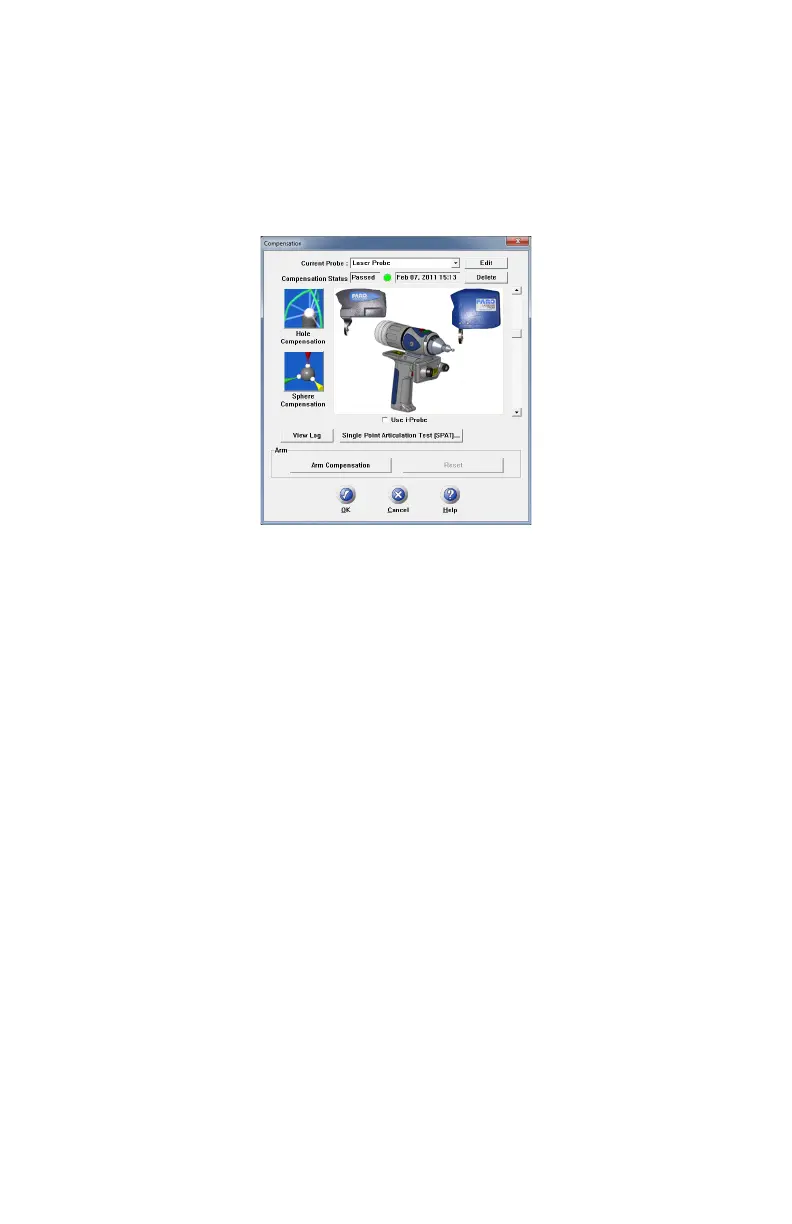
3 Calibrate the standard ball probe using the single hole compensation method.
See “Hole Compensation Method” on page 185.
4 In the P
ROBES dialog box, choose the Laser Probe probe in the CURRENT
P
ROBE drop-down window.
N
OTE: Ensure that HIGH ACCURACY MODE is disabled during compensation.
See “Line Probe Settings” on page 66.
5 Choose the PLANE COMPENSATION.
6 You can choose to use the previously measured plane, or measure the plane.
Click OK to calibrate the FARO Laser Line Probe, or measure the plane.
• The laser turns on and the laser beam is visible unless you are measuring the
plane or sphere. After you successfully measure the plane or sphere, the laser
turns on and the laser beam is visible.
Plane Compensation
Calibrate the FARO Laser Line Probe. You will digitize the FARO Compensation
Plate, once with the ball probe, and then three times with the FARO Laser Line
Probe.
1 Digitize the White area of the FARO Compensation Plate with the ball probe.
• Touch the white surface with the ball probe and press the FRONT button.
• Digitize eight points on the white surface.
Figure 4-10 Probes dialog box
08M52E00_FaroArm_Edge.book Page 61 Thursday, October 4, 2012 9:31 AM



 To Next Page