FARO Edge
September 2012
38
Chapter 3: Operation
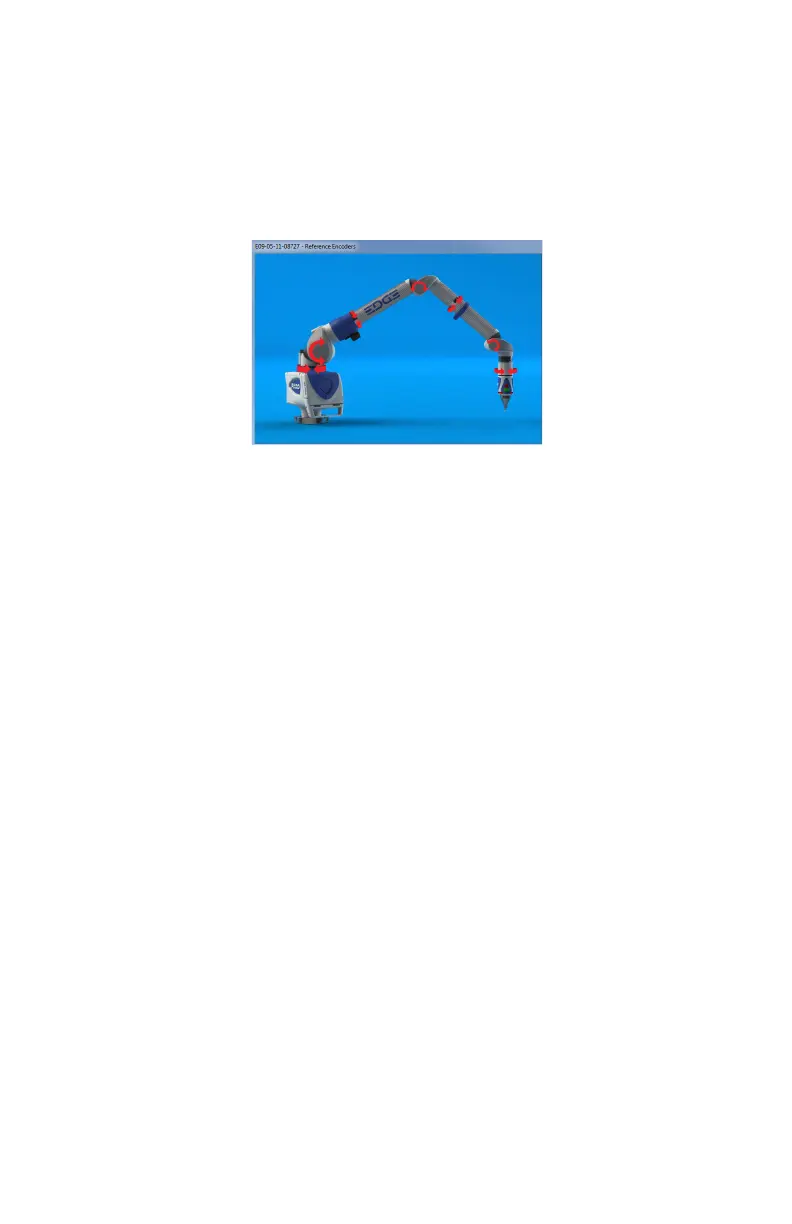
Referencing the Encoders
You must first reference each of the seven encoders in the Edge. The REFERENCE
E
NCODERS dialog box shows all seven encoders in error until each is referenced.
In a systematic manner, rotate joints 1 through 7 until each warning clears.
N
OTE: The Edge must be properly connected to the host computer running the
measuring software to see the R
EFERENCE ENCODERS dialog box on the host
computer.
Host Computer
The Edge output is accepted through any PC-compatible computer using the
following communication protocols:
• USB 2.0 (Device)
• Ethernet (802.3)
• Bluetooth
• Wireless Local Area Network (WLAN 802.11)
You can use multiple communication protocols with the following limitations:
• USB, Ethernet, and Bluetooth are active at the same time, WLAN is disabled
• USB and WLAN are active at the same time, Bluetooth is disabled.
• WLAN is disabled if Ethernet is active
• WLAN is disabled if Bluetooth is active
Wired connections
The Edge is equipped to connect to your computer using different wireless
connections.
Figure 3-6 Referencing the encoders
08M52E00_FaroArm_Edge.book Page 38 Thursday, October 4, 2012 9:31 AM



 To Next Page