FARO Edge
September 2012
136
Chapter 7: Software
Cylinder
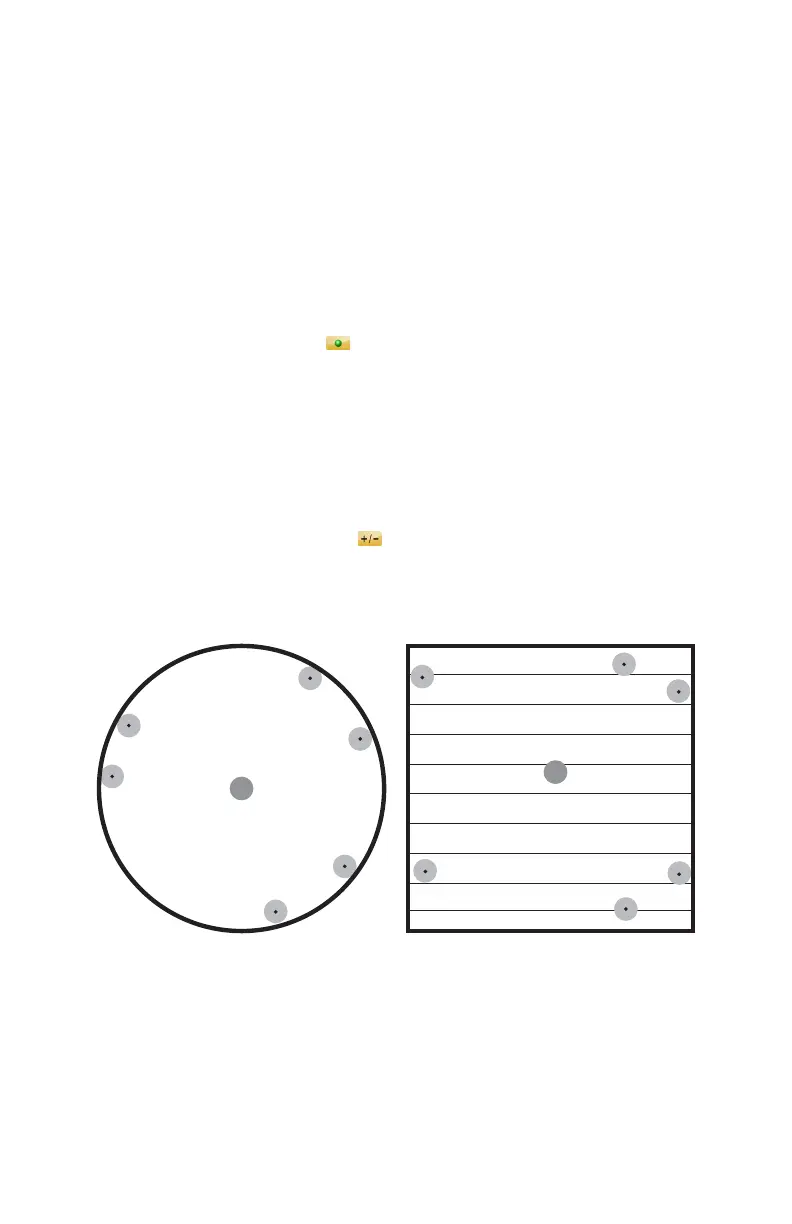
From the MAIN menu, touch MEASURE > FEATURES > CYLINDER. Use
this command to measure deep round holes and posts. You must record at least
six points to solve the cylinder.
• Measure the cylinder:
• Place the ball probe on the part and digitize points by pressing the GREEN
button. You must digitize at least nine points for a cylinder. Hold the RED
button to remove any unwanted points.
N
OTE: Touch the SCAN icon to enable scanning. When enabled, press
and hold the GREEN button to collect points as you touch and move the
probe across the part. For more information, see “Application” on
page 151.
• Pull away from the hole, or post, and press the RED button to define probe
compensation and complete the measurement.
• Look at the cylinder results. Press the GREEN button to accept, or the RED
button to reject and remeasure. Touch the L
ABEL field to change the feature
name. Touch the NOMINALS icon to enter nominal values. See
“Nominals” on page 143.
You can continue and measure another cylinder, or press the RED button to
cancel the command.
See “Best Fit Cylinder” on page 166.
Figure 7-16 Measure Cylinder
08M52E00_FaroArm_Edge.book Page 136 Thursday, October 4, 2012 9:31 AM



 To Next Page