FARO Edge
September 2012
106
Chapter 7: Software
Plane Plane Plane
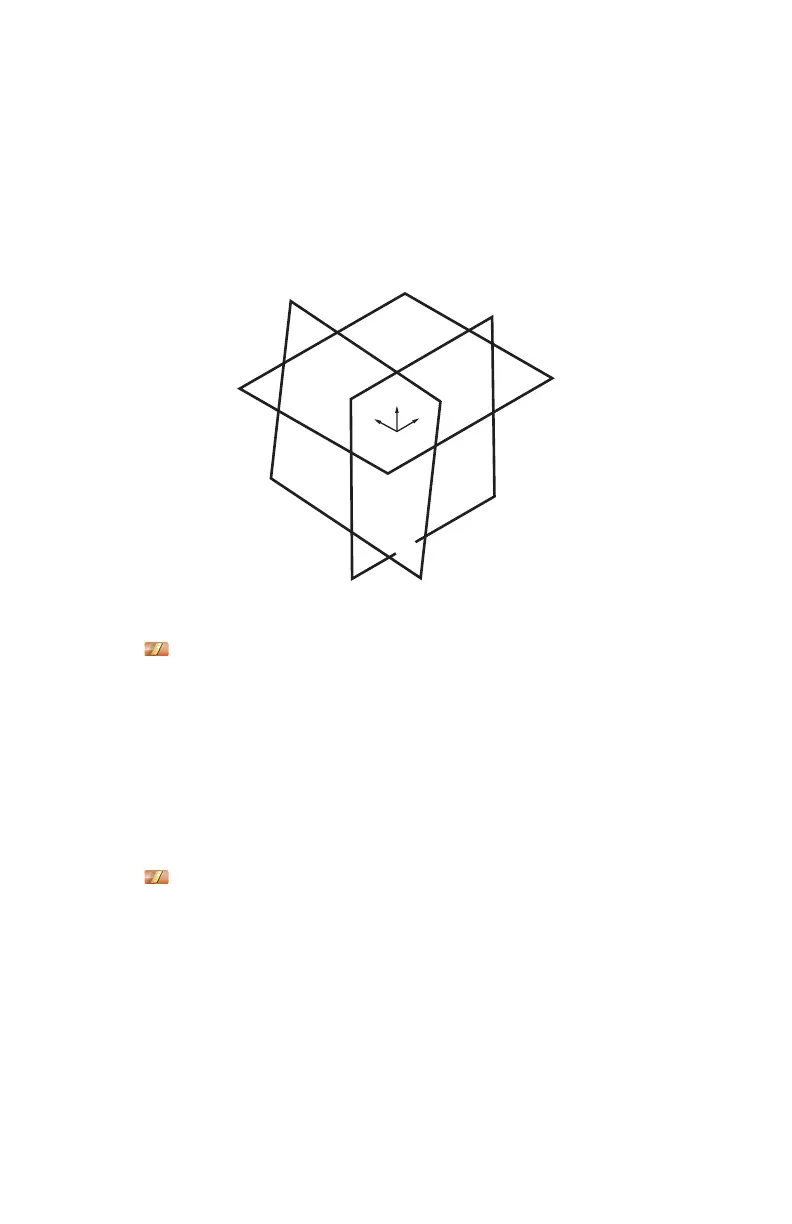
From the MAIN menu, touch CONSTRUCT > PART SETUP > PLANE PLANE
PLANE. Use this command to create a coordinate system on your part.
The plane defines the XY plane, the intersection of the first and second planes
defines the X-Axis, and the intersection of all three planes defines the origin of
the coordinate system.
1 Choose an existing plane in the P
LANE drop-down list or touch the MEASURE
NOW icon to measure the first plane:
• Place the ball probe on the part and digitize points by pressing the GREEN
button. You must digitize at least three points for a plane. Hold the RED
button to remove any unwanted points.
• Pull away from the face, and press the RED button to define probe
compensation and complete the measurement.
• Look at the plane results. Press the GREEN button to accept, or the RED
button to reject and remeasure.
2 Choose an existing plane in the P
LANE drop-down list or touch the MEASURE
NOW icon to measure the second plane:
• Place the ball probe on the part and digitize points by pressing the GREEN
button. You must digitize at least three points for a plane. Hold the RED
button to remove any unwanted points.
• Pull away from the face, and press the RED button to define probe
compensation and complete the measurement.
• Look at the plane results. Press the GREEN button to accept, or the RED
button to reject and remeasure.
Figure 7-8 Plane Plane Plane part setup
08M52E00_FaroArm_Edge.book Page 106 Thursday, October 4, 2012 9:31 AM



 To Next Page