FARO Edge
September 2012
169
Chapter 8: Configuring the FARO Edge in CAM2 Measure
Chapter 8: Configuring the FARO Edge in
CAM2 Measure
NOTE: This chapter describes the operation of your Edge with CAM2 Measure
v10, or later. For previous versions of CAM2 Measure, see “Configuring the
FARO Edge in CAM2 Measure” on page 177.
The D
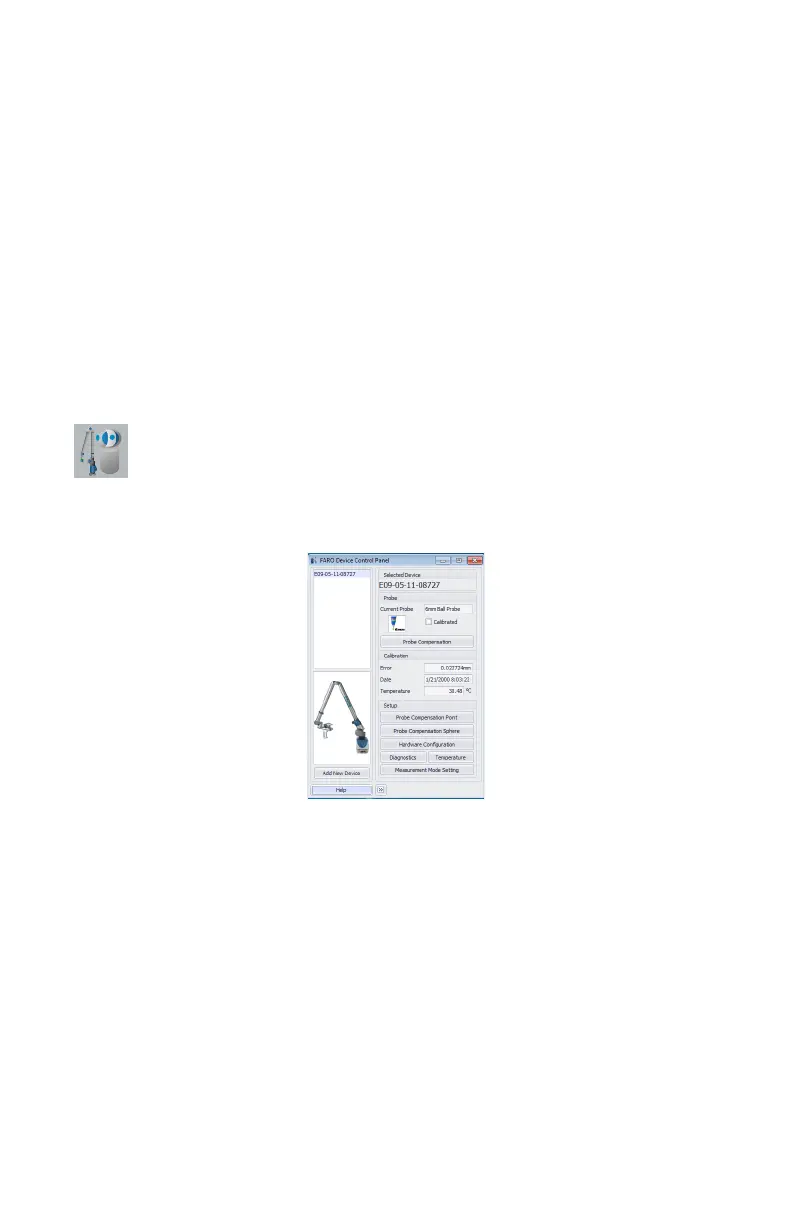
EVICE CONTROL panel contains all the commands for configuring the
Edge. In CAM2 Measure choose HARDWARE CONFIGURATION on the
DEVICES tab to show the panel. You can also press the P hot key on the
keyboard.
Device Control Panel
The DEVICE CONTROL panel contains a list of all active devices with the
properties of each associated device.
Choose the Edge from the list to see the probe details.
• Click the >> button to hide the list of devices.
• Click the << button to show the list of devices.
Add a Device
From the DEVICE CONTROL panel, click the ADD NEW DEVICE button. Select
an eligible device from the A
DD NEW DEVICE dialog and click CONNECT.
Figure 8-1 Device Control Panel
08M52E00_FaroArm_Edge.book Page 169 Thursday, October 4, 2012 9:31 AM



 To Next Page