FARO Edge
September 2012
179
Chapter 10: Configuring the FARO Edge in CAM2 Measure
• Compensate the current probe.
• View the compensation log for the current probe.
• Enable or disable the use of FARO i-Probes with the Edge.
• Start the Single Point Articulation Test (SPAT).
• Run an Arm Compensation or reset to the FARO Factory Arm Compensation.
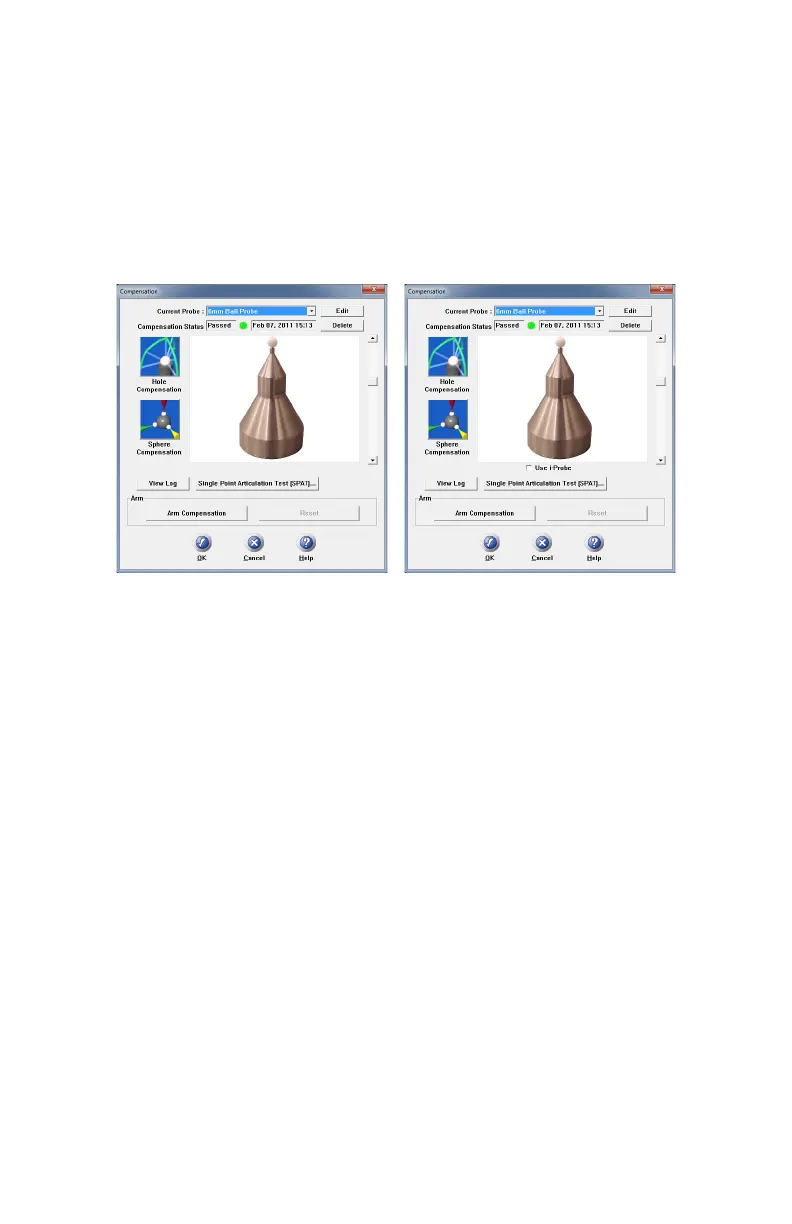
The C
OMPENSATION STATUS and compensation date display for every probe. The
four standard probes for the Edge (3mm, 6mm, Point and FARO Laser Line
Probe) are created by default. Compensate each of these probes before you begin
measuring your parts. See “Probe Compensation Overview” on page 180 and
“Compensate Probe” on page 181
Click the PERFORM SINGLE POINT ARTICULATION TEST (SPAT) button
to run a Single Point Articulation Test (SPAT) with your Edge. You can save this
report to a file which you can send to FARO’s Customer Service Department.
For more information, see “Single Point Articulation Test (SPAT)” on page 94.
Click the ARM COMPENSATION button to create a user arm compensation for
your Edge. For more information, see “User Compensation” on page 96.
Using FARO i-Probes
When a FARO i-Probe is attached to the Edge, it is automatically added to the
C
URRENT PROBE list. You do not need to edit any parameters of the FARO i-
Probe.
N
OTE: FARO i-Probes will not attach to the FaroArm Platinum or Fusion.
Installing the i-Probe to anything other than the FaroArm Quantum or Edge
damages the i-Probe.
Figure 10-2 FaroArm Platinum/Fusion
Compensation dialog box
Figure 10-3 FaroArm Edge and Quantum
Compensation dialog box
08M52E00_FaroArm_Edge.book Page 179 Thursday, October 4, 2012 9:31 AM



 To Next Page