FARO Edge
September 2012
134
Chapter 7: Software
Measure
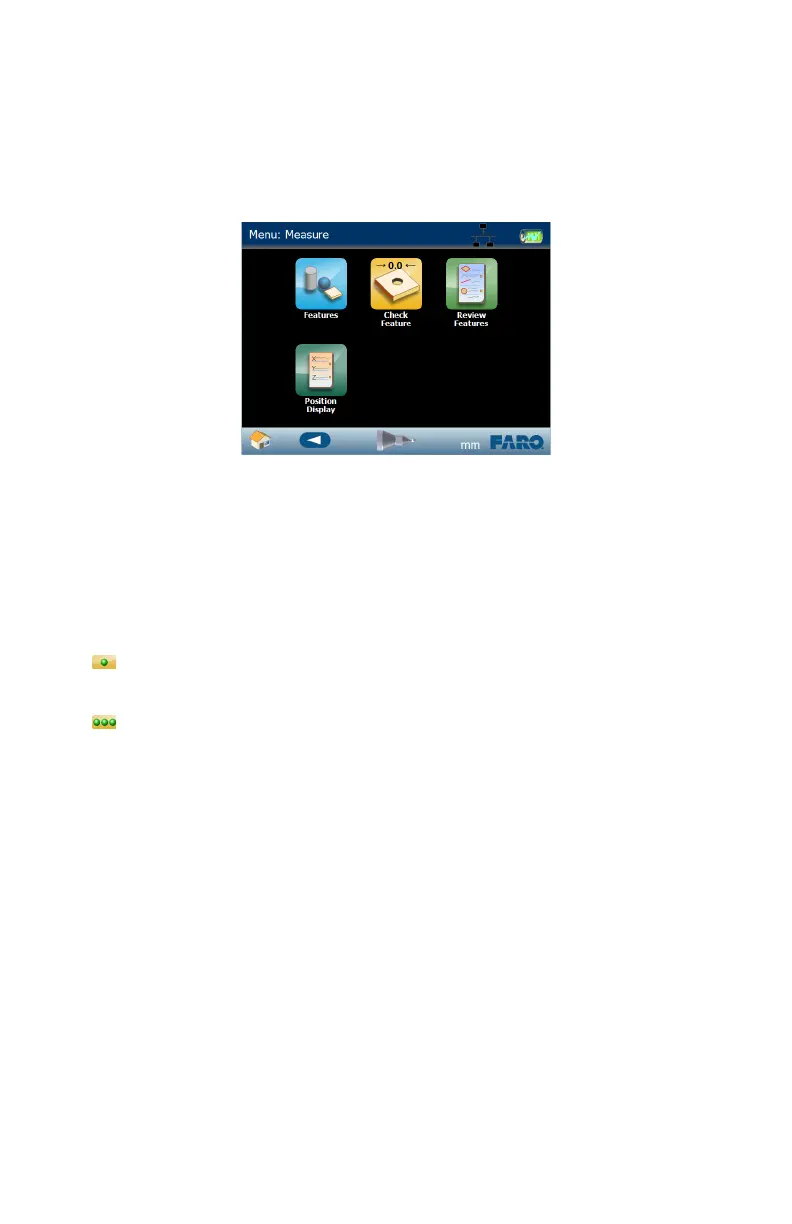
Use the commands in the MEASURE menu to measure features, lengths, and
angles on your part.
You can add nominal and tolerance values, and view the deviation values. Using
the optional USB digital camera, you can add pictures with measurement targets
to the each measurement feature.
Single Point or Scan Recording
There are two digitizing modes in the Edge software:
• Single Point - Press the GREEN button to collect a single point as you
touch the part with the probe.
• Scan - Press and hold the GREEN button to collect points as you touch and
move the probe across the part. Adjust the 3D distance between points in the
Application Preference. See “Application” on page 151.
In the lower left corner of each measuring screen is the Single Point icon. Touch
the Single Point icon to switch to Scan mode. Touch the Scan icon to switch to
Single Point mode.
Features
The FEATURE commands are simple geometric features to measure with the
Edge.
Circle
From the MAIN menu, touch MEASURE > FEATURES > CIRCLE. Use this
command to measure round holes and posts. You must record at least three points
to solve the circle.
Figure 7-14 Edge Measure menu
08M52E00_FaroArm_Edge.book Page 134 Thursday, October 4, 2012 9:31 AM



 To Next Page