FARO Edge
September 2012
62
Chapter 4: Probes
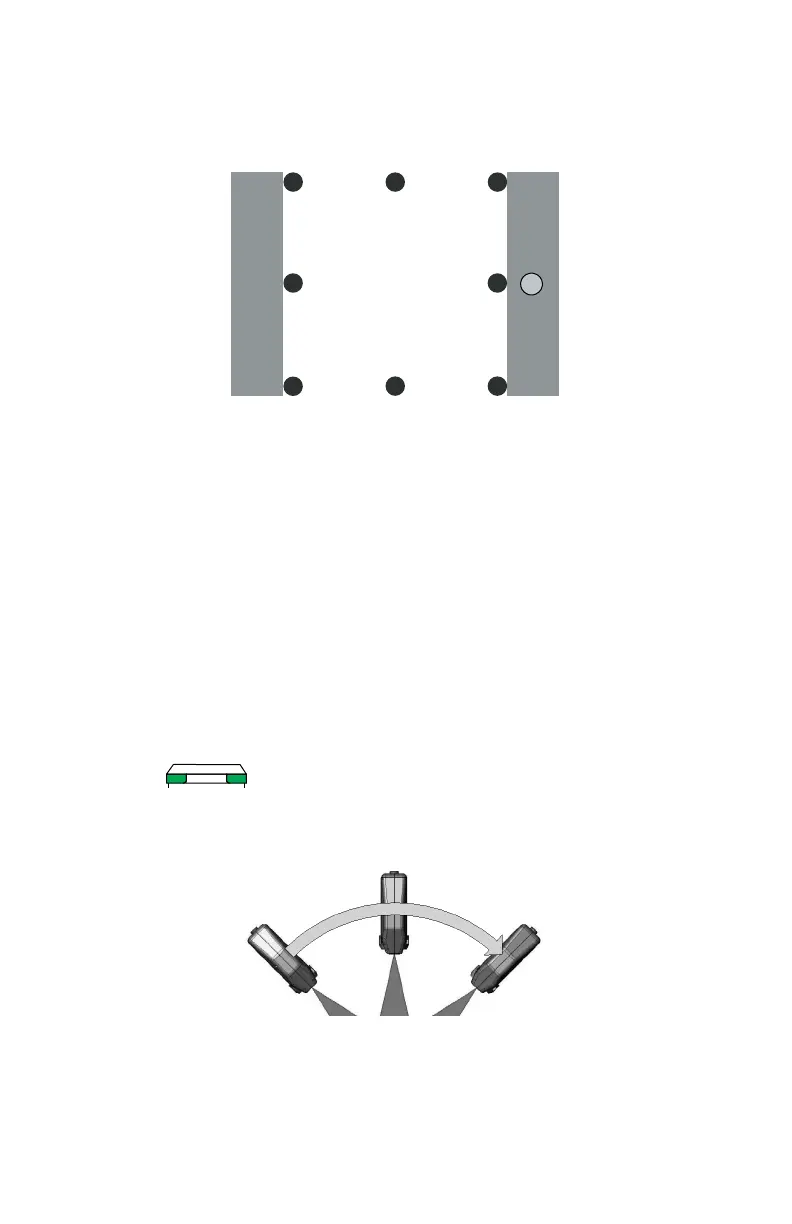
NOTE: Digitize each point near an edge of the surface to avoid marring the
middle of the surface.
• Pull the probe away from the surface and press the BACK button.
The flatness of the white surface is calculated and the results are displayed in the
dialog box. If the results Fail, click the RETRY button to redigitize the white
surface. Click OK to continue.
N
OTE: Avoid touching both lenses. Clean the top and bottom lenses with the
cloth from the FARO Laser Line Probe Case. Dirt and grease on either lens can
cause poor results.
2 Digitize the white area of the FARO Compensation Plate with the FARO Laser
Line Probe in a sweeping motion. You should collect at least 200 scan lines in
the FARO Laser Line Probe compensation. If not, repeat the compensation
moving the FARO Laser Line Probe slower in each step.
• Aim the laser line at the middle of the white surface.
• Move the FARO Laser Line Probe until the laser is in the Center
Range. .
• Press the FRONT button and move the FARO Laser Line Probe while
pointing to the center of the white surface. Rotate the FARO Laser Line
Probe as much as possible - at least 90 degrees.
• Press the BACK button.
3 Digitize the white area of the FARO Compensation Plate with the FARO Laser
Line Probe in a sweeping motion. You should collect at least 200 scan lines in
8
76
5
4
3 2
1
08M52E00_FaroArm_Edge.book Page 62 Thursday, October 4, 2012 9:31 AM



 To Next Page