FARO Edge
September 2012
95
Chapter 6: Maintenance and Troubleshooting
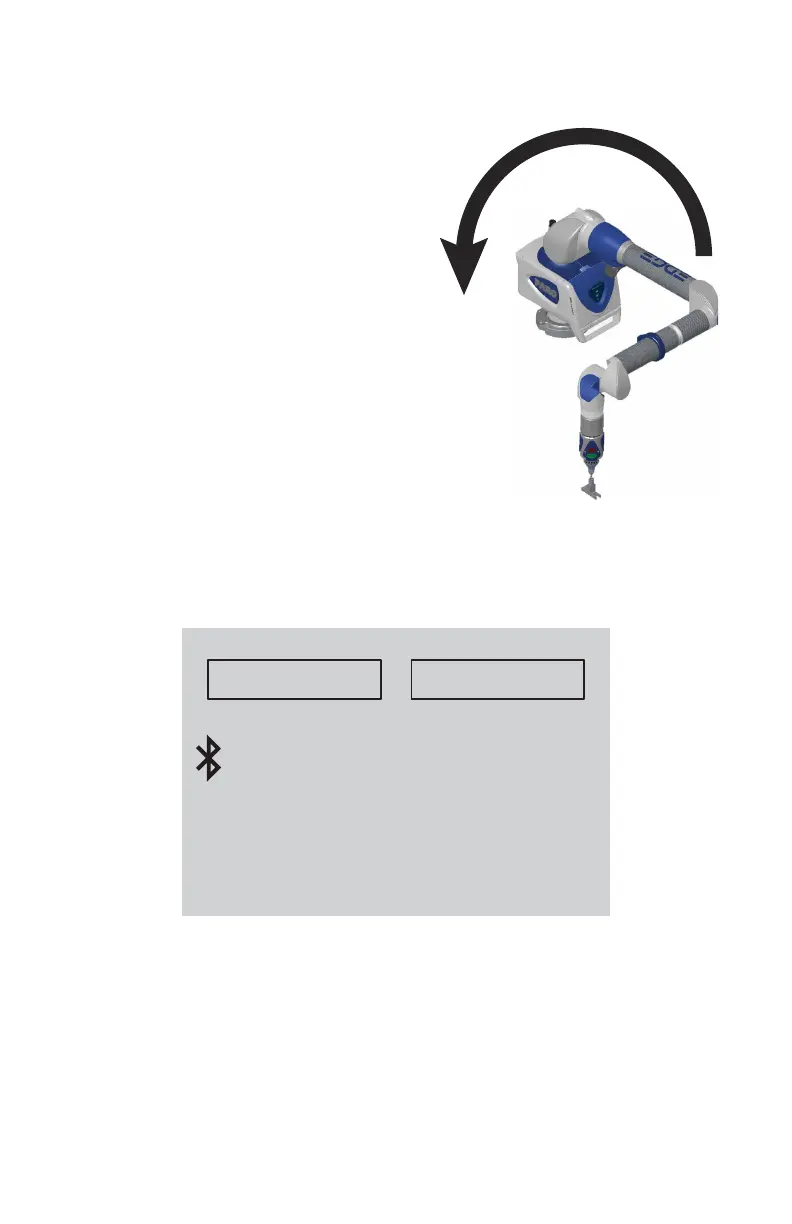
Start with the elbow of the Edge to one
side and press the FRONT button.
Slowly sweep the elbow so that it ends up
on the opposite side. N
OTE: Measurements
automatically record as the elbow moves.
• In the dialog box, watch the status bar.
Sweep the elbow all the way to the
opposite side.
The SPAT automatically completes. The
set of measurements from each sweep are
compared for repeatability. If the sets are
not repeatable, you must repeat the test.
N
OTE: The Edge movement should feel
fluid. Be careful not to stress the Edge
while taking these points or get too close to
an end stop since stresses can be amplified near end stops.
Note the deviations in X, Y, and Z. The (Max-Min)/2, or Single Point
repeatability value, of each coordinate should be lower than the value printed
on the Edge.
Click the YES button to generate a detailed report of the test, or the NO button
to end the test.
If not using CAM2, simply export your list of points to Microsoft Excel and
calculate (Max.- Min.)/2 for each coordinate.
MADE IN
WLAN
Volumetric:Single Point:
Contains FCC ID: ED9LMX9838
and IC: 1520A-LMX9838
FCC ID: YQM14000
and IC: 9265A-14000
This product is protected by US Patents:
5402582, 5611147, 5794356, 6366831, 6606539, 6904691, 6925722, 6935036, 6973734, 6988322,
7032321, 7043847, 7051450, 7069664, 7269910, D607350.
Other US and worldwide patents issued and pending.
This device complies with Part 15 of the FCC Rules. Operation is subject to the following two
conditions: (1) this device may not cause harmful interference, and (2) this device must accept any
interference received, including interference that may cause undesired operation.
FARO
Model 14000
0.029 mm +/- .041 mm
08M52E00_FaroArm_Edge.book Page 95 Thursday, October 4, 2012 9:31 AM



 To Next Page