FARO Edge
September 2012
142
Chapter 7: Software
1 Move the probe to the temporary zero location.
2 Press the RED button, or touch the TEMPORARY ZERO icon, to set a
temporary zero location.
3 Move the probe to another location and view the deviation from the first
feature and the temporary zero location.
4 Touch the BACK button to return to the MEASURE menu, or the HOME
button to return to the MAIN menu.
Manual Compensation
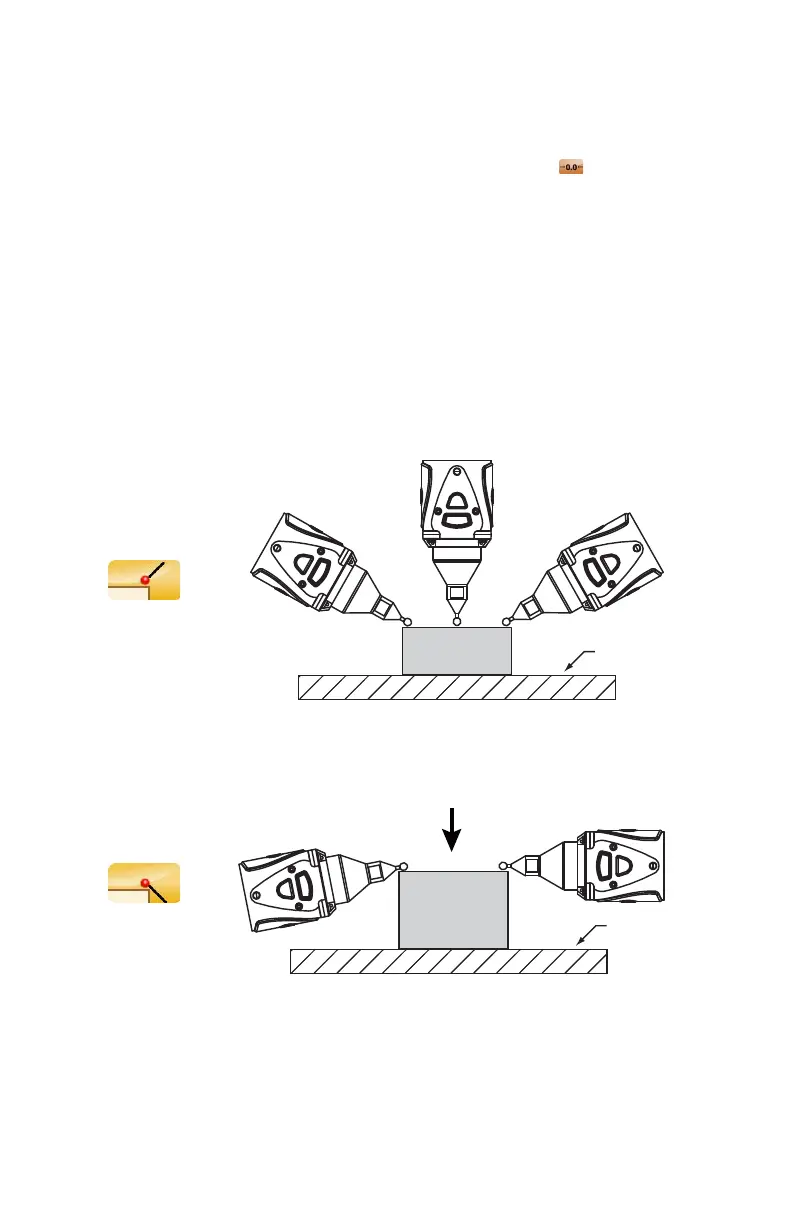
The Automatic Compensation mode uses the vector of the probe to determine the
direction to compensate the deviation value. You should always try to point the
probe towards the feature.
The Manual Compensation mode allows for the correct compensation when you
can not point the probe towards the feature.
Figure 7-21 Automatic Compensation
Figure 7-22 Manual Compensation
Compensation
Plane Feature
08M52E00_FaroArm_Edge.book Page 142 Thursday, October 4, 2012 9:31 AM



 To Next Page