FARO Edge
September 2012
65
Chapter 4: Probes
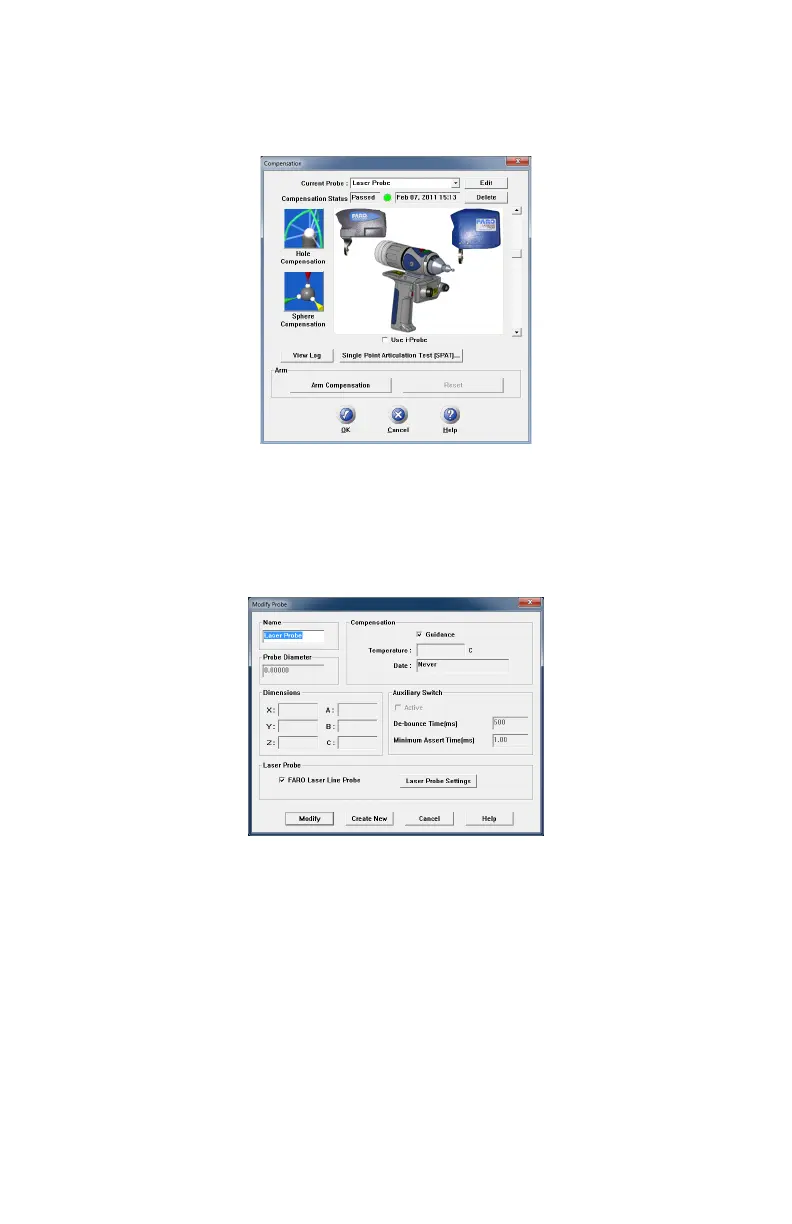
To change the FARO Laser Line Probe settings:
• Choose the Laser Probe probe in the P
ROBES dialog box
• Click the EDIT button.
In the M
ODIFY PROBE dialog box, you will see all of the information about the
FARO Laser Line Probe.
• Click the LASER PROBE SETTINGS button to modify the settings of the
FARO Laser Line Probe.
Figure 4-11 Probes dialog box
Figure 4-12 Modify Probe dialog box
08M52E00_FaroArm_Edge.book Page 65 Thursday, October 4, 2012 9:31 AM



 To Next Page