User Guide
302
Configuring Authentication Settings on the Print Driver/Application
Specify account information (a user name and a password) that is required for authentication when printing on
our print driver or application.
The following procedure uses the PCL driver on Windows
®
7 and Windows
®
10 as examples.
1.
Click [Start] > [Devices and Printers].
For Windows
®
10, right-click the Start button, and then click [Control Panel] > [Hardware and Sound] >
[Devices and Printers].
2.
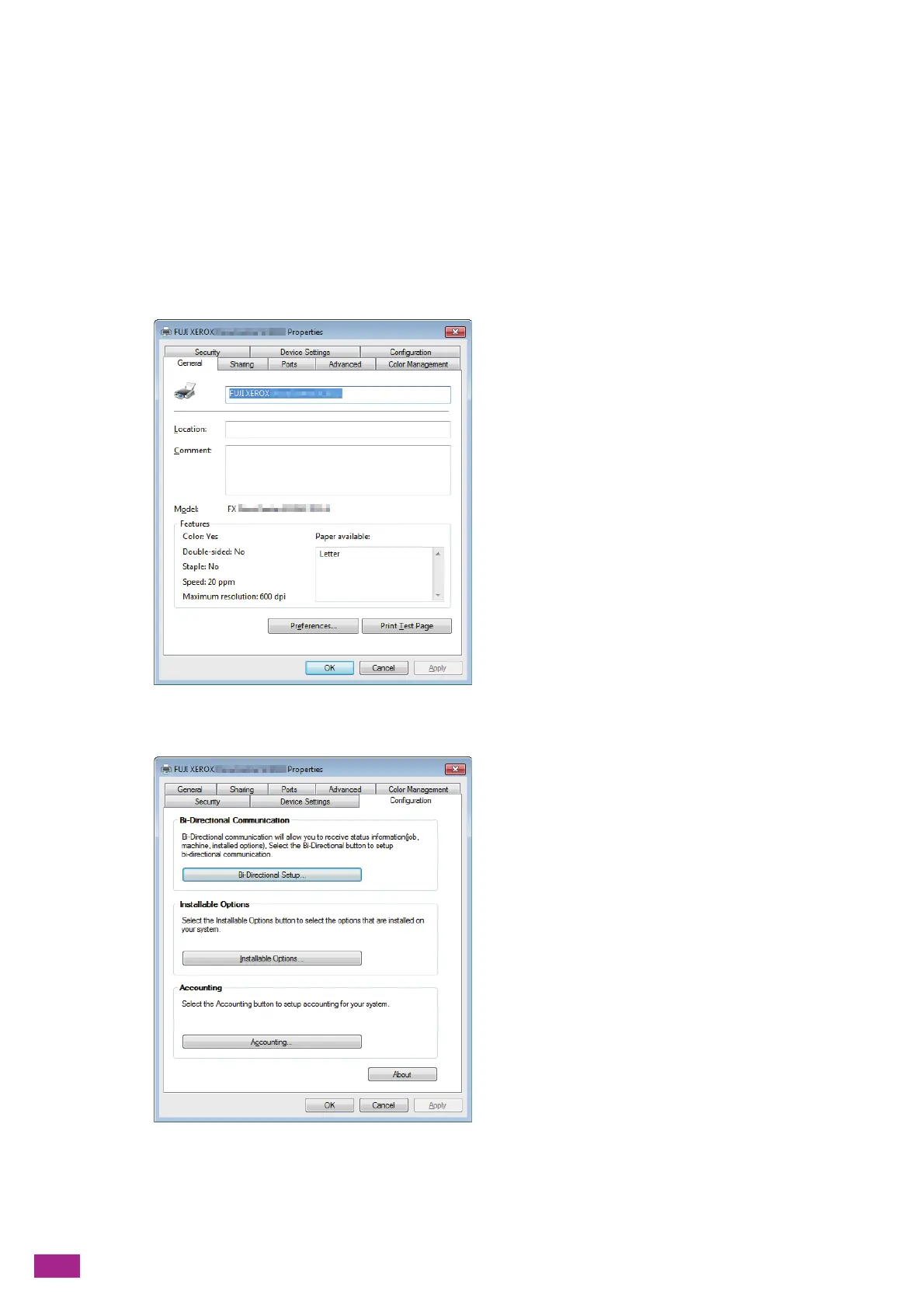
Right-click the icon for the machine, and select [Printer properties].
3.
Click [Configuration].
4.
Click [Accounting].



 To Next Page
 Loading...