▶
Remove the PSU and install the dummy cover carefully.
▶
Mount the complete assembly (CMA stopper, the crossbar and the CMA)
again into the rail.
▶
If applicable, close the CMA of the server below
.
Preliminary steps
▶
Only when replacing a PSU in a non-redundant configuration: "Shutting
down the server" on page 47.
Removing a hot-plug PSU
▶
Remove the power cord from the dedicated PSU, see "Disconnecting the
power cord" on page 48.
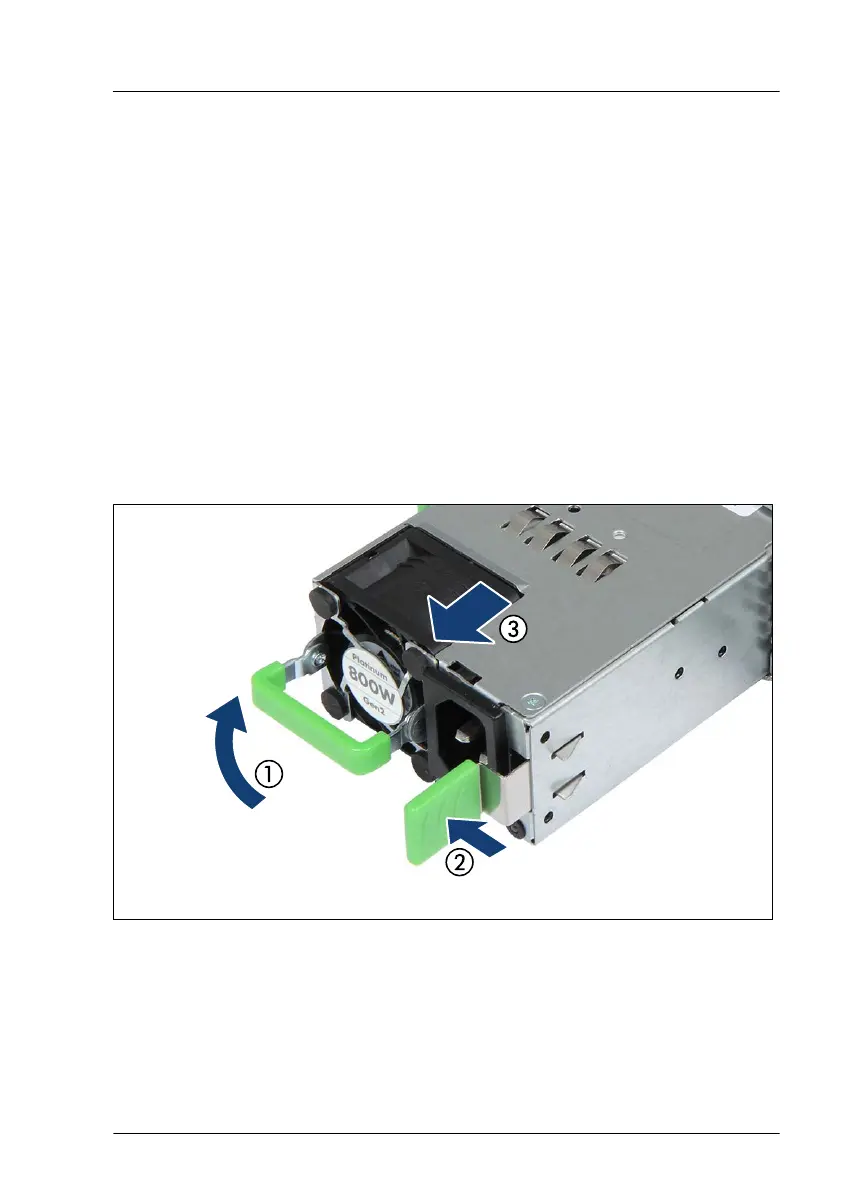
Figure 73: Removing the PSU
▶
Push the handle of the PSU halfway upward in the direction of the arrow (1).
▶
Press in on the green locking latch (2).
Power supply unit (PSU)
TX1330 M4 Upgrade and Maintenance Manual 151



 To Next Page
 Loading...










