This step is only required when upgrading or replacing non-hot-plug
components.
▶
Inform the system administrator that the server will be shut down and put
offline.
▶
T
erminate all applications.
▶
Perform the required procedures described in the preliminary steps of each
upgrade or maintenance task.
▶
Shut down the server.
If the system is running an ACPI-compliant operating system (OS),
pressing the On/Off button will perform a graceful shutdown.
4.3
Disconnecting the power cord
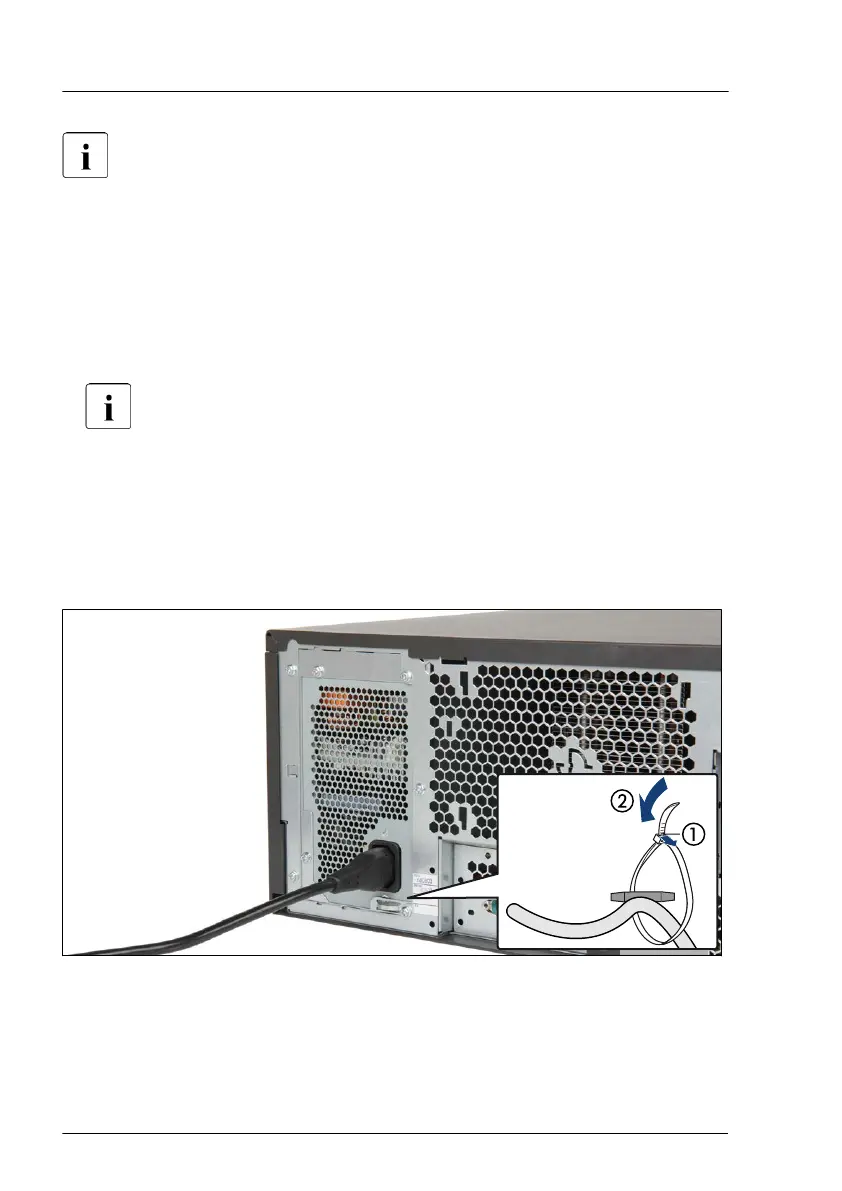
4.3.1 Disconnecting the power cord (standard PSU)
Figure 2: Unlocking the cable tie of a standard PSU
▶
Pull out the locking lever on the PSU cable tie (1) and loosen the loop (2).
▶
Disconnect the power cord from the PSU and remove it from the cable tie.
Basic hardware procedures
48 Upgrade and Maintenance Manual TX1330 M4



 To Next Page
 Loading...










