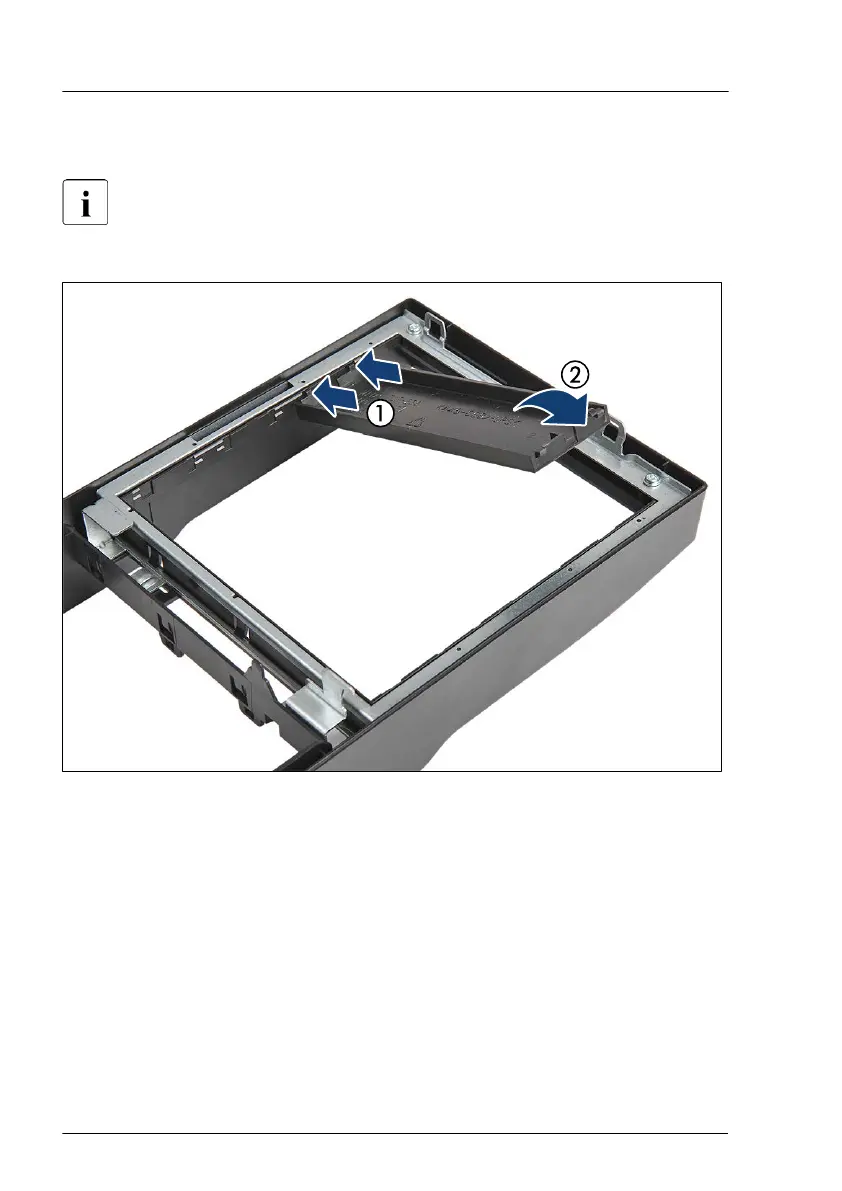
4.9.4.2 Installing accessible drive covers
Installing accessible drive covers is illustrated by the example of the
floorstand model. In case of the rack front cover, the procedure is
identical.
Figure 52: Installing an accessible drive cover
▶
Ensure that an accessible drive filler cover has been installed in every empty
drive bay.
▶
T
urn the front cover face down.
▶
Join the two lugs on one edge of the accessible drive cover with the right
inner edge of the front cover (1).
▶
Fold down the accessible drive cover until it snaps in place (2).
Basic hardware procedures
96 Upgrade and Maintenance Manual TX1330 M4



 To Next Page
 Loading...










