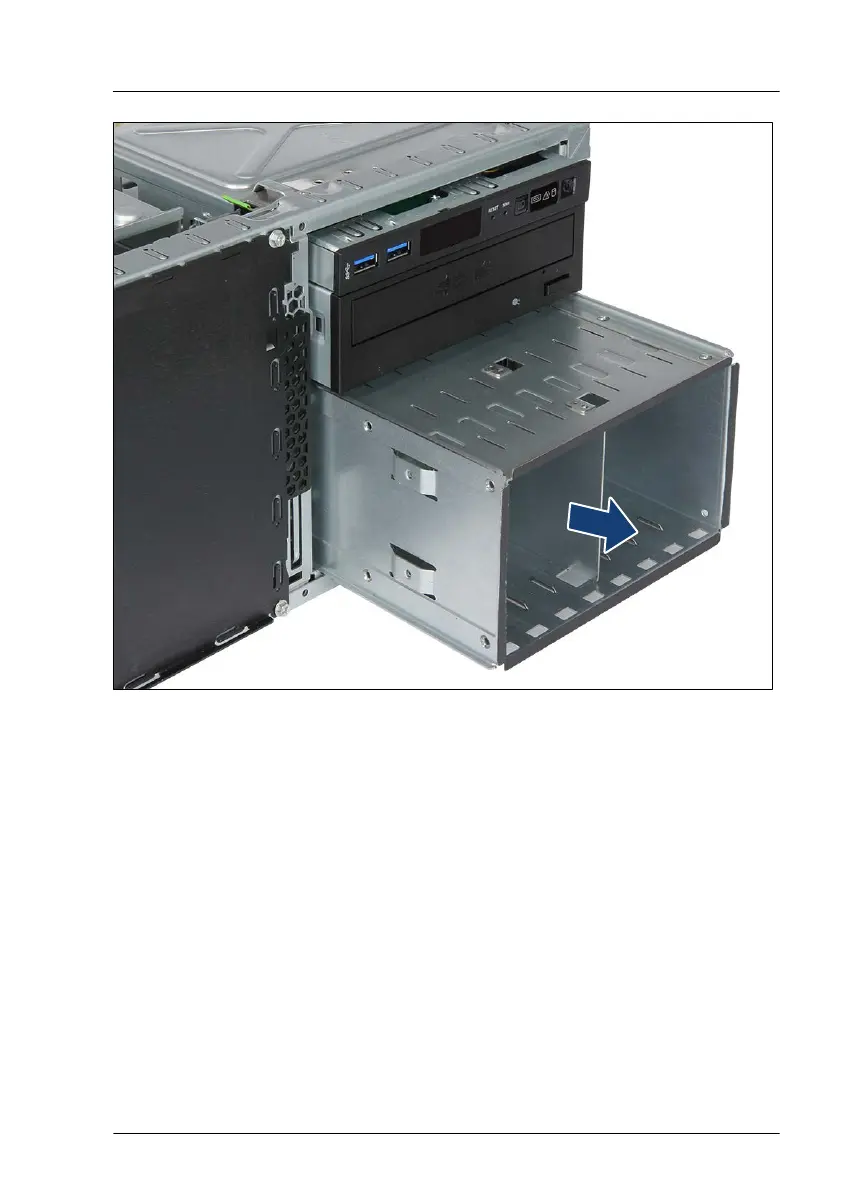
Figure 147: Removing the 8x 2.5-inch HDD/SSD extension box
▶
Carefully pull the 8x 2.5-inch HDD/SSD extension box out of its installation
bays.
▶
Close the locking bar, see "Closing the accessible drive locking bar" on
page
91.
Installing accessible drive dummy covers
▶
Install accessible drive filler covers into empty drive bays, see "Accessible
drive filler covers" on page 92.
▶
Install accessible drive covers into the front cover, see "Accessible drive
filler covers" on page 92.
Hard disk drive (HDD) / solid state disk (SSD)
TX1330 M4 Upgrade and Maintenance Manual 249



 To Next Page
 Loading...










