▶
Remove the intrusion switch cable from the cable clamp (1).
▶
Remove the knurled screw (see circle).
▶
Slide the SAS expander board holder in the direction of the arrow and take it
out of the chassis.
▶
Disconnect all cables from the expander board.
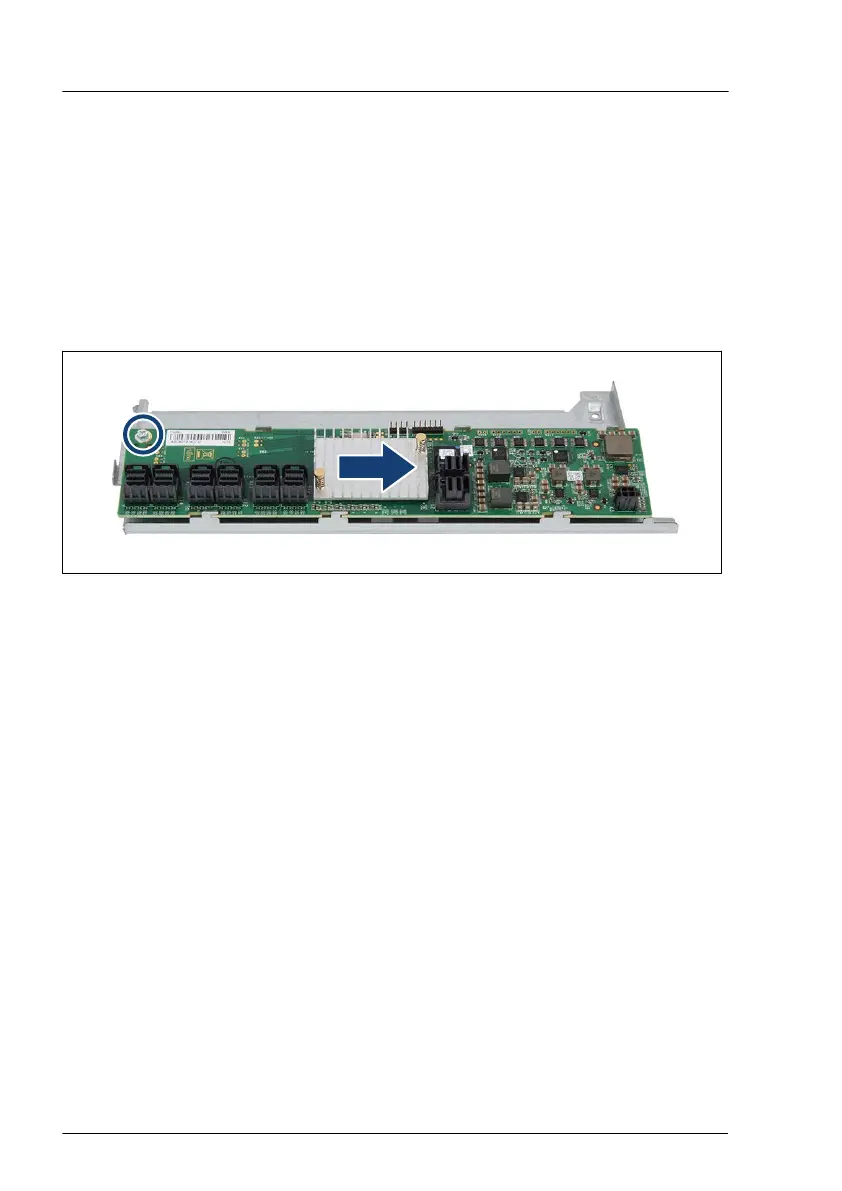
Removing the SAS expander board
Figure 169: Removing the SAS expander board
▶
Remove one screw (see circle).
▶
Push the SAS expander board in the direction of the arrow
.
▶
T
ake off the SAS expander board from the SAS expander board holder.
Concluding steps
▶
"Reassembling" on page 66.
▶
"Connecting the power cord" on page 79.
▶
"Switching on the server" on page 81.
▶
"Resuming BitLocker functionality" on page 121.
Hard disk drive (HDD) / solid state disk (SSD)
274 Upgrade and Maintenance Manual TX1330 M4



 To Next Page
 Loading...










