Chapter 4 Element Management System (EMS) Element Properties Configuration
© 2011 Harmonic Inc. 111 ProView 7000 v.2.4, Rev. A
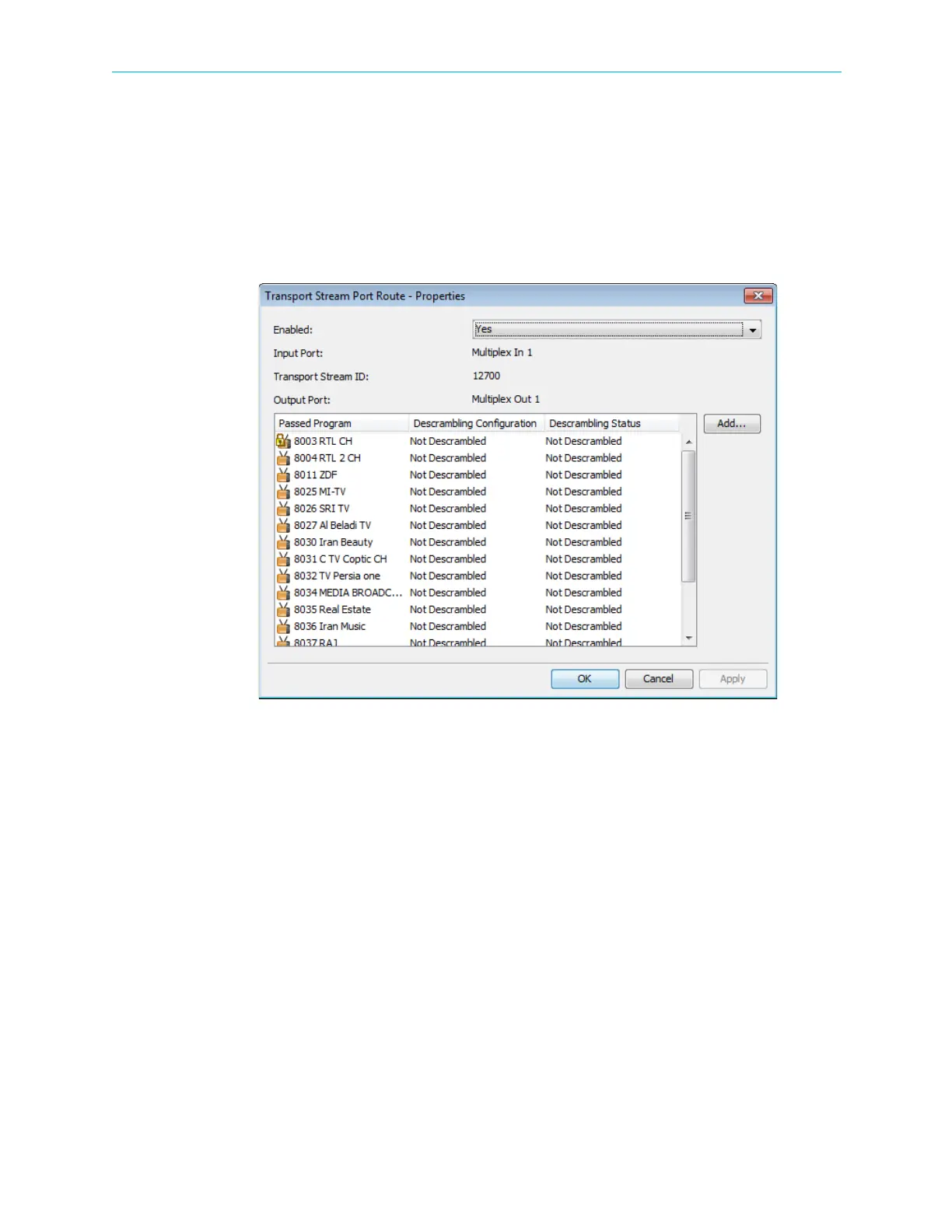
4.5.4.2 Transport Stream Port Route Properties dialog
The Transport Stream Port Route Properties dialog displays the current status of a transport
stream routed to an output port.
To display the Transport Stream Port Route Properties dialog:
1. Select the TS port route icon in the Multiplex & Decoding Output box on the Device
Explorer tab.
2. Click Properties on the EMS toolbar.
Figure 4–33: Transport Stream Port Route Properties dialog
The information provided by the Transport Stream Port Route Properties dialog includes the
following:
■ Enabled – Enables (Yes/No) the output port operation.
■ Input Port – Displays the multiplex input port name.
■ Transport Stream ID – Displays the transport stream ID number.
■ Output Port – Displays the stream output port name.



 To Next Page